The 12 Best Free Landscape App Options for 2026

Dreaming of a stunning new garden, patio, or complete front yard makeover but struggling to picture the final result? Visualizing changes to your home's exterior can be challenging, and professional landscape design services are often expensive. Fortunately, a powerful free landscape app can bridge the gap between your ideas and reality, allowing you to experiment with designs directly on a photo of your own home or a digital model. This guide is built to help you find the right tool for your specific project, whether you're a homeowner planning a weekend DIY project, a real estate agent staging a property for a quick sale, or a contractor creating a proof-of-concept for a client.
We’ve tested and analyzed the top options available, moving beyond simple marketing claims to give you a practical overview of what each app truly offers. For every platform, you'll find a clear breakdown of its standout features, platform availability (iOS, Android, Web), and the honest limitations of its free version. We'll explore ideal use cases to help you match the software to your goals. For instance, some apps excel at simple, photo-based mockups, while others offer complex 2D plot planning or full 3D modeling.
This article provides the direct insights you need to choose confidently and start designing immediately. We'll cover everything from AI-powered tools like Curb Appeal AI for instant photorealistic renders to detailed planners like Gardena myGarden for intricate garden layouts. Each entry includes direct links and screenshots, so you can spend less time searching and more time creating the perfect outdoor space. We will also include a practical recommendation section that explains when to stick with a free app versus when it makes sense to upgrade to a paid or professional tool.
1. Curb Appeal AI
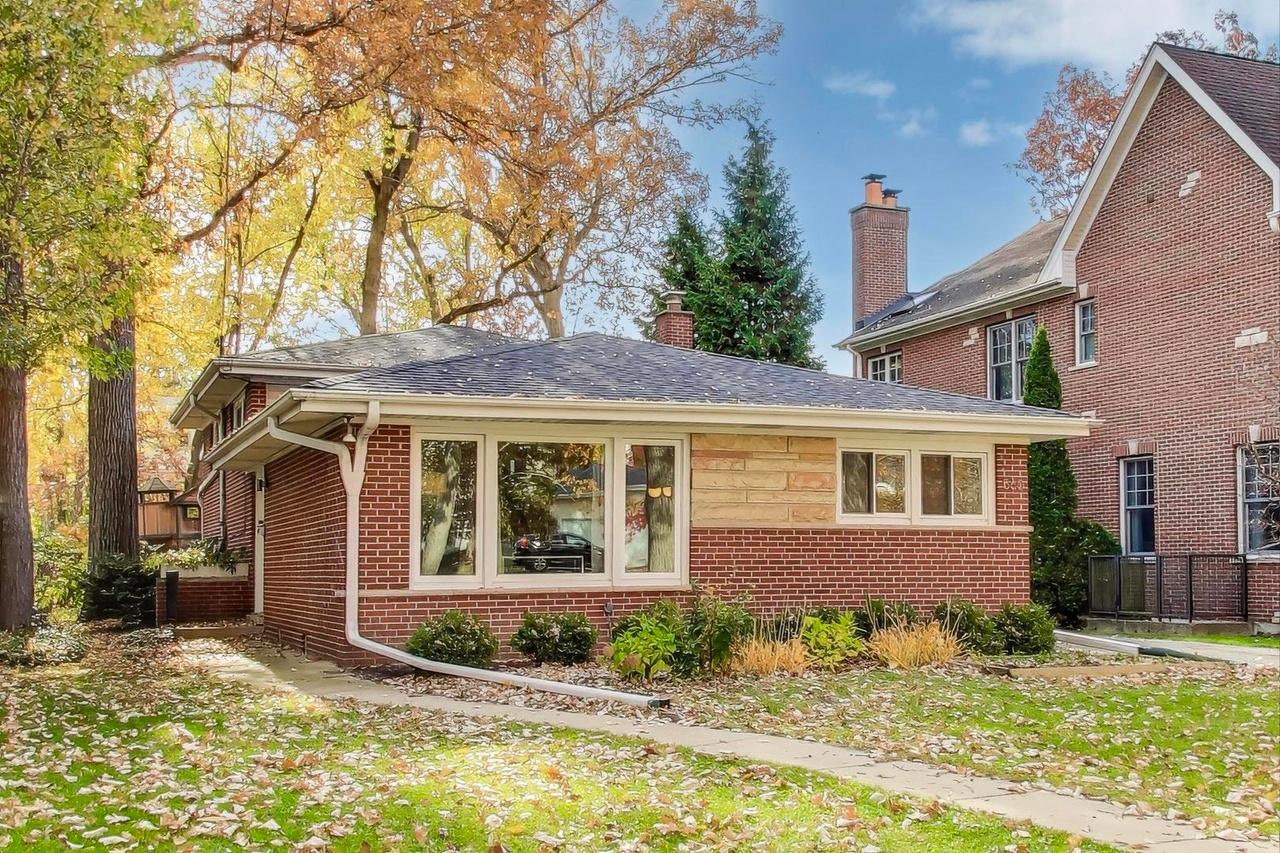
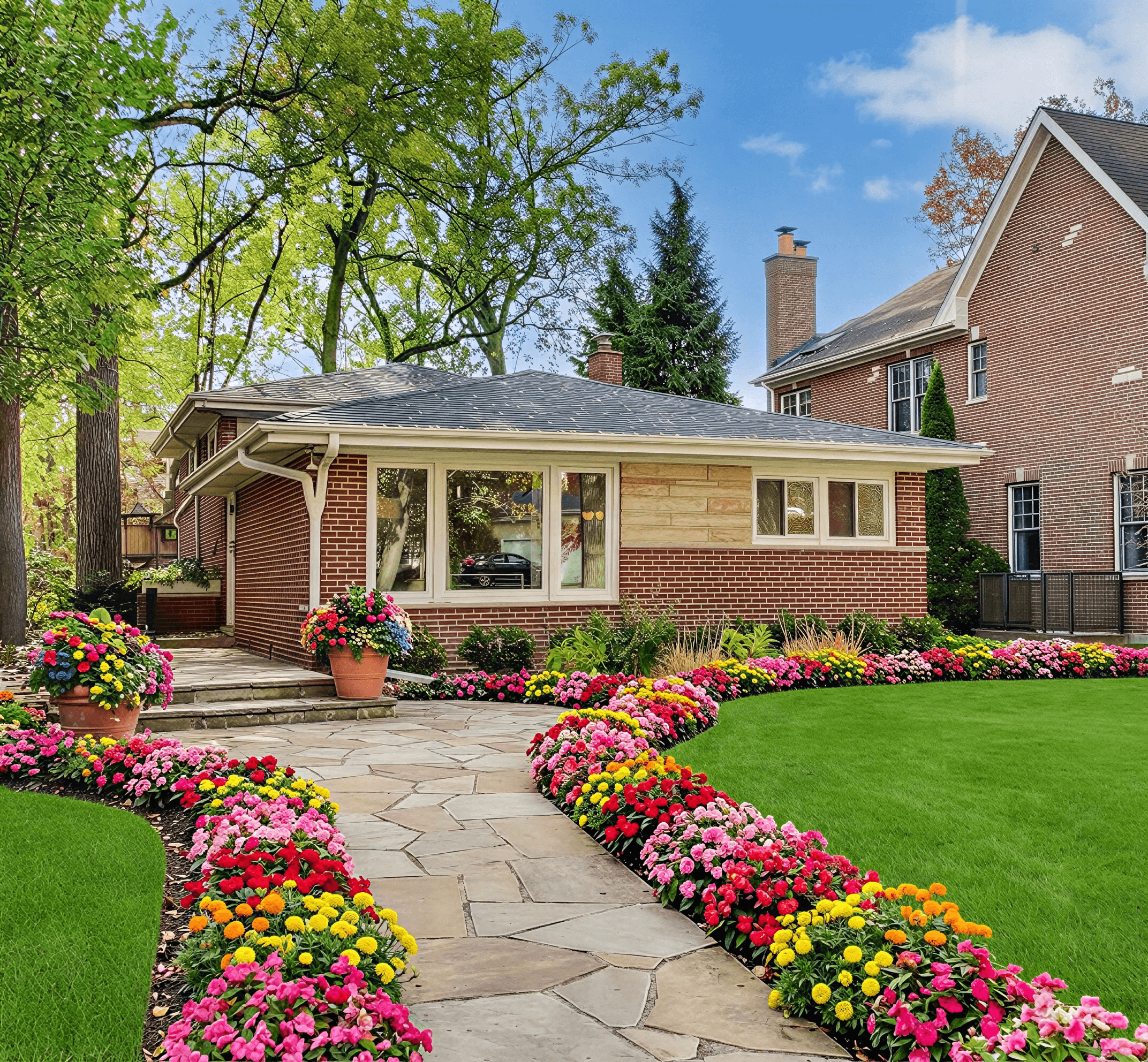
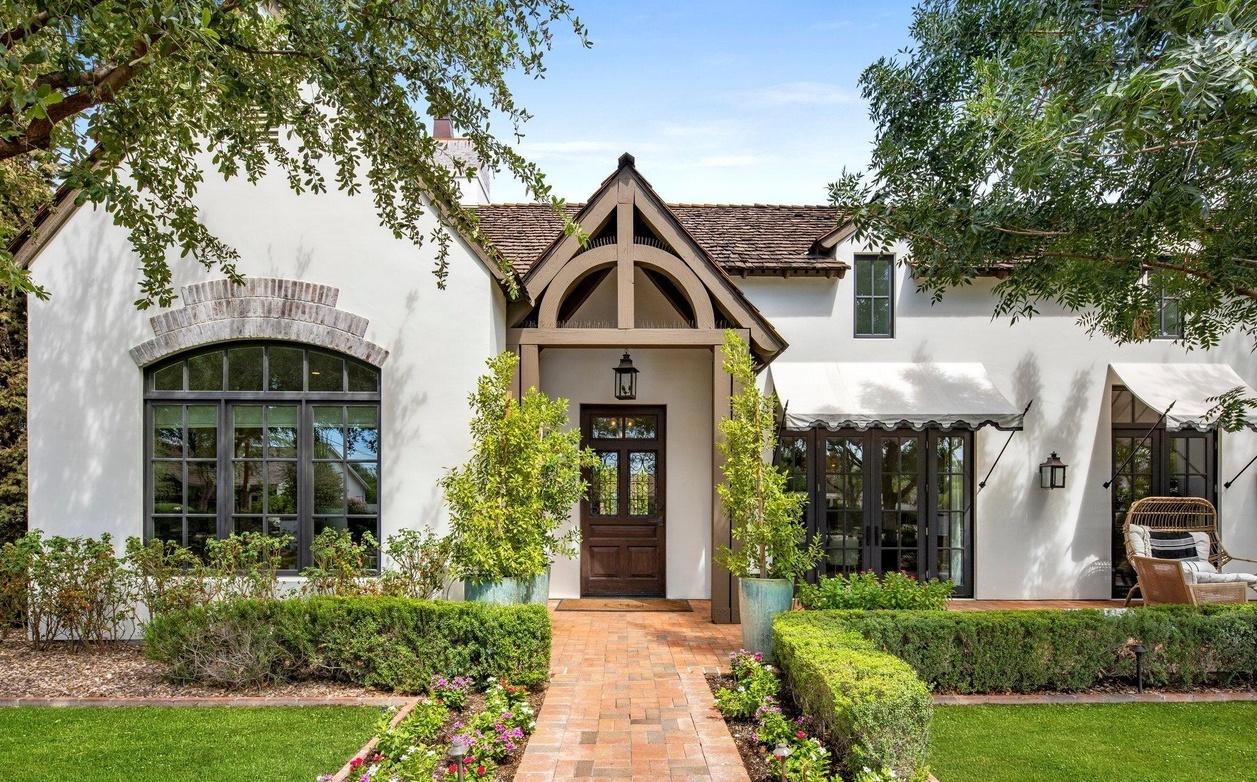
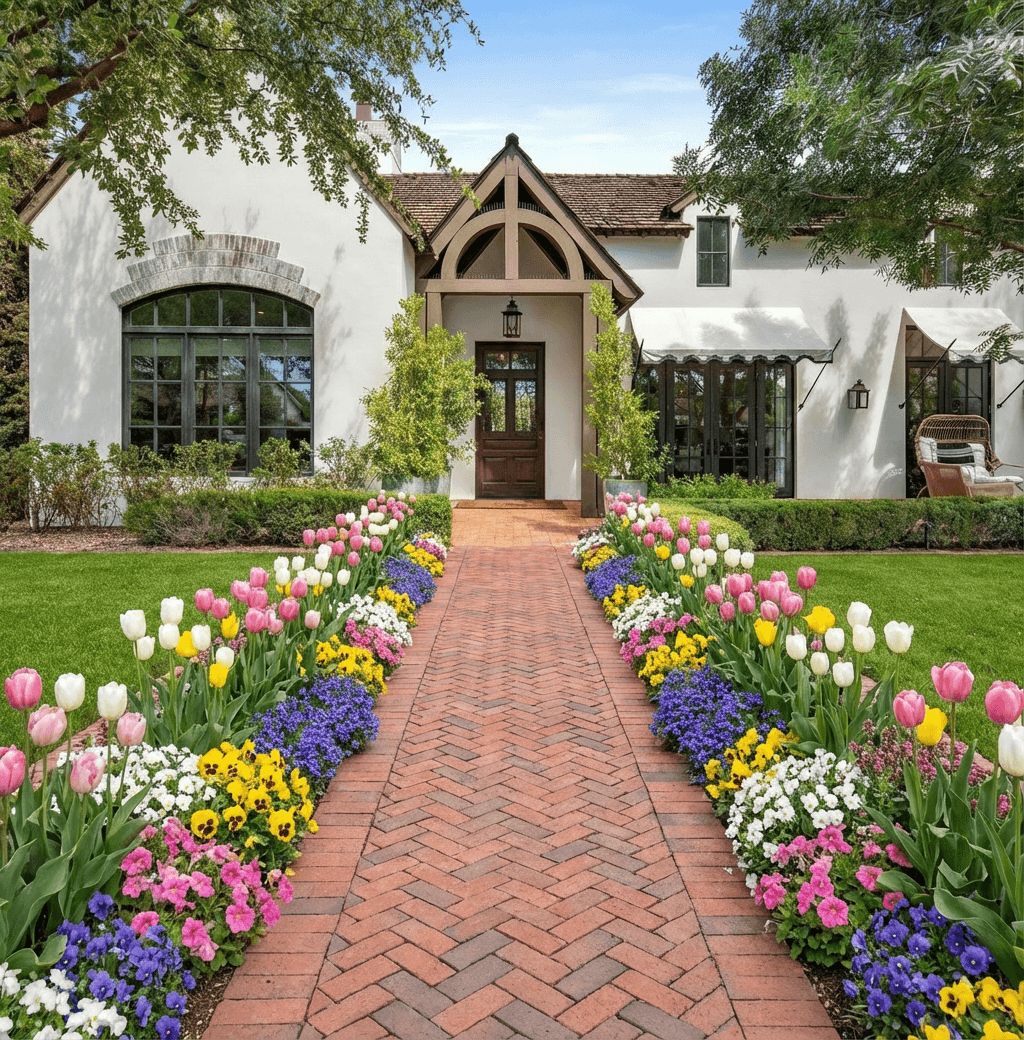
Curb Appeal AI positions itself as a premier AI-powered design studio, delivering a powerful and well-rounded solution for anyone looking to reimagine a home's exterior. It moves beyond basic visualization by turning a single street-view photo into multiple, photorealistic makeovers in seconds. This speed and quality make it a standout choice, providing professional-grade results without the typical cost or time investment.

The platform’s key differentiator is its climate-aware intelligence. Unlike generic tools that simply place random plants, Curb Appeal AI uses hardiness-zone data and horticultural knowledge to suggest vegetation and materials that will actually thrive in your specific location. This practical approach ensures the beautiful designs are also sustainable and achievable.
Key Strengths & Use Cases
This tool is particularly effective for rapid ideation and decision-making. Homeowners can explore dozens of styles, from Modern to Mediterranean, to find a look that fits their taste before committing to a project. Real estate agents and stagers can generate compelling listing photos that show a property's full potential, helping it sell faster.
Users report significant time and cost savings. For example, some agents see listings sell approximately 15% faster, while certain contractors note a 30% higher project close rate by presenting clients with instantly understandable visuals.
For contractors and designers, the platform generates detailed build plans and itemized cost estimates. This turns a visual concept into an actionable blueprint, complete with materials lists, which helps streamline client proposals and project management. You can learn more about the role of artificial intelligence in design by reading their guide on using AI for landscape design.
Platform and Pricing
- Availability: Web-based (accessible on any device)
- Free vs. Paid: A free trial is available to test the platform, though it produces watermarked images. To get actionable, high-resolution visuals, users must purchase a one-time credit pack.
- DIY Homeowner: $25 for 40 credits.
- Builder: $55 for 100 credits and HD downloads.
- Professional: $110 for 250 credits, 4K exports, and commercial usage rights.
- Model: Each design generation consumes one credit. The platform does not offer refunds due to the costs associated with AI generation.
Practical Recommendation
Curb Appeal AI is the ideal starting point for projects where visual impact and speed are critical. While not a completely free landscape app for full project completion, its free trial offers an excellent way to evaluate its capabilities. It's best suited for those in the planning and proposal stages who need to visualize outcomes, secure client buy-in, or enhance property marketing. The upfront credit cost is an investment in certainty, replacing expensive consultations and guesswork with tangible, data-driven design options.
2. iScape
iScape is a popular and powerful free landscape app that excels at creating quick, photorealistic mockups. Its primary strength lies in its ability to layer digital plants, hardscapes, and ground coverings directly onto a photo of your property. This approach gives you an immediate visual of how potential changes will look in a real-world context, making it a favorite for homeowners who want to test ideas before buying materials.
The app's drag-and-drop functionality is intuitive, allowing you to quickly populate a flower bed or visualize a new stone patio in minutes. Its large user base means there are plenty of online tutorials to guide you. For those interested in augmented reality, iScape also allows you to "walk" through your design in real-time using your phone’s camera.
Key Details & Limitations
- Platform Availability: iOS, Android
- Ideal User: Homeowners needing fast conceptual visuals, contractors creating client mockups.
- Free vs. Paid: The free version is quite functional for basic design but limits you to a small number of saves and locks HD exports and the full design catalog behind a Pro subscription. This makes it less suitable for professionals who need high-quality outputs for client proposals.
Practical Recommendation
Use iScape to get fast, shareable "before and after" concepts for a specific project, like redesigning your front walkway or adding a new garden bed. While it's one of the top choices for quick visualizations, it's not meant for creating detailed construction plans. For a broader comparison of different tools and their specific uses, exploring various types of landscape design software for homeowners can provide additional context on what might best fit your project's scale.
3. Gardena myGarden
Gardena myGarden is a unique browser-based free landscape app that specializes in the practical aspects of garden and irrigation system planning. Instead of focusing on photorealistic mockups, its strength is in creating accurate, to-scale 2D layouts of your yard. This makes it an exceptional tool for mapping out lawn zones, garden beds, and, most importantly, planning an effective pop-up sprinkler system before you dig.
The platform’s drag-and-drop interface is straightforward, allowing you to sketch your property dimensions and place elements like your house, paths, and planting areas. Its standout feature is the automated sprinkler planner, which suggests optimal head placement and pipe routing based on your layout. This function removes much of the guesswork from designing an efficient watering system.
Key Details & Limitations
- Platform Availability: Web browser (no download needed)
- Ideal User: DIY homeowners planning a new lawn or garden, anyone installing a sprinkler system for the first time.
- Free vs. Paid: The tool is 100% free. The main catch is that it is designed around Gardena's product line, so the sprinklers and components available in the planner are specific to their brand. The 2D-only view is also a limitation for those seeking visual inspiration.
Practical Recommendation
Use Gardena myGarden for the logistical, blueprinting phase of your project, especially if irrigation is a key component. It's perfect for creating a printable shopping list and installation map for a new sprinkler system. While it excels at layout planning, you'll want to pair it with a visualization tool for aesthetic choices. For a deeper dive into self-guided project planning, consider exploring resources on do-it-yourself landscape design to combine practical layouts with visual concepts.
4. Planner 5D
Planner 5D is a versatile home and landscape planner that allows users to create detailed 2D floor plans and instantly visualize them in 3D. While it's known as an interior design tool, its free landscape app capabilities are robust, featuring a sizable catalog of outdoor objects like plants, patio furniture, pools, and hardscaping materials. This makes it ideal for planning a complete outdoor living space, from the deck and patio layout to garden bed arrangements.

The platform's strength is its gentle learning curve and the seamless transition between 2D drawing and 3D exploration. You can quickly map out property lines, draw a deck, add a pool, and then populate the scene with trees and shrubs. Its cloud-sync feature across web and mobile apps ensures your project is accessible anywhere, which is great for on-the-go planning or collaborating with others.
Key Details & Limitations
- Platform Availability: Web, iOS, Android, macOS, Windows
- Ideal User: DIY homeowners planning integrated indoor/outdoor projects, those designing decks, patios, or outdoor kitchens.
- Free vs. Paid: The free version provides access to the core design tools and a basic catalog of items. However, a significant portion of the object library and high-resolution photorealistic renders are locked behind a premium subscription or require individual purchase with credits.
Practical Recommendation
Use Planner 5D when your project involves more than just plants, such as building a new deck, patio, or even an outdoor structure. While many landscape apps focus on planting, tools like Planner 5D are versatile enough to handle structures. If you're specifically interested in designing a custom shed, you can explore guides on using an online shed designer. It's a great tool for conceptualizing the entire backyard ecosystem, but it is not intended for creating stamped construction drawings for permits.
5. Floorplanner
While primarily known as an interior design tool, Floorplanner is a surprisingly capable free landscape app for high-level site planning. Its strength is its browser-based 2D and 3D environment, which makes it excellent for mapping out a property's overall footprint, including driveways, patios, and basic garden bed placements. You can draw your lot dimensions and then add structural elements to see how everything fits together from a bird's-eye view.

The platform is very approachable, and its clean interface allows new users to create a basic layout in minutes. Its object library contains outdoor items like pools, garden patches, and furniture, which can be dragged and dropped into place. The instant switch from a 2D plan to a 3D model helps visualize space and scale, making it useful for deciding where to place a new deck or how large a patio should be.
Key Details & Limitations
- Platform Availability: Web browser (no dedicated mobile app)
- Ideal User: Homeowners focused on property layout, DIYers planning hardscaping projects.
- Free vs. Paid: The free plan is intended for casual, one-off projects and only provides low-resolution exports. Upgrading to a paid plan unlocks higher-quality renders and more projects, making it better for professionals or serious hobbyists who need presentation-quality visuals. The outdoor object library is also less extensive than in specialized gardening apps.
Practical Recommendation
Use Floorplanner to create a foundational site plan for your property. It’s perfect for the initial phase where you are figuring out the scale and placement of major hardscape elements like paths, patios, or fences. However, it lacks the detailed plant databases needed for true garden design. For that, you would need to combine its layout capabilities with a more plant-focused tool. You can find more details at https://floorplanner.com.
6. SketchUp Free
SketchUp Free shifts the focus from simple plant placement to powerful 3D modeling, making it a unique free landscape app for those who need more structural precision. Offered as a web-based platform, it excels at creating custom structures like pergolas, decks, retaining walls, and visualizing complex terrain grading. Instead of dragging and dropping pre-made assets, you are building geometric forms from scratch, giving you complete control over dimensions and massing.

Its strength is in its architectural and structural capabilities, which are far beyond typical garden planners. The robust ecosystem of tutorials and a massive user community means help is always available, though the learning curve is steeper than image-based apps. All your projects are saved to the cloud via Trimble Connect, making them accessible from any computer with a browser.
Key Details & Limitations
- Platform Availability: Web-based (works on most modern browsers)
- Ideal User: DIYers building structures, landscape designers conceptualizing hardscapes, and homeowners needing to visualize grading or elevation changes.
- Free vs. Paid: The free version provides core 3D modeling tools and cloud storage. However, crucial landscape features like extensive plant libraries, photorealistic rendering, and the ability to use plugins are locked behind paid Pro versions. This makes the free tier better for structural planning than for detailed garden design.
Practical Recommendation
Use SketchUp Free when your project involves more than just plants. It's the perfect tool for accurately modeling a new multi-level deck, planning the layout of a paver patio, or figuring out the slope of a new walkway. For softscaping and realistic plant visualization, you will need to supplement it with another tool or consider upgrading to a paid plan that supports rendering extensions.
7. RoomSketcher
While primarily known as an interior floor-planning tool, RoomSketcher offers surprisingly robust capabilities for outdoor design, making it a valuable free landscape app for creating site diagrams. Its strength is in drawing the structural elements of a yard, such as property lines, patios, decks, fences, and pools. This focus on measurement and layout makes it ideal for planning the foundational "bones" of your landscape before adding plants.

The platform provides a clear and well-documented workflow for outdoor areas, and its cross-platform access with cloud synchronization means you can switch between a desktop and tablet seamlessly. Its template gallery includes options for backyards and site plans, giving you a solid starting point for your project and helping you visualize space allocation accurately.
Key Details & Limitations
- Platform Availability: Web-based (Windows, Mac), iOS, Android
- Ideal User: Homeowners planning hardscapes, contractors needing site plans, property investors mapping out plots.
- Free vs. Paid: The free subscription is great for testing the drawing tools and basic 2D floor plans. However, many of the most useful outputs, like high-quality 3D renders, 3D Photos, and live 3D walkthroughs, require purchasing "credits" or upgrading to a paid plan. It also has less plant-specific intelligence than dedicated gardening apps.
Practical Recommendation
Use RoomSketcher to create a precise 2D and basic 3D layout of your property, focusing on patios, pathways, and building placement. It is an excellent first step for establishing dimensions and spatial relationships. Once you have your hardscape plan, you can then move to a more visually-focused app for layering in specific plants and materials. For a more direct way to visualize changes, an AI-powered tool like Curb Appeal AI can generate photorealistic mockups of your actual home.
8. Home Design 3D Outdoor & Garden
Home Design 3D Outdoor & Garden is a consumer-focused free landscape app that functions like a digital sketchpad for your yard. Instead of layering over an existing photo, this tool allows you to draw your property's dimensions and then build your design from the ground up in 2D and 3D. Its main draw is the ability to quickly draft gardens, patios, and outdoor living areas with a simple interface that feels accessible even for beginners.

The app offers a good balance between simplicity and features, letting you manipulate terrain, add objects from a catalog of plants and furniture, and then view the creation in a fully rendered 3D space. Because it operates offline on mobile devices, you can work on your design directly from your backyard without needing an internet connection, making it convenient for on-the-spot planning.
Key Details & Limitations
- Platform Availability: iOS, Android, macOS, Windows
- Ideal User: Homeowners who want to create a new layout from scratch, DIYers planning patio or garden layouts.
- Free vs. Paid: The free version is essentially a trial. It lets you test the tools, but saving and exporting your projects requires an in-app purchase. The complete object and texture libraries are also locked behind the paid tier, which can feel restrictive for more complex designs.
Practical Recommendation
Use this app for conceptualizing the layout and scale of a new outdoor space, such as figuring out the best placement for a new deck or mapping the flow of garden paths. It’s effective for space planning and creating a basic 3D model. However, since it is not a photorealistic AI tool, it's less suited for seeing exactly how a design will look against your real home. For that level of visual accuracy, you'd want to turn to a specialized platform. More details are available directly from the App Store.
9. Live Home 3D
Live Home 3D is a powerful, cross-platform design tool that extends far beyond simple garden planning. While it's a full-featured home design app, its robust outdoor and terrain editing capabilities make it an excellent free landscape app for detailed lot planning. It allows you to model your entire property, including elevation changes, decks, pergolas, and pathways, moving seamlessly between 2D floor plans and real-time 3D visualizations.

One of its most significant advantages is the ability to import 3D models from external sources like Trimble 3D Warehouse, greatly expanding its library of plants, outdoor furniture, and fixtures. This makes it ideal for users who need to visualize specific elements or create a more customized and complete outdoor living space, from the foundation to the final plantings.
Key Details & Limitations
- Platform Availability: macOS, iOS, iPadOS, Windows 10/11
- Ideal User: Homeowners doing extensive property planning, DIYers building decks or patios, users needing to account for terrain grades.
- Free vs. Paid: The free version is generous for learning the software and creating single projects, but it limits exports and locks many of the advanced tools and larger object libraries. Upgrading to a paid tier is necessary for saving multiple projects, high-resolution renders, and accessing the full feature set.
Practical Recommendation
Use Live Home 3D when your project involves more than just planting. It excels at planning the "bones" of your yard, such as designing a new multi-level deck, plotting retaining walls for a sloped yard, or visualizing how an entire outdoor kitchen will integrate with your home. While it has a steeper learning curve than simple garden planners, it provides a much more detailed and architectural approach to landscape design.
10. Sweet Home 3D
While primarily known as an interior design tool, Sweet Home 3D is a powerful, open-source free landscape app that works well for structural exterior planning. It operates from a 2D plan view where you draw walls, place objects, and define areas, with a synchronized 3D window that provides a live preview. This makes it excellent for plotting out the fundamental layout of a yard, including patios, sheds, pools, and property boundaries, before focusing on detailed planting.

The key advantage of Sweet Home 3D is that its core software is completely free and extendable. Users can import thousands of free 3D models from community libraries to represent specific furniture, structures, or even basic plant shapes. Its strength lies in accurate, to-scale site planning rather than photorealistic garden visualization, offering a more technical approach to landscape design.
Key Details & Limitations
- Platform Availability: Desktop (Windows, macOS, Linux), Web Browser
- Ideal User: DIYers planning hardscapes or structural layouts, homeowners needing a precise site plan.
- Free vs. Paid: The core software is 100% free and open-source. The developer offers a paid version on app stores, which is identical but serves as a way to support the project. The immense library of free, user-created 3D objects makes it highly functional without any cost. Its main limitation is a dated user interface and a complete lack of a native plant database or climate-specific guidance.
Practical Recommendation
Use Sweet Home 3D (www.sweethome3d.com) when you need to create a dimensionally accurate 2D plan of your property to figure out the placement of a new deck, fence, or garden shed. It is one of the best free tools for ensuring everything fits to scale. However, for visualizing the actual look and feel with specific plants and textures, you will need to complement it with a more specialized visualization app.
11. GrowVeg Garden Planner
While many apps focus on ornamental design, GrowVeg Garden Planner is a specialized tool dedicated to edible gardens. It’s an exceptional choice for anyone planning a vegetable patch, kitchen garden, or series of raised beds. Instead of photorealistic rendering, its strength is in the intelligence behind the layout. It helps you maximize yield, plan crop rotations, and avoid common planting mistakes.

The platform functions like a digital graph paper for your garden, with a simple drag-and-drop interface. You can place crops, and the software automatically shows correct spacing. It includes smart features like companion planting suggestions and warnings for crop rotation issues, drawing from a deep database of plant information tailored to your specific climate zone.
Key Details & Limitations
- Platform Availability: Web-based (accessible on all devices)
- Ideal User: Home gardeners focused on growing food, from beginners to experienced allotment holders.
- Free vs. Paid: GrowVeg offers a 7-day free trial that provides full access. After the trial, a subscription is required to continue editing plans and access planting schedules. This makes it more of a premium planner than a truly free landscape app for long-term use.
Practical Recommendation
Use the 7-day trial to extensively plan one full season for your vegetable garden. You can finalize your layout, get your personalized planting calendar, and print everything out before the trial expires. It's perfect for detailed edible garden planning but is not the right tool for visualizing aesthetic changes with trees, shrubs, or hardscapes. For that, you'd need a visualizer like many others on this list. You can explore GrowVeg's features at https://www.growveg.com.
12. Home Outside 3D – Landscape & Garden Designer
Home Outside 3D is a mobile-first free landscape app from a professional U.S. landscape design firm, offering tools tailored specifically for outdoor projects. Its main advantage is its on-site design capability, allowing you to capture a real-time scene of your yard with your device's camera and immediately begin placing digital plants, patios, and other elements. This workflow is perfect for homeowners and contractors who need to ideate directly in the field.

The app provides a focused library of garden and hardscape objects designed for exterior concepts. Its interface is built for mobile use, making it practical for quick mockups while walking a property. This outdoor-centric approach sets it apart from more generalized home design apps that treat landscaping as an afterthought.
Key Details & Limitations
- Platform Availability: iOS, Android
- Ideal User: Homeowners testing ideas on-site, landscape contractors needing quick field mockups.
- Free vs. Paid: The free version lets you download the app and explore its core functionality. However, significant feature depth, the full object library, and advanced export options are gated behind premium subscriptions. This limitation makes the free version best for casual brainstorming rather than professional presentations.
Practical Recommendation
Use Home Outside 3D to get a quick visual feel for a new garden bed or patio layout while you are physically standing in your yard. It’s an effective tool for seeing how different elements might fit in a specific space. For high-fidelity designs with access to extensive, climate-appropriate plant libraries and AI-powered recommendations, a dedicated tool like Curb Appeal AI will provide a more complete and professional solution for finalized project plans.
Top 12 Free Landscape Apps Comparison
| Tool | Core Features | Quality ★ | Price/Value 💰 | Target 👥 | Unique Selling Points ✨ |
|---|---|---|---|---|---|
| Curb Appeal AI 🏆 | Photorealistic exterior renders, climate-aware plant suggestions, build plans & cost estimates | ★★★★★ 4.9/5 | Free trial (watermarked); one‑time packs $25 / $55 / $110 💰 | 👥 Homeowners, agents, stagers, contractors | ✨ Climate/hardiness intelligence + actionable build plans; fast HD/4K exports |
| iScape | AR/photo overlays, drag‑and‑drop plant & material catalog, before/after | ★★★★☆ | Freemium; Pro for HD exports & unlimited saves 💰 | 👥 Homeowners & pros wanting quick mockups | ✨ Mobile AR for on‑site visualizations |
| Gardena myGarden | Drag‑drop yard planner, sprinkler placement & piping suggestions, exports | ★★★☆☆ | Free online tool 💰 | 👥 DIYers planning irrigation & layouts | ✨ Automated irrigation layout tied to product ecosystem |
| Planner 5D | 2D → instant 3D, outdoor object library, cloud sync | ★★★★☆ | Freemium; credits/items for premium assets 💰 | 👥 Beginners designing patios, decks, beds | ✨ Easy 3D preview from 2D sketches |
| Floorplanner | Simple 2D planning with 3D view, sharing/embed options | ★★★★☆ | Free tier; paid for advanced exports 💰 | 👥 Casual users and light site plans | ✨ Fast, approachable web-based site/lot layouts |
| SketchUp Free | Web 3D modeling, Trimble cloud, extensive tutorials | ★★★★☆ | Free web; paid Pro tiers for advanced features 💰 | 👥 Pros needing precise 3D modeling | ✨ Powerful geometry & community plugins |
| RoomSketcher | Yard drawing, template gallery, live 3D walkthrough (paid) | ★★★☆☆ | Free test; paid upgrades for high‑res renders 💰 | 👥 Designers & homeowners wanting polished visuals | ✨ Walkthroughs and site templates for quick concepts |
| Home Design 3D Outdoor & Garden | 2D/3D editing with terrain, large outdoor catalog, offline mobile | ★★★☆☆ | Free app; in‑app purchases to unlock features 💰 | 👥 Mobile users sketching quick gardens | ✨ Mobile‑first with offline capability |
| Live Home 3D | Terrain tools, 2D plans & real‑time 3D, import models | ★★★★☆ | Free version; paid upgrades for pro features 💰 | 👥 Users planning full‑lot grading & structures | ✨ Good for grade changes and model imports |
| Sweet Home 3D | Free desktop/web, customizable libraries, 2D plan + 3D view | ★★★☆☆ | Free & open‑source 💰 | 👥 Budget users & hobbyists | ✨ Fully free with extensible object libraries |
| GrowVeg Garden Planner | Drag‑drop crops, zone‑aware sowing schedules, rotation planning | ★★★★☆ | 7‑day free trial, then subscription 💰 | 👥 Vegetable gardeners & allotments | ✨ Deep edible‑garden planting intelligence |
| Home Outside 3D | Camera capture, on‑site placement of plants/hardscapes, mobile workflow | ★★★☆☆ | Free with premium options 💰 | 👥 Field designers & landscape pros on mobile | ✨ Mobile‑focused capture and quick site ideation |
Final Thoughts
The journey to reimagine your property's exterior begins with a single, powerful idea. As we've explored, a capable free landscape app can be the perfect tool to capture, refine, and visualize that idea without any initial financial commitment. From iScape's robust plant library to SketchUp Free's powerful 3D modeling, the digital tools available today offer homeowners, contractors, and real estate professionals an accessible starting point for any project.
Your choice of app should directly reflect your project's scope and your personal technical comfort. A simple drag-and-drop 2D planner like Gardena myGarden is ideal for sketching out a basic garden bed layout. In contrast, a more involved tool like RoomSketcher, with its ability to generate 3D walkthroughs, is better suited for planning a complete backyard renovation that includes patios and structures.
Key Takeaways for Choosing Your App
Before you download the first app you see, consider these crucial factors to ensure your efforts are productive:
- Define Your Goal First: Are you simply choosing new plants for a flower bed, or are you designing a multi-level deck with an outdoor kitchen? The complexity of your goal dictates the features you'll need. Don't waste time learning a complex 3D modeler if a simple photo markup tool will suffice.
- Assess the "Free" Limitations: "Free" rarely means unlimited. Pay close attention to the restrictions. Many free versions limit the number of projects you can save, restrict access to premium plant or material libraries, or place a watermark on your final design. These limitations are often the primary reason users eventually upgrade.
- Platform Matters: Ensure the app you choose is compatible with your preferred device. While many offer cross-platform support (iOS, Android, web), some are exclusive. There's nothing more frustrating than getting excited about an app, only to find it's not available for your phone or computer.
From Digital Design to Real-World Implementation
Once your digital blueprint is complete, the real work begins. Your app-generated design serves as a critical guide for purchasing materials, placing plants, and communicating your vision to others. For more complex elements, such as outdoor electrical work, a well-thought-out plan is essential for a safe and successful installation. For instance, after mapping out your garden paths and focal points, you can use the plan to determine where you'll need professional landscape lighting wiring to bring your design to life after sunset.
Ultimately, the best free landscape app is the one that empowers you to move from brainstorming to action. It should clarify your vision, help you avoid costly mistakes, and provide a clear roadmap for execution. Whether you are a DIY gardener mapping out a vegetable patch or a real estate agent staging a property for a quick sale, these tools can provide immense value. Use them to experiment, to fail cheaply on a screen rather than expensively in your yard, and to build the confidence you need to create a truly beautiful and functional outdoor space.
Ready to skip the learning curve of complex design software and get photorealistic results in minutes? Curb Appeal AI uses advanced AI to instantly transform a photo of your property into dozens of professional-grade landscape and exterior designs. See exactly how your home could look with new siding, plants, and lighting before you commit to a project. Try Curb Appeal AI today and bring your vision to life instantly.