The Top 12 Free Landscaping Apps for Your 2026 Curb Appeal Makeover
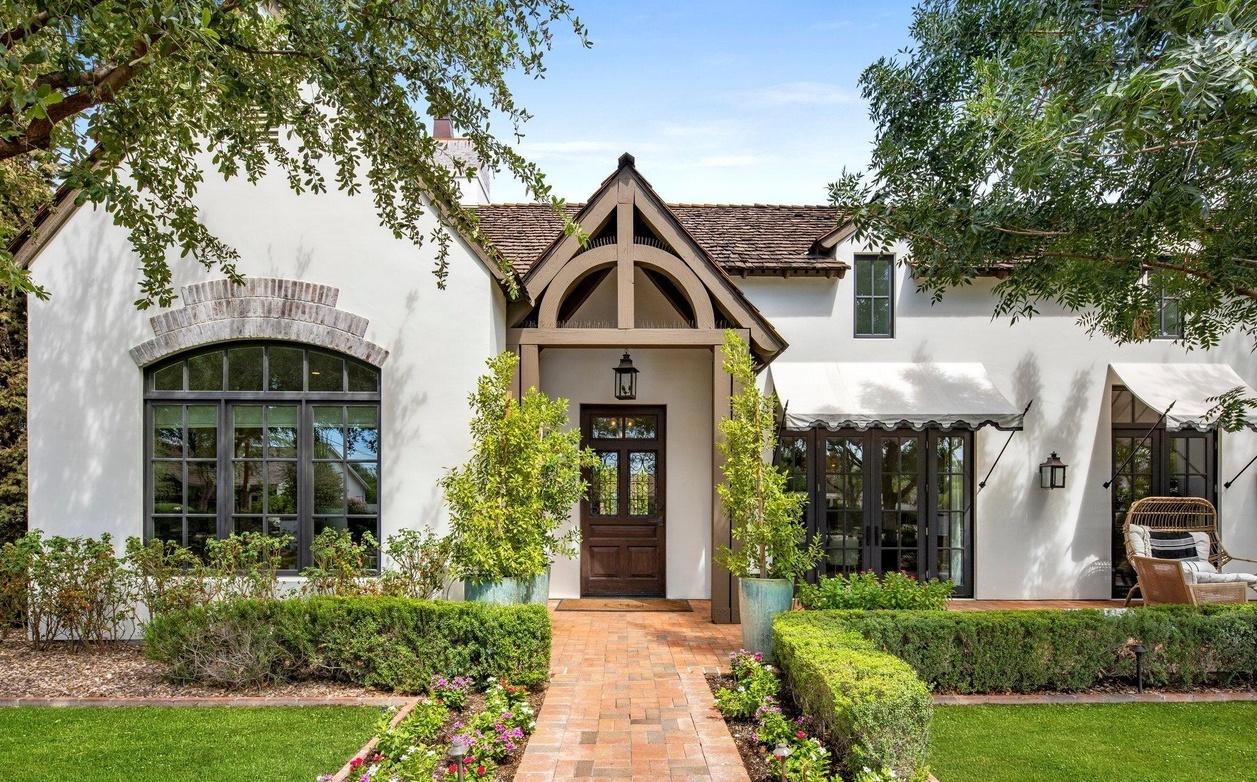
Dreaming of a stunning yard but don't know where to start? A major landscape overhaul can feel overwhelming, with a mix of big ideas and even bigger budget fears. Traditionally, visualizing a new garden, patio, or curb appeal refresh meant hiring expensive designers or struggling with complex software. But what if you could test drive your ideas, seeing exactly how new plants, pathways, and patios would look against your actual home, for free? The good news is, you can.
A powerful ecosystem of free landscaping apps now puts professional-grade tools right in your hands. These applications let you move beyond inspiration boards and create tangible, actionable plans. From AI-powered tools that generate photorealistic designs in seconds to 3D modelers that let you build a virtual deck, the right app can save you thousands in costly mistakes. It can also help you communicate your vision clearly to contractors or tackle a DIY project with confidence.
In this guide, we will dive deep into the 12 best free and freemium landscaping apps available today. We'll break down their strengths, weaknesses, and who they are best suited for, complete with direct links and screenshots for each. Whether you're a homeowner looking for a simple refresh, a real estate agent staging a property, or a professional needing quick mockups, this list has a solution for you. Let's find the perfect tool to bring your vision to life.
1. Curb Appeal AI
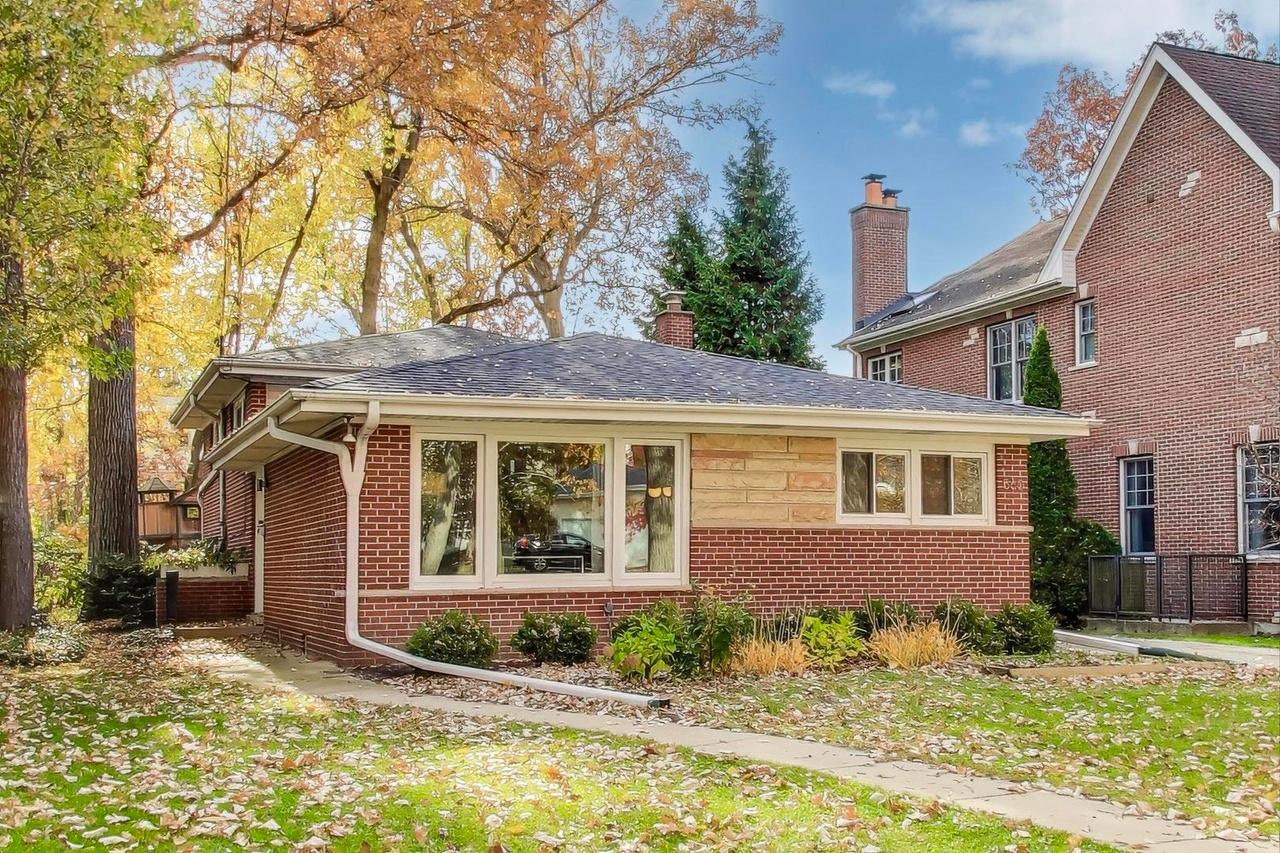
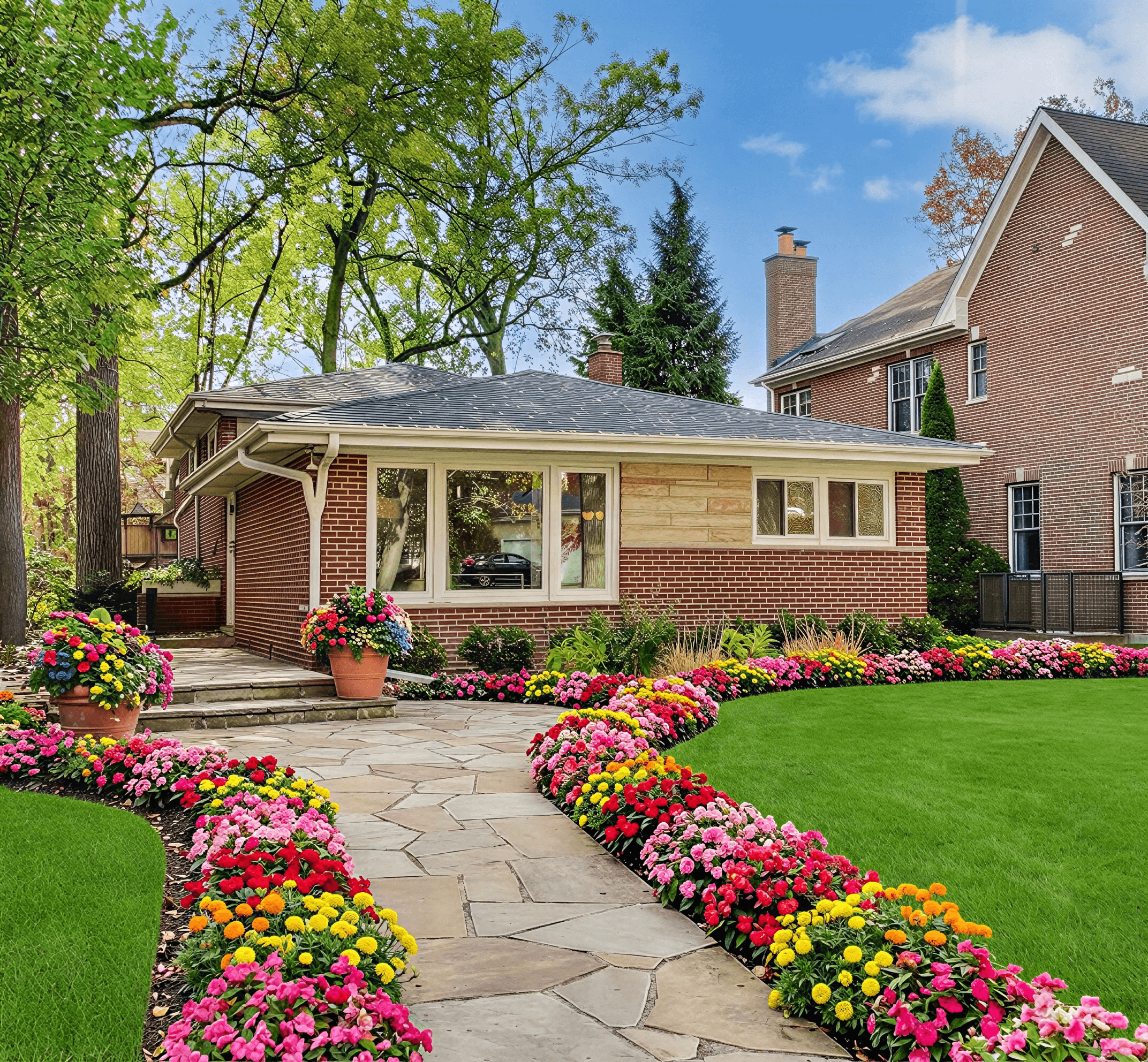
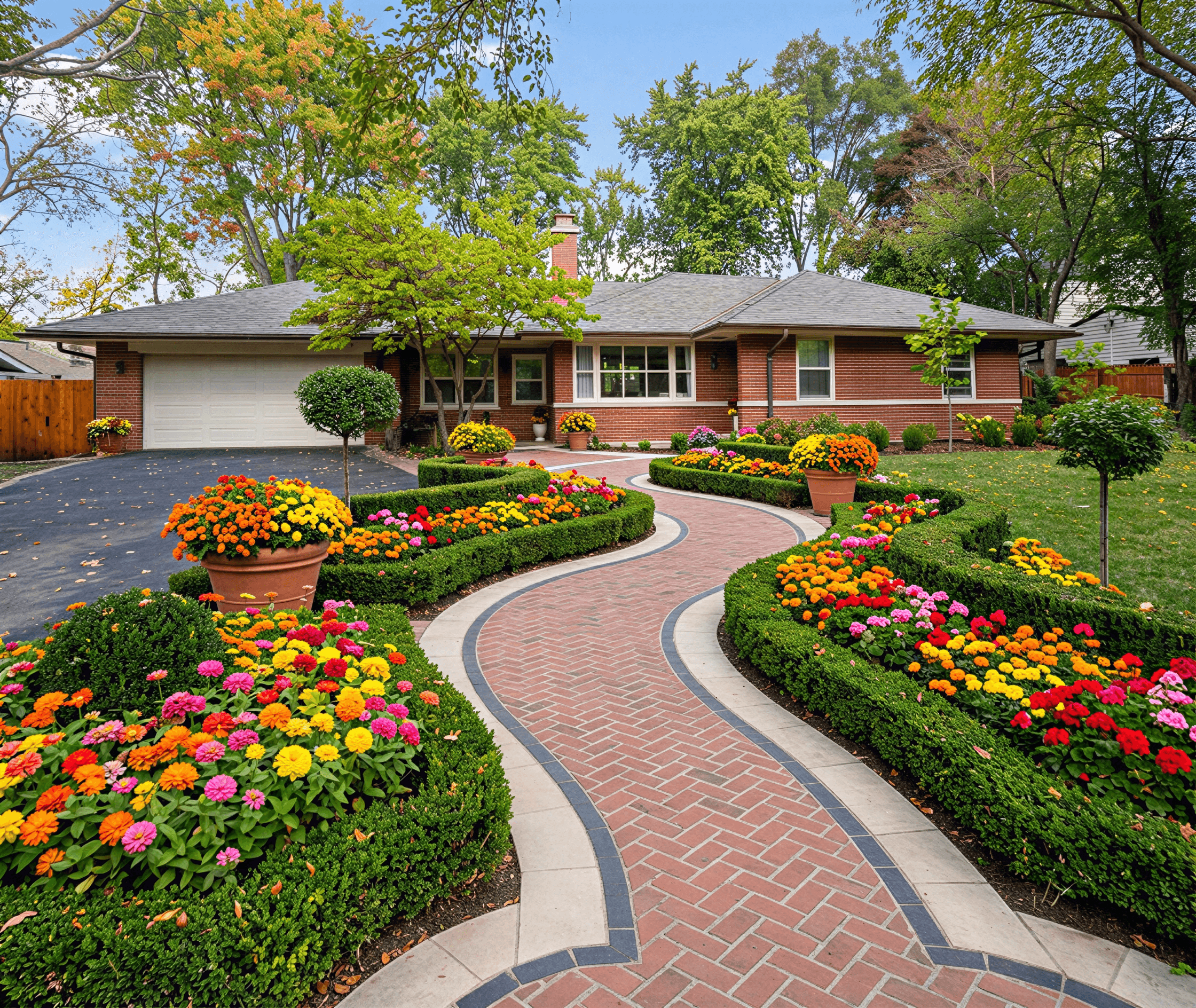
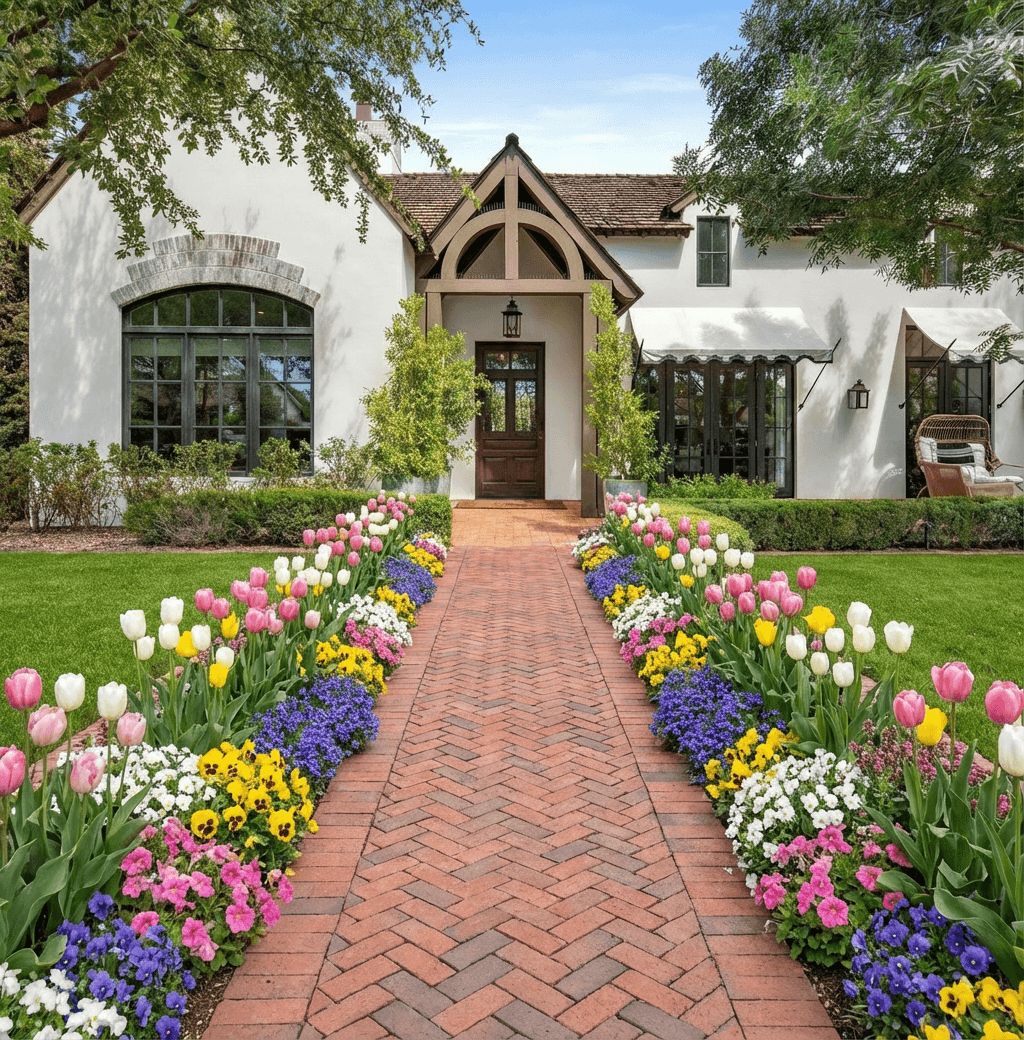
Curb Appeal AI sets a high standard for what homeowners and professionals should expect from modern landscaping software. It’s a powerful, web-based platform that moves beyond basic 2D sketches to deliver photorealistic, AI-generated exterior designs in seconds. By simply uploading a photo of a property, users can instantly visualize dozens of curated styles, from Modern Desert to English Cottage, applied directly to their home's exterior.

The platform’s core strength lies in its intelligent, data-driven approach. Unlike generic design tools, its computer vision analyzes the home's specific architecture to ensure the final render looks natural and integrated. Crucially, it automatically detects the property's climate and USDA hardiness zone, suggesting plants and materials that are not just beautiful but sustainable and likely to thrive. This feature alone helps users avoid costly mistakes and the disappointment of failed plantings. The world of Ai for Landscape Design is advancing quickly, and this tool is a prime example of how technology can create smarter, more successful outdoor spaces.
Key Features and Pricing
Curb Appeal AI stands out by providing actionable deliverables that bridge the gap between inspiration and execution. Beyond the visuals, the platform generates a step-by-step implementation guide and an itemized cost estimate for plants and materials. This makes it an invaluable asset for DIYers needing a clear plan, real estate agents staging a property, or contractors creating compelling client proposals. You can read more about its AI-driven design process to understand how the technology works.
- Free Trial: Offers a no-cost way to test the platform with watermarked images.
- DIY Homeowner ($25): Provides 40 credits for standard resolution renders and access to core styles.
- Builder ($55): Includes 100 credits, unlocks all 100+ design styles, and provides HD downloads.
- Professional ($110): Geared for commercial use, offering 250 credits, 4K exports, and priority support.
Practical Assessment
Best For: Homeowners, real estate agents, and landscape contractors who need fast, high-quality, and actionable exterior designs.
| Pros | Cons |
|---|---|
| Instant, photorealistic renders tailored to your home's architecture. | Does not offer refunds; starting with the free or low-cost tier is recommended. |
| Climate-aware plant suggestions reduce long-term risk and maintenance. | Commercial usage rights are restricted to the Professional tier. |
| Provides build plans and cost estimates, making projects executable. | The AI provides the plan, but final results depend on the quality of the on-the-ground installation. |
| Flexible one-time credit packs instead of a recurring subscription. | The platform is web-based, so a stable internet connection is necessary for generating designs. |
| Strong social proof with over 10,000 users and a 4.9/5 average rating. |
Website: curbappealai.co
2. iScape
iScape is a powerful design tool that bridges the gap between imagination and reality using your phone's camera. It's a favorite among both homeowners and professionals because it lets you take a photo of your actual yard and then layer on design elements like plants, mulch, pavers, and even outdoor furniture. This photo-overlay approach provides an immediate and contextual visualization of your ideas.

The app offers a free version that serves as an excellent trial, allowing you to access the core workflow and a limited portion of the design library. While the full Augmented Reality (AR) mode (on iOS) and the complete, extensive library of plants and materials are reserved for subscribers, the free tier is more than enough to test concepts. It's one of the best free landscaping apps for getting a quick, visual confirmation of an idea before you start digging. The ability to see how a specific plant or path will look against your own house is its key advantage.
Key Details & How to Start
- Best For: Homeowners who want a quick, realistic preview of their designs on a photo of their actual property.
- Pricing: A free version is available with core features. Paid subscriptions (iScape Plus and Pro) unlock the full object library, AR features, and professional tools like proposal creation.
- Availability: iOS and Android devices.
- Practical Tip: Use a clear, well-lit photo of your yard taken from the primary viewing angle. This gives you the most accurate canvas for layering new plants and hardscaping.
For those just beginning their design journey, understanding the foundational principles of curb appeal can make tools like iScape even more effective. You can find excellent primers on the fundamentals of landscape design to help guide your choices within the app.
Website: https://www.iscapeit.com
3. PRO Landscape Home
PRO Landscape Home is the free, consumer-focused version of a long-standing professional landscape design suite. It operates on a simple, effective premise: start with a photo of your own yard, then drag and drop elements like trees, shrubs, mulch, and pavers to create a quick visual mockup. This photo-overlay method is direct and intuitive, allowing you to visualize changes in context without a steep learning curve.

As one of the genuinely free landscaping apps, its primary strength is accessibility. Unlike apps that gatekeep core functions behind a subscription, PRO Landscape Home lets you create, save, and share designs from your mobile device without an upfront cost. While its object library is smaller than its paid professional counterparts and it lacks advanced CAD-style tools, it's perfect for quick concept creation on the go. The simple editing toolbar and familiar layering process make it a standout choice for homeowners wanting to test ideas quickly and easily.
Key Details & How to Start
- Best For: Homeowners needing a truly free tool for creating quick before-and-after concepts on a mobile device.
- Pricing: The app is free to use. Optional in-app purchases are available for additional object libraries.
- Availability: iOS and Android devices.
- Practical Tip: Before starting, take a few minutes to explore the included plant library. Knowing what's available helps you plan a design that you can fully mock up within the app's free catalog.
Using a tool like this is most effective when you have a clear vision. For inspiration, you can review some popular front yard landscaping ideas to get your creative process started before you begin designing.
Website: https://apps.apple.com/us/app/pro-landscape-home/id895982338
4. Home Design 3D Outdoor & Garden
Home Design 3D Outdoor & Garden specializes in planning entire outdoor spaces from a bird's-eye view. Instead of overlaying on a photo, it allows you to build your yard from scratch in 2D and then instantly visualize it in a navigable 3D world. This makes it ideal for larger projects like zoning a backyard for a patio, pool, and garden, or planning the placement of major features like decks, fences, and pergolas.

The app's strength lies in its 3D walk-through and sun simulation features, which help you understand how your space will feel at different times of the day. The free version gives you access to the core design workflow, letting you test the mechanics before committing. While the full object library and advanced features are gated behind in-app purchases, the free tier is sufficient for basic layout planning. It’s one of the better free landscaping apps for conceptualizing the structure and flow of an entire property, not just a single garden bed.
Key Details & How to Start
- Best For: Homeowners and DIYers planning the layout of an entire yard, including patios, pools, and hardscaping zones.
- Pricing: A free version is available to test the features and workflow. Premium unlocks and the full version require in-app purchases or a one-time payment.
- Availability: iOS, Android, PC, and Mac.
- Practical Tip: Before you start adding plants, use the 2D mode to accurately draw your property lines and the footprint of your house. This ensures your 3D model is a proportional and correct representation of your space.
Website: https://www.homedesign3d.net
5. GardenPuzzle
GardenPuzzle is a browser-based planner that excels at detailed plant arrangement and seasonal visualization. Like other photo-based tools, it starts by having you upload a picture of your yard. Its strength lies in its specific focus on planting design, allowing you to drag and drop different plants onto your photo to see how various combinations will look. The platform is less about hardscape or 3D modeling and more about the art of garden composition.

The free demo mode is a great way to test the core workflow. While it limits the plant database and doesn't allow saving, it gives you a solid feel for the photomontage interface. The standout feature, even in the demo, is the ability to preview how your chosen plants will appear through spring, summer, fall, and winter. This makes GardenPuzzle one of the more useful free landscaping apps for long-term planning, ensuring your yard has visual interest year-round. The visuals are a bit dated, resembling a collage more than a realistic render, but the functional value for plant selection is high.
Key Details & How to Start
- Best For: Gardeners and homeowners who are primarily focused on selecting and arranging plants and want to see how their garden will look across different seasons.
- Pricing: A free demo is available to try the workflow. A one-time purchase or subscription unlocks the full database of over 1,700 plants, saving/printing, and access to the companion iOS app.
- Availability: Web browser (PC/Mac), with downloadable desktop apps and a companion iOS app for paid users.
- Practical Tip: Use the plant filters early in your process. Sorting by hardiness zone, sun exposure, and size will save you from falling in love with a plant that won't thrive in your specific location.
Website: https://gardenpuzzle.com
6. SketchUp Free
SketchUp Free brings powerful, professional-grade 3D modeling to your web browser, making it a standout choice for planning structural elements in your landscape. While not a dedicated garden planner, its strength lies in designing hardscapes with precision. You can model decks, patios, retaining walls, pergolas, and even map out grading and terrain changes with a level of detail that simple photo-overlay apps cannot match.

Its real advantage is the massive 3D Warehouse, a library packed with user-generated models of everything from outdoor furniture to specific plant species. This lets you populate your design to accurately communicate scale and fit. While there is a learning curve, its robust community and extensive tutorials make it accessible. It is one of the best free landscaping apps for homeowners who are serious about building and need to visualize complex structures before committing to materials and labor. The free version offers a great entry point into the SketchUp ecosystem.
Key Details & How to Start
- Best For: DIYers and homeowners planning significant hardscaping projects like decks, patios, or outdoor kitchens who need precise 3D models.
- Pricing: A free, web-based version is available for personal use. Paid plans (Go, Pro, Studio) offer more advanced tools, offline access, and professional features.
- Availability: Web app accessible from any modern browser.
- Practical Tip: Start your project by importing a satellite image or a site plan of your property. This gives you an accurate base to scale your 3D models and ensure everything fits correctly.
Website: https://www.sketchup.com
7. Planner 5D
Planner 5D is a versatile home design tool that extends its capabilities into the yard, making it a strong choice for planning hardscapes and outdoor living areas. While not a specialized garden planner, its strength lies in creating detailed 2D floor plans and vibrant 3D models of patios, decks, outdoor kitchens, and pathways. The user-friendly interface allows you to quickly lay out spaces, add structural elements, and furnish them from a general library.

The platform operates on a freemium model, where the basic tools for 2D and 3D design are available at no cost. This makes it one of the better free landscaping apps for conceptualizing the structural layout of your outdoor space before committing to a purchase. While the free version has a limited object catalog, it's sufficient for mapping out dimensions and flow. Its cloud-sync feature is a major benefit, letting you start a design on a desktop and continue tweaking it on a tablet or phone while you're actually in your yard.
Key Details & How to Start
- Best For: Homeowners focused on designing hardscapes, outdoor rooms, or pool areas, who value an easy-to-use 2D/3D interface.
- Pricing: A free version is available for basic design. Paid subscriptions unlock the full catalog of items, HD snapshots, and advanced features.
- Availability: Web browser, iOS, Android, macOS, and Windows.
- Practical Tip: Start by creating a 2D plan of your property lines and house footprint first. This provides an accurate scale model to build your patio, garden beds, and pathways upon, ensuring everything fits correctly in the 3D view.
Website: https://planner5d.com
8. Floorplanner
While primarily known as an interior space planner, Floorplanner offers a surprisingly competent set of tools for mapping out exterior areas like gardens, patios, and terraces. Its strength lies in its simplicity and accessibility. You can quickly create a 2D blueprint of your property, dragging and dropping elements like pools, pathways, fences, and basic plant shapes to establish the core layout. It’s perfect for the initial zoning and structural planning phase of a landscape project.

The platform operates on a freemium model that is generous for casual users. The free plan allows you to work on multiple projects and access the basic 2D and 3D visualization tools. For those needing higher-quality outputs, Floorplanner uses a credit system, allowing you to pay for high-resolution 3D renders on a per-image basis rather than committing to a monthly subscription. This makes it one of the more flexible free landscaping apps for homeowners who only need a few high-quality images for a specific project. The focus is less on botanical accuracy and more on spatial arrangement and hardscape design.
Key Details & How to Start
- Best For: Planning the structural layout of a yard, including patios, fences, pools, and garden zones, before focusing on specific plant details.
- Pricing: A free plan supports multiple projects with standard-definition exports. Credits can be purchased for high-resolution renders and advanced features.
- Availability: Web-based (accessible on any computer with a browser).
- Practical Tip: Use the "Draw Room" tool to outline your entire property line first. Then, use the "Draw Wall" tool to segment areas for garden beds, lawns, or patios. This creates a clean, organized base map for your design.
Website: https://floorplanner.com
9. RoomSketcher Free
While primarily known for interior design, RoomSketcher offers a robust set of tools for planning outdoor spaces, making it a great option for projects where the house and yard are closely connected. It allows you to draw your property's boundaries, add your home's footprint, and then design patios, decks, pathways, and garden beds. The app excels at creating accurate 2D floor plans that translate into clear 3D visualizations.

The free version provides access to the core design software and a limited selection of furniture and materials. Its strength lies in layout and spatial planning, helping you answer questions like "Will a 10x12 foot patio fit in this corner?" Although its plant library is basic and lacks regional specificity, it’s one of the best free landscaping apps for creating a foundational plan. The transition from 2D schematic to a 3D walkthrough is seamless and provides an excellent sense of scale and flow between indoor and outdoor living areas. Upgrades are needed for high-quality renderings, but the free tier is perfect for initial concepts.
Key Details & How to Start
- Best For: Homeowners and DIYers who need to plan outdoor layouts accurately in relation to their home's existing footprint.
- Pricing: A free subscription is available with core design tools. Paid plans unlock high-quality 3D photos, 360 views, and the full product library.
- Availability: Web-based platform with companion apps for iOS and Android tablets.
- Practical Tip: Start by importing a blueprint of your house or drawing it accurately. This ensures all your outdoor planning for decks, gardens, and pools is perfectly scaled to your property.
Website: https://www.roomsketcher.com
10. DreamPlan Home Design
DreamPlan Home Design is desktop software that provides a robust suite of tools for modeling your entire property, including the house, landscape, decks, and even swimming pools. It stands out by offering a comprehensive, offline planning environment where you can sculpt terrain, lay paths, and place plants and other outdoor features. Its multiple view modes allow you to switch seamlessly between a 2D blueprint, a detailed 3D model, and a walk-through perspective.

While many free landscaping apps are mobile-first, DreamPlan’s strength is its desktop-centric approach, which is ideal for more involved projects. The software is completely free for non-commercial home use, making it an excellent choice for homeowners who want to experiment without committing to a subscription. Although its object libraries and graphical fidelity are simpler than professional 3D packages, it excels at "what-if" planning for hardscaping elements like patios and pools. A key limitation is the absence of built-in climate or plant hardiness zone guidance, requiring users to research plant suitability separately.
Key Details & How to Start
- Best For: DIY homeowners who prefer a desktop interface for planning larger projects involving both home structure and landscaping, such as decks or pools.
- Pricing: A licensed version is free for personal, non-commercial use. Paid licenses are required for commercial purposes.
- Availability: Windows and Mac OS.
- Practical Tip: Start by modeling your house's basic footprint first. This provides an accurate scale and context, making your subsequent landscape and hardscape planning much more realistic and proportionate.
Website: https://www.nchsoftware.com/design/index.html
11. GARDENA myGarden Planner + Sprinklersystem Planner
GARDENA's online tools focus on the practical, structural side of landscaping rather than purely aesthetic mockups. The myGarden Planner is a browser-based drawing tool for creating 2D layouts of your property, complete with lawns, garden beds, and hardscaping. Its standout feature, however, is the integrated Sprinklersystem Planner, which automates the complex task of designing an efficient irrigation system. It's an excellent utility for those who need a functional plan first and foremost.

This platform is one of the best free landscaping apps for anyone planning to install a sprinkler system. After you draw your yard's dimensions, the tool automatically suggests the optimal placement for sprinkler heads and lays out the necessary piping. The final output includes a downloadable plan and a complete shopping list of GARDENA-specific parts, removing the guesswork from purchasing materials. While it's not designed for photorealistic visualization and its plant library is European-focused, its utility for irrigation planning is top-notch and entirely free.
Key Details & How to Start
- Best For: DIY homeowners who need to plan and install a new irrigation system and want an automated layout and parts list.
- Pricing: Completely free to use. No software installation is required as it runs directly in your web browser.
- Availability: Accessible on any desktop web browser.
- Practical Tip: Start by accurately measuring and drawing the perimeter of your house and property lines. Add all existing hardscape like patios and driveways before running the sprinkler planner for the most accurate component recommendations.
Website: https://www.gardena.com/int/c/discover/mygarden-planning-tools/garden-planner
12. Trex Deck Designer + AR Visualizer
While many apps focus on plants and gardens, Trex provides a free suite dedicated entirely to hardscaping, specifically deck design. The Trex Deck Designer is an online tool that helps homeowners conceptualize their outdoor living spaces from the ground up. It guides you through creating custom deck shapes, adding stairs, and selecting materials, ultimately producing basic blueprints and a complete materials list. This makes it an invaluable planning tool before engaging a contractor.

The platform’s strength is complemented by a separate AR mobile app, which lets you visualize different Trex decking and railing options in your actual yard. While its product catalog is naturally specific to Trex, this focus makes it one of the best free landscaping apps for anyone planning a deck project. The ability to generate permit-friendly drawings and a materials takeoff sheet provides a clear, actionable bridge from idea to construction. It’s an ideal first step for planning the structural elements of your backyard retreat.
Key Details & How to Start
- Best For: Homeowners and DIYers focused on planning and visualizing a new deck or patio area.
- Pricing: Completely free to use both the online planner and the AR mobile visualizer.
- Availability: The Deck Designer is a web-based tool; the AR Visualizer is available for iOS and Android.
- Practical Tip: Complete your design in the online tool first to establish dimensions and layout. Then use the AR app to test specific color and material combinations on-site for the most realistic preview.
For those ready to move from virtual designs to real-world plans, a comprehensive guide to New Zealand deck design can provide practical insights.
Website: https://www.trex.com/deck-designer/
12 Free Landscaping Apps — Feature Comparison
| Product | Core features (✨ unique) | Quality (★) | Value & Pricing (💰) | Target audience (👥) |
|---|---|---|---|---|
| Curb Appeal AI 🏆 | Photorealistic AI renders; architecture & hardiness-aware plant lists; build plans + itemized cost estimates ✨ | ★★★★★ 4.9/5 | Free trial (watermarked); DIY $25 (40 credits); Builder $55; Professional $110 (4K, commercial) 💰 | 👥 Homeowners, agents, contractors |
| iScape | Photo overlay + AR (iOS); large plant & hardscape library ✨ | ★★★★☆ | Free tier; subscription for full AR, libraries & proposals 💰 | 👥 Homeowners, landscapers, pros |
| PRO Landscape Home | Photo-based drag & drop; plant/catalog tools; mobile-first | ★★★★ | Truly free app; optional in‑app purchases 💰 | 👥 DIY homeowners for quick mockups |
| Home Design 3D Outdoor & Garden | 2D→3D planning, walk-through views, sun/shadow simulation | ★★★★ | Free/basic; premium features via in‑app purchases 💰 | 👥 Backyard planners, whole‑lot design |
| GardenPuzzle | 1,700+ plants with filters (size/sun/hardiness); seasonal preview ✨ | ★★★★ | Free demo; paid unlock for full database 💰 | 👥 Plant-focused gardeners & designers |
| SketchUp Free | Browser 3D modeling; huge 3D Warehouse; massing & site tools | ★★★★ | Free web app; paid tiers/add‑ons for advanced rendering 💰 | 👥 Designers, architects, builders |
| Planner 5D | 2D/3D cloud-synced editor; simple object placement | ★★★ | Freemium model; paid catalog & export features 💰 | 👥 Casual DIYers, homeowners |
| Floorplanner | Quick 2D plans + simple 3D; sharing & collaboration; credits | ★★★★ | Free (up to 5 projects/SD); pay‑as‑needed credits for HD 💰 | 👥 Realtors, casual planners |
| RoomSketcher Free | 2D/3D views with measurements; web & mobile support | ★★★★ | Free tier; upgrades for high‑quality 3D outputs 💰 | 👥 Homeowners, small pros |
| DreamPlan Home Design | Desktop landscape tools: terrain, paths, plants, blueprints | ★★★ | Free for non‑commercial use; paid for pro features 💰 | 👥 Offline users, homeowners planning decks/pools |
| GARDENA myGarden Planner + Sprinklersystem Planner | Garden layout tool + auto sprinkler layout & materials list ✨ | ★★★ | Free browser tool; GARDENA parts focus 💰 | 👥 DIY gardeners, irrigation planners |
| Trex Deck Designer + AR Visualizer | Deck concepting, AR preview, materials takeoff & permit-friendly drawings | ★★★★ | Free; Trex‑centric catalog & pro locator 💰 | 👥 Homeowners & contractors focused on decking |
From Vision to Reality: Turning Your Digital Design into a Beautiful Yard
You’ve explored the wide world of free landscaping apps, each offering a unique pathway from an initial idea to a tangible design. From the photorealistic AI magic of Curb Appeal AI to the technical precision of SketchUp Free and the specialized focus of the GARDENA planners, one thing is clear: you no longer have to guess what your future yard could look like. These digital tools provide an essential safety net, allowing you to experiment with layouts, materials, and plants without lifting a shovel or spending a dime.
The most important takeaway is that there is no single "best" app for everyone. The right choice depends entirely on your project's scope, your technical comfort level, and your ultimate goal. By now, you should have a strong sense of which tool aligns with your specific situation.
Choosing Your Path: A Final Recap
Making a final decision can feel overwhelming, so let's simplify the process by revisiting the core needs of different users.
- For Instant, High-Impact Visuals: If your primary goal is to see a realistic "after" photo of your property quickly, an AI-powered tool is your best bet. Homeowners wanting to make confident decisions, real estate agents needing to impress buyers, and contractors looking to close deals will find immense value here. Curb Appeal AI excels in this area, delivering climate-aware, photorealistic designs in seconds.
- For Detailed DIY Planning: Are you planning to build a deck, lay a complex paver patio, or meticulously plot out every single plant? Tools like PRO Landscape Home, SketchUp Free, and Planner 5D offer the control you need. Be prepared for a learning curve, but the payoff is a highly detailed, to-scale model that can guide your construction process.
- For Simple Planting and Garden Layouts: If your project is more focused on softscaping, like arranging flower beds or visualizing a new garden, simpler apps are often sufficient. GardenPuzzle and the basic features of iScape allow you to overlay virtual plants onto a photo of your yard, providing a straightforward way to test combinations and arrangements.
- For Specialized Projects: Don’t overlook the niche tools. If you’re building a deck, the Trex Deck Designer is purpose-built for the job. If you’re installing an irrigation system, the GARDENA planners will save you from costly guesswork.
From Digital Blueprint to Physical Beauty
Once you have a design you love, the real work begins. Here are some actionable steps to transition from your screen to your soil:
- Create a Shopping List: Use your final design to generate a detailed list of materials. Count the specific plants, measure the square footage for mulch or sod, and calculate the linear feet for edging. A precise list prevents over-buying and extra trips to the store.
- Develop a Phased Plan: A full landscape overhaul can be a massive undertaking. Break your design down into smaller, manageable phases. Maybe you tackle the hardscaping and walkways in the spring, focus on planting trees and shrubs in the fall, and add perennial flowers the following year.
- Get a Professional Quote: If you’re not going the DIY route, your digital design is the perfect document to share with landscape contractors. It removes ambiguity and ensures you and your pro are on the same page, leading to more accurate bids and a smoother project.
The true power of these free landscaping apps is their ability to build your confidence. They transform an abstract wish for a "nicer yard" into a concrete, visual plan that you can follow, adapt, and bring to life. You’ve taken the first and most important step by researching your options. Now, it’s time to take action. Pick the tool that resonated most with you, upload that photo of your yard, and start the exciting process of designing the outdoor space you’ve always wanted. Your dream landscape is closer than you think.
Ready to skip the learning curve and see a stunning, realistic redesign of your own yard in seconds? The apps in this list are powerful, but Curb Appeal AI is built for speed and realism. Stop guessing and start seeing what's possible with our free AI landscape generator at Curb Appeal AI.