Find the Best App for Landscape Design

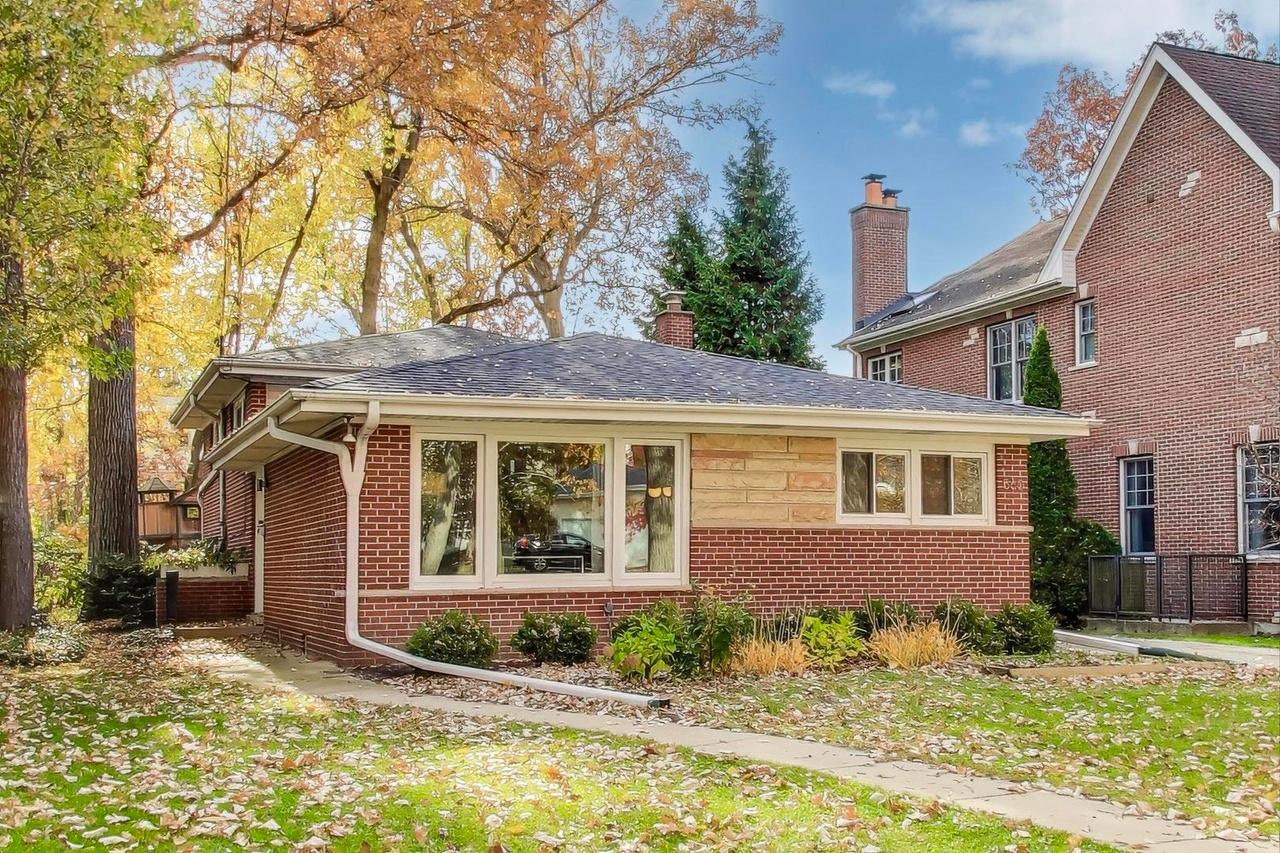
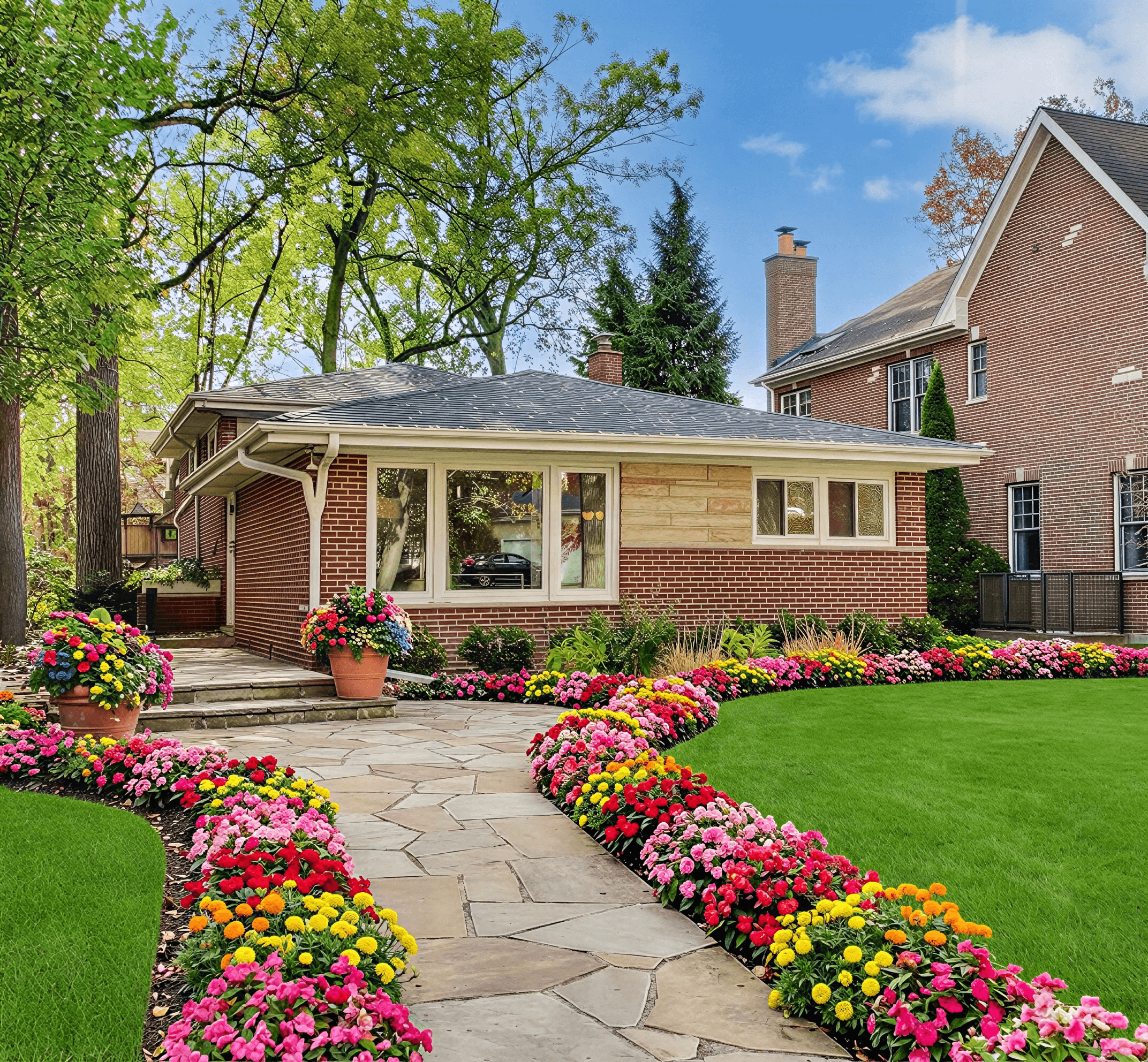
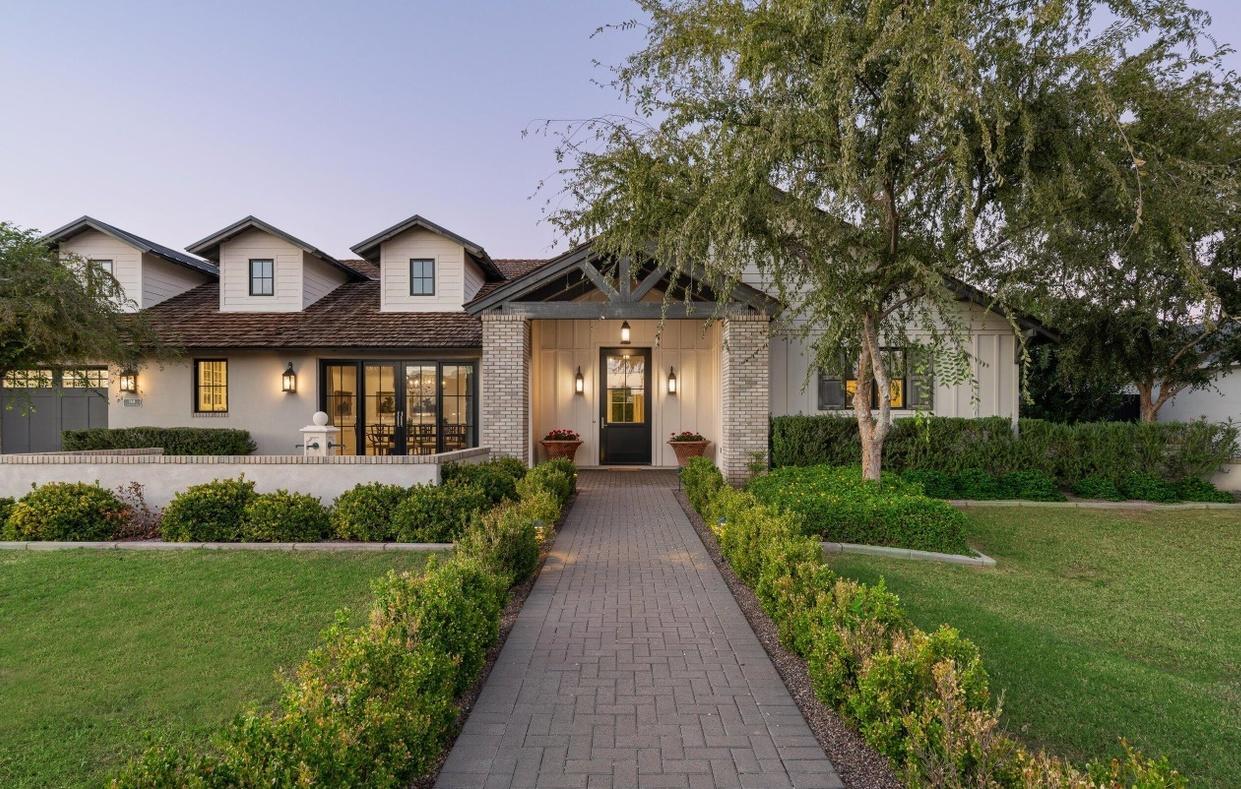
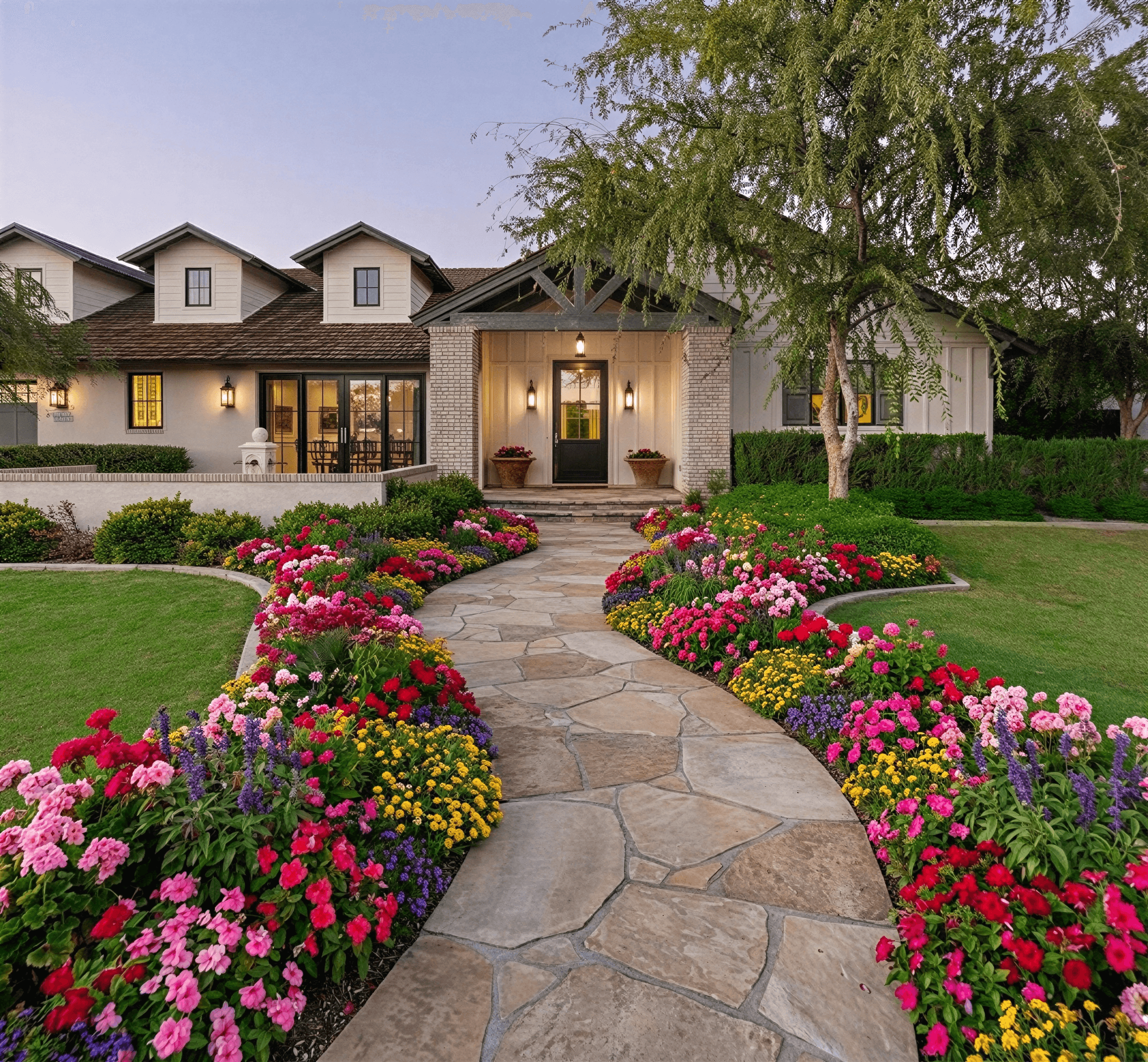
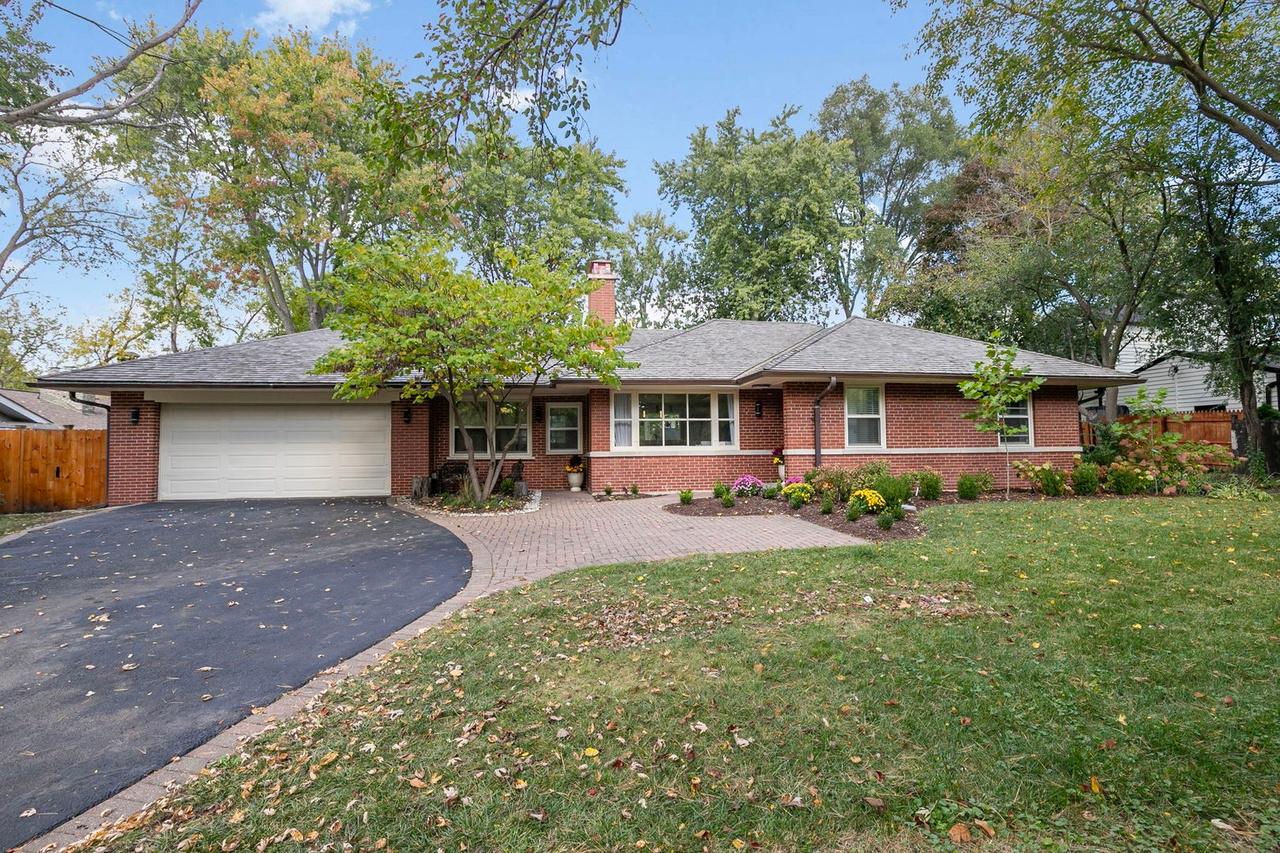
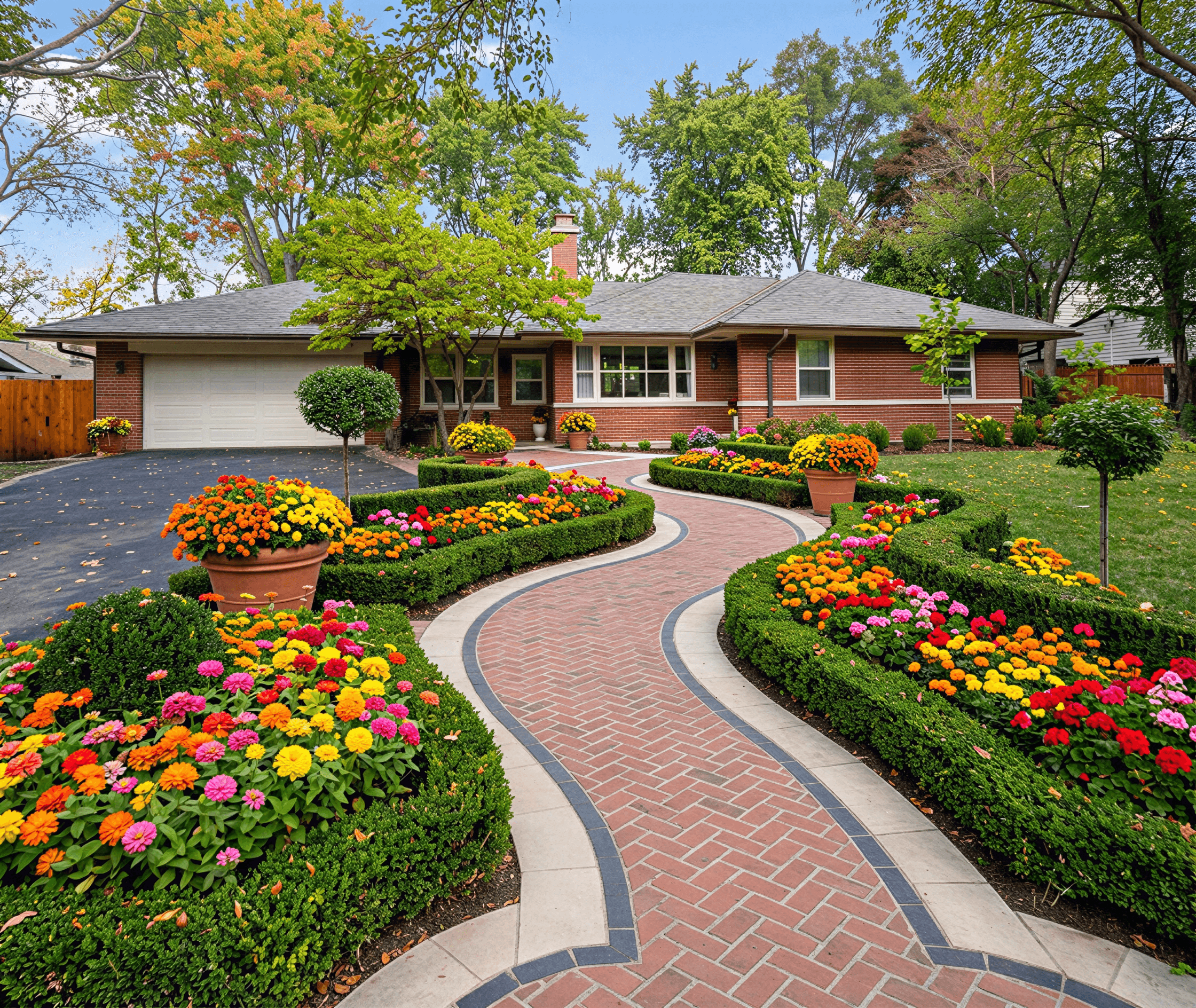
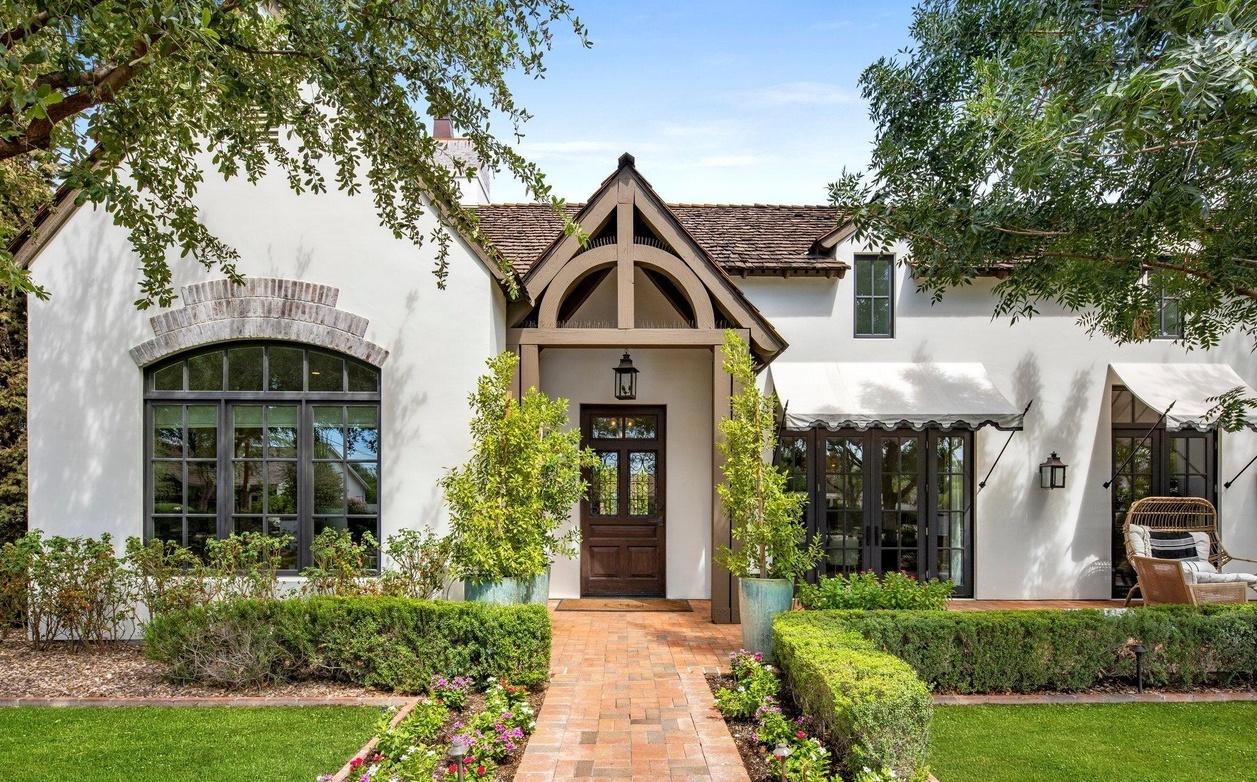
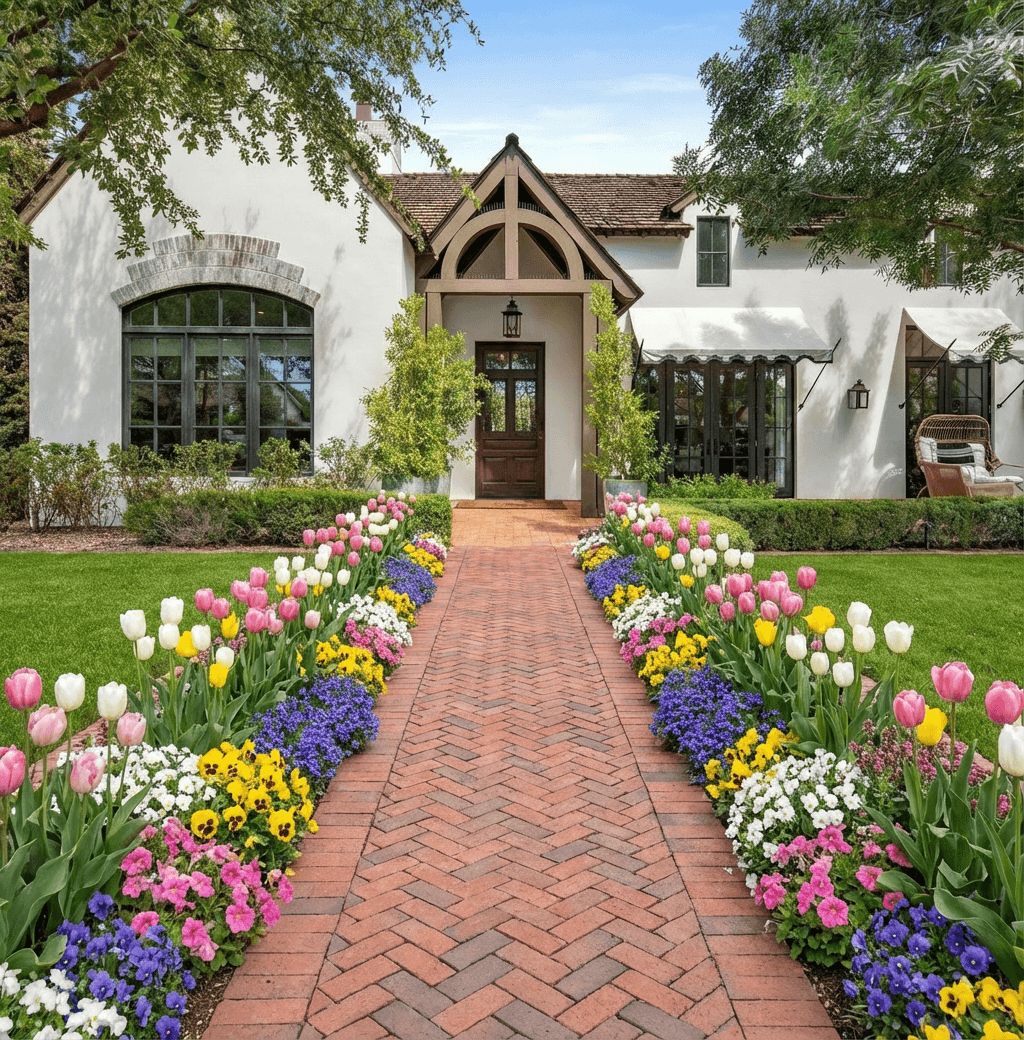
At its simplest, a landscape design app is a tool that lets you see potential changes to your yard, usually starting with nothing more than a photo from your phone. Think of it as a virtual playground for your property, where you can test-drive new plants, patios, and styles without spending a dime or lifting a shovel.
How Landscape Design Apps Are Changing the Game

Imagine redesigning your entire outdoor space from the comfort of your living room. That's exactly what modern landscape design apps allow you to do. The days of relying on confusing sketches, expensive consultations, and pure guesswork are fading fast. Today, these tools are becoming essential for homeowners, real estate agents, and even professional contractors.
This technology finally closes the gap between what you can imagine and what you can see. Instead of struggling to explain your vision, you can show it. It’s a fast, visual, and affordable way to plan the perfect yard, putting professional-grade design tools within everyone's reach. The idea is brilliant in its simplicity: create a stunning, photorealistic design from a single picture of your property.
The "Digital Sandbox" Approach
At its core, a good landscape design app is a "digital sandbox." It’s a completely risk-free environment where you can play with ideas that might feel too expensive or permanent to try out in the real world. Ever wonder if a Mediterranean garden would clash with your classic brick house? Or what about swapping that thirsty lawn for a beautiful, low-water xeriscape?
With just a few taps, you can start experimenting:
- Instantly swap out different plants to see how they look.
- Test various hardscape materials like pavers, gravel, or stone.
- Cycle through dozens of design styles to find the perfect match.
This process removes the fear of making a bad decision. You can compare different concepts side-by-side and land on a look you absolutely love before any real work begins. Seeing the final vision makes it so much easier to move forward with confidence. For a deeper dive, you can check out our guide on how to get started with AI for landscape design.
The Rise of AI in Landscaping
Lately, the real breakthrough in this space has come from artificial intelligence. The smartest apps now use AI to analyze your property's unique features—from its architectural style to your local climate—to generate designs that are not just beautiful but also sustainable and practical.
The global market for landscaping software is expected to skyrocket from $5.2 billion in 2022 to over $12 billion by 2030. A huge part of that growth comes from mobile apps making high-end design accessible to everyone.
This trend is reshaping how we approach our outdoor spaces. For example, tools like Landscape Design - AI Garden have seen massive interest since launching, pulling in thousands of downloads by delivering "beautiful, realistic garden transformations" from a single photo. You can see the buzz for yourself by checking out the app on Google Play. This shift gives you more control over your home's curb appeal than ever before.
5 Essential Features of a Top Landscape Design App
Choosing the right app for landscape design is a lot like picking the right tool for a job. Sure, a rusty shovel and a powerful excavator both move dirt, but the results, effort, and overall experience are worlds apart. With so many apps out there in 2026, it's easy to get lost, so it’s critical to know what features actually matter before you invest your time and vision.
Think of this as your practical buyer's guide. By understanding a few core features, you can confidently pick a tool that bridges the gap between your ideas and reality—instead of leaving you with a grainy, unusable image that just causes confusion.
A great app does more than just make pretty pictures. It has to be a reliable partner in the design process. Let's break down the five non-negotiable features you should always look for.
1. Photorealistic Render Quality
The single most important feature is the quality of the final image. A design concept is practically useless if it looks like a cartoon from the 90s. Photorealism is what separates the serious tools from the toys—it’s the app's ability to generate images that look like actual photographs, not clunky computer graphics.
Why does this matter so much?
- Set Realistic Expectations: Low-fidelity graphics make it impossible to judge how materials, colors, and plants will truly look together in natural light. Photorealism ensures what you see on the screen is a faithful preview of what you'll get in your yard.
- Communicate with Professionals: When you hand a design to a contractor, a photorealistic image is an unmistakable blueprint. It cuts through the jargon and gets everyone on the same page, avoiding costly misunderstandings.
- Make an Emotional Connection: A realistic render lets you feel what it will be like to stand in your new space. This connection builds confidence and makes the whole decision-making process more exciting and less stressful.
I've seen it time and time again: low-quality renders are the number one cause of "that's not what I expected" disappointment. Always prioritize an app that delivers crisp, lifelike visuals.
2. Smart Plant and Material Libraries
A beautiful design is a failed design if the plants can't survive in your climate. This is where a smart, location-aware library becomes your most valuable asset. The best apps integrate USDA Plant Hardiness Zone data to automatically recommend plants, trees, and shrubs that are proven to thrive where you live.
This "climate intelligence" stops you from falling in love with a design full of tropical palms when you live in a snowy mountain town. It’s like having an expert horticulturist built right into the app, ensuring your investment of time and money leads to a sustainable, living landscape that lasts for years.
A smart library goes beyond just plants. It should also include a wide variety of hardscape materials like pavers, mulch, stones, and decking, allowing you to visualize textures and colors accurately.
A diverse catalog is also key. You need enough options to truly find what fits your home’s unique style. To see how these libraries work when you start with a photo of your own home, you can learn more about a landscape design app with photo upload.
3. Diverse and Well-Curated Style Catalogs
Your home has a distinct personality, and your landscape should feel like a natural extension of it. A top-tier app for landscape design must offer a broad range of pre-defined styles that you can use as a starting point. This is infinitely more efficient than trying to create a cohesive look from scratch.
Look for an app with a deep catalog covering various aesthetics, such as:
- Modern: Clean lines, minimalist plantings, and geometric hardscaping.
- English Cottage: Lush, informal plantings with a charming, romantic feel.
- Mediterranean: Drought-tolerant plants like olive trees and lavender, often paired with gravel and terracotta.
- Xeriscape: Water-wise designs focused on native plants and minimal irrigation.
Having these styles on hand is like having an expert designer's lookbook for your yard. It lets you rapidly generate concepts that are already in harmony with your home's character.
To better understand where modern tools fit in, it helps to compare them to the traditional software that dominated the industry for years. The old way required significant training and expense, while new AI-driven apps focus on speed and accessibility.
Landscape Design App Feature Comparison
| Feature | Traditional CAD/3D Software | Modern AI Design Apps (e.g., Curb Appeal AI) |
|---|---|---|
| Learning Curve | Steep; requires weeks or months of training. | Intuitive; usable in minutes. |
| Cost | High; often $1,000+ for a license plus training. | Low; often subscription-based or pay-per-design. |
| Speed | Slow; manual placement of every plant and object. | Extremely fast; generates full concepts in seconds. |
| Climate Data | Manual; requires external research. | Integrated; suggests climate-appropriate plants. |
| Output | Technical blueprints or manually rendered images. | Photorealistic images ready for immediate use. |
This shift from manual, complex software to automated, intelligent apps is a game-changer, especially for homeowners and professionals who need high-quality results without the steep learning curve.
4. High-Resolution Exports and Usage Rights
Once you've nailed the perfect design, you need to be able to use it. This is where export options and usage rights become incredibly important. A free or basic plan might only provide a low-resolution, watermarked image that’s fine for a quick look, but it's useless for anything more.
For any serious project, you need the ability to export high-resolution (HD or 4K) images. These crisp, detailed visuals are essential for sharing with a spouse for feedback, presenting to a contractor for a bid, or including in a real estate listing to attract buyers.
Just as important, pay close attention to the usage rights. If you're a real estate agent, landscaper, or contractor, you absolutely need a commercial license to legally use the designs for your business. Always check the terms of service to make sure you can use your creations the way you intend to.
5. Clear and Transparent Pricing
Finally, you need to understand the cost. Many apps offer a free trial, which is a great way to test the interface and see if you like the workflow. But be crystal clear on what a paid plan actually unlocks.
Typically, paid tiers are what give you access to the good stuff:
- The full library of premium styles and plants.
- High-resolution, non-watermarked exports.
- Commercial usage rights for business.
- Advanced editing tools or collaboration features.
A transparent pricing structure lets you pick a plan that fits your exact needs without hitting a surprise paywall. Whether you’re a homeowner tackling a one-time project or a professional needing ongoing access, the value should be clear from the get-go.
Your First Landscape Redesign, Step by Step
Ready to see what your yard could look like? Getting started with an app for landscape design is a world away from the headache of traditional design software. This is a straightforward walkthrough of the entire process, written for total beginners.
We'll follow the journey from a simple "before" photo to a final design you can actually use. Forget spending weeks on tutorials—AI-powered platforms give you incredible results in just a few minutes.
Step 1: Capture the Perfect "Before" Photo
Everything starts with a single, good-quality photograph of your property. Think of this photo as the canvas for your project. A little bit of prep work here goes a long way toward getting a great result.
To get the best shot, just follow these quick pointers:
- Good Lighting is Everything: Take your photo on a cloudy day or during the "golden hour" right after sunrise or before sunset. This helps you avoid the harsh shadows and bright spots that can throw off the AI.
- Find the Right Angle: Stand straight out in front of your house, far enough back so you can see the whole area you want to work on. A direct, street-view perspective is usually best.
- Clear the Area: Before you snap the picture, move any cars, toys, or trash cans out of the way. A clean slate helps the app focus on the permanent parts of your home and yard.
Step 2: Upload and Define Your Project Area
Once you have a photo you’re happy with, the next step is to upload it. On modern apps, this is as simple as posting a picture online. After your photo loads, the app will ask you to show it exactly where you want the new design to go.
This is your chance to direct the creative work. You’ll use a simple brush tool to "paint" over the parts of the yard you want to change, like the lawn, tired old flower beds, or overgrown bushes. It’s basically telling the AI, "Ignore the house and the sky—focus all your ideas right here."
Step 3: Explore Design Styles and Generate Concepts
Now for the fun part. Instead of you having to drag and drop individual plants, a good app for landscape design will show you a library of professional styles. You can browse through looks like Modern, Cottage, Tropical, or Xeriscape to find something that fits your home’s architecture and your personal taste.
Just pick a style you like and hit "generate." Within seconds, the AI will create a complete, photorealistic concept, filling in your selected area with the right plants, materials, and hardscaping to match the theme.
This is a massive time-saver. What used to take a designer hours or even days of work now happens almost instantly. It's like having a whole design team on call, ready to show you new ideas whenever you ask.
This diagram shows the key ingredients the AI uses in this step: the quality of your photo, the plant information it has, and the style you choose.

As you can see, a great input photo, combined with smart plant data and a clear style, is the recipe for a beautiful design.
Step 4: Compare Variations to Find What You Love
One of the best things about using an AI design app is the ability to generate endless options. If the first design isn’t quite it, just generate another. And another. Each one will offer a slightly different take on the style you chose, letting you compare layouts and plant combinations side-by-side.
This is a fantastic way to zero in on what you truly want. You might find you love the clean lines of a Modern design but prefer the softer flowers from a Cottage garden. This process helps you discover a unique mix that feels just right. For more tips on tackling this yourself, check out our post on do-it-yourself landscape design.
Step 5: Export and Share Your Favorite Design
Once you’ve explored the possibilities and found a design you’re excited about, the final step is to save and share it. The best apps let you export your favorite concept as a clean, high-resolution image without any watermarks.
This crisp, photorealistic image becomes your project blueprint. You can show it to your family, send it to a contractor to get an accurate quote, or use it as a visual guide for your own weekend project. It takes all the guesswork out of the equation and makes sure everyone is working toward the same beautiful result. Before you dig in, reading a practical guide to garden landscape design can also give you a great foundation for the basic principles of any outdoor project.
Practical Workflows for Every User
 A great app for landscape design isn't a one-trick pony. Think of it more like a Swiss Army knife—its real value shines when you see how different people use it to solve their unique problems. The features we’ve covered come to life in the hands of homeowners, real estate agents, and contractors, each with a different goal in mind.
For some, it’s all about bringing a personal vision to life and boosting their own curb appeal. For others, it’s a serious business tool used to win clients and close deals. Let’s walk through a few real-world scenarios to see how it all plays out.
The Homeowner Planning a Front Yard Makeover
Let's imagine Sarah, a homeowner who's been dreaming of updating her tired, overgrown front yard for years. Right now, it's a mix of patchy grass and shapeless bushes that do nothing for her mid-century home. She has a few pins saved, but she's completely stuck on how to begin or what would actually look good.
Her journey with an app like Curb Appeal AI is refreshingly straightforward:
- Snap a Photo: On a Saturday morning, she walks out front, takes a quick photo of her yard with her phone, and uploads it right into the app.
- Explore the Possibilities: Sarah knows she wants something modern and low-water, so she selects the "Modern" and "Drought-Tolerant" styles. In just a few moments, the AI generates several concepts, showing her what’s possible with clean hardscaping, native grasses, and striking architectural plants.
- Refine the Vision: One design has a beautiful paver walkway she loves, but the plants feel a little too severe. She experiments again, this time blending in a "Cottage" style influence. Bingo. A new design pops up with softer, flowering perennials that feels just right.
- Create a Plan: She saves her favorite design as a high-resolution image. Now, she has a crystal-clear visual she can either use to tackle the project herself or hand off to a local landscaper for an accurate quote. The whole process took less than 30 minutes.
The Real Estate Agent Staging a Listing
Next up is David, a real estate agent. He’s got a new listing with "great bones" but absolutely zero curb appeal—just a flat, boring lawn. He knows from experience that a stunning exterior can dramatically increase a home's perceived value, but his sellers don't have the budget for a full physical landscaping job.
His workflow is all about selling the dream, not just the reality:
- Create Instant Inspiration: David uses a design app to quickly generate a few incredible landscape concepts for the property. He creates one Modern design, one Traditional, and one with a lush English garden feel to appeal to different buyers.
- Elevate the Listing: He adds these photorealistic "after" images to the online property gallery, right next to the "before" shot. His caption reads: "Imagine the possibilities! See what your new front yard could look like."
- Capture Buyer Attention: This simple act of virtual staging works wonders. It helps buyers look past the boring lawn and see themselves in their future dream home. For David, this strategy leads to a 20% increase in showing requests.
For a real estate professional, an app that provides high-resolution exports and commercial usage rights isn't just a gimmick; it's an essential marketing tool for making a listing pop in a crowded market.
The Landscape Contractor Winning More Bids
Finally, let's look at Maria, a landscape contractor. She often struggles to get her vision across to potential clients. Hand-drawn sketches can be hard to interpret, and just talking about it is even vaguer. She knows she's lost out on jobs simply because a homeowner couldn't "see" what she was proposing.
This is where a quality app for landscape design completely changes her business. It’s a powerful tool for boosting the bottom line, with some pro tools helping landscapers close sales 30-50% faster. In the $150 billion global landscaping industry, this is a huge deal, especially since over 62% of contractors say that helping clients visualize the project is one of their biggest headaches. You can dive deeper into how digital tools are changing the game and helping landscapers measure success on Aspire.
Maria’s bidding process is now faster, clearer, and far more effective:
- On-Site Consultation: During her first meeting with a client, she listens to their ideas while taking a photo of their property.
- Instant Concepting: Often right there in her truck, she uses their conversation as a guide to generate three distinct, photorealistic designs.
- A Proposal That Sells Itself: Within hours, she sends the client a professional proposal that includes the stunning "after" images, a detailed scope of work, and her pricing.
The effect is immediate. The client finally understands the vision and sees the value. They know exactly what they’re paying for, which builds incredible trust. Maria finds herself winning more bids with happier clients because there are no surprises come installation day.
Why Curb Appeal AI Is Our Top Pick for 2026
After diving deep into what makes a landscape design app truly useful, one platform kept coming up as the clear winner. When you stack them all up against the features that matter most—from believable visuals to climate-smart plant selections—Curb Appeal AI is our hands-down top pick for 2026.
This isn’t just about picking a favorite. It's about a tool that nails every single one of the critical points we've covered. While plenty of apps get you part of the way there, Curb Appeal AI delivers a complete, practical package for homeowners and pros alike.
Superior Photorealism and Speed
The first thing you notice with any design app is what the final image looks like. Curb Appeal AI knocks it out of the park with visuals that look like actual photographs. You can finally ditch the cartoonish mockups that leave you guessing. What you see on the screen is a genuine preview of what your yard could become.
But the real magic is how fast it happens. Instead of spending a whole weekend dragging and dropping individual plants, you can generate a dozen or more high-quality, unique concepts in minutes. This ability to rapidly test-drive ideas is a massive advantage, freeing you up to explore your creativity without the huge time sink.
Built-In Climate Zone Intelligence
Let's be honest: a gorgeous design is completely useless if the plants die within a season. This is where Curb Appeal AI shows its true genius. It has USDA Plant Hardiness Zone data baked right into its system. When you generate a design for your property, the AI only suggests plants, trees, and shrubs that are known to thrive in your specific climate.
Think of it as a built-in safety net. It stops you from falling for a beautiful plant that simply can't survive your winters or summers, saving you from costly and heartbreaking mistakes. It's like having a master gardener whispering in your ear, ensuring your new landscape is not just beautiful but sustainable.
It's this kind of smart technology that has made landscape design apps so popular. For instance, iScape, a pioneer launched back in 2011, has been downloaded nearly 4 million times and holds a stellar 4.6-star rating by helping users visualize their yards. You can learn more about the impact of top-rated design apps on iScape's website.
An Extensive and Diverse Style Library
A great design tool should inspire you, not box you in. Curb Appeal AI comes loaded with a huge library of over 20 distinct styles, from sleek Modern and water-wise Xeriscape to charming Cottage and lush Mediterranean. This makes it incredibly easy to find a theme that fits your home's architecture and your own personal vibe.
- For Homeowners: It gives you professional-grade starting points, taking the guesswork out of the creative process.
- For Professionals: It lets you show clients multiple, fully-realized concepts in minutes, helping you get to "yes" faster.
With over 10,000 users and an average rating of 4.9/5 stars, Curb Appeal AI has proven its worth on everything from simple front yard refreshes to complex commercial proposals.
Seeing how tools like this work helps put the broader tech trend in perspective. You can explore other innovative AI tools for small business that are making a similar impact in other fields.
Flexible Plans for Every User
Finally, Curb Appeal AI doesn't have a one-size-fits-all approach to pricing. The free trial is generous, giving you a real chance to see what it can do. When you’re ready to get serious, the paid plans unlock the features that turn it into a powerhouse tool.
This gives you full access to:
- The entire library of 20+ design styles.
- High-resolution HD and 4K exports with no watermarks, which are perfect for sharing with a contractor or using in a real estate listing.
- Commercial usage rights—an absolute must for real estate agents, home stagers, and landscape contractors.
By thoughtfully addressing every key need—from image quality and plant survival to professional workflows—Curb Appeal AI offers a complete and genuinely powerful solution. It gives you the power to create stunning, intelligent designs quickly, making it our definitive top recommendation.
Your Biggest Landscape App Questions, Answered
Jumping into the world of an app for landscape design can feel a little overwhelming. You have an idea in your head, but how do you get it onto a screen—and eventually, into your yard? It's smart to ask a few questions before you dive in.
We get it. You want to make sure you're picking the right tool for the job. Here are the answers to the questions we hear most often from homeowners, agents, and contractors exploring digital landscape design for the first time.
Do I Need Design Experience to Use These Apps?
Not at all. In fact, that's the whole point. Modern AI-powered apps are built for everyone, especially beginners. Forget the steep learning curve of professional CAD software; these tools are made to be picked up and used in minutes.
It’s usually as simple as uploading a photo of your property and picking a style you like—maybe 'Modern,' 'English Cottage,' or 'Drought-Tolerant.' The AI does the heavy lifting, figuring out plant placement, color palettes, and material combinations. Your job is the fun part: picking the design that speaks to you.
How Accurate Are the Plant and Material Suggestions?
This is where you can really tell a serious design tool from a simple toy. The accuracy comes down to the data behind the app. Basic versions might show you generic plants that look nice but would die in your backyard. Advanced platforms, on the other hand, are much smarter.
An app that suggests plants that can't survive in your yard isn't just unhelpful—it's setting you up for failure. This is one of the most important things to look for.
The best tools check your property’s location against critical climate data, like the USDA Plant Hardiness Zones. This single step ensures that every tree, shrub, and flower it recommends will actually thrive where you live. It's the key to avoiding costly mistakes and creating a landscape that lasts.
Are the Designs Good Enough to Show a Contractor?
Absolutely. A high-quality, photorealistic render is one of the best communication tools you can have. It bridges the gap between your vision and their execution, removing the ambiguity that comes from trying to describe a look with words alone.
When you use a top-tier app, you can export your favorite designs as crisp, high-definition (HD) or even 4K images. Handing that to your contractor is like giving them a perfect visual blueprint. Everyone is on the same page from day one, which is the secret to a smooth project that turns out exactly how you hoped.
What’s the Real Difference Between Free and Paid Plans?
Think of a free trial as a test drive. It lets you get a feel for the app's interface and basic features. You’ll likely get a limited number of styles to play with and the images will probably have a watermark, but it's great for seeing if you like the tool.
Upgrading to a paid plan is what unlocks the app's full potential. For a leading app for landscape design, that typically gets you:
- The Full Style Library: Access to every single design style the platform offers.
- High-Resolution Exports: The power to download clean, non-watermarked images in HD and 4K.
- Commercial Usage Rights: This is a must-have for real estate agents and landscapers who plan to use the designs in their business.
Knowing what you get helps you decide which plan fits your goal, whether you're a homeowner dreaming up a new garden or a professional creating concepts for clients.
Ready to stop guessing and start visualizing? With Curb Appeal AI, you can transform a photo of your home into dozens of stunning, climate-appropriate landscape designs in just seconds. Start your free trial today and see what your home is capable of!