Guide to landscape design software for homeowners: 2026 tips for a stunning yard

Picture a digital sandbox for your yard—a place where you can experiment, redesign, and play with ideas for your outdoor space, all without lifting a single shovel. That's exactly what landscape design software for homeowners offers. These tools are all about helping you see the final result before you start, letting you sidestep expensive mistakes and bring your vision to life with confidence.

Your Yard's Digital Twin
Have you ever stood on your lawn, trying to picture exactly where a new patio should go? Or wondered what kinds of plants would truly look best along that fence line? You can try sketching on paper, but it's nearly impossible to get the scale right or to imagine what it will actually feel like to be in that space.
This is the exact problem modern landscape design software was built to solve. It creates a digital version of your property, letting you test-drive your ideas in a realistic setting. Instead of just guessing, you get a convincing preview, putting professional-grade design tools right at your fingertips.
From Frustration to Confidence
Let's be honest: for most of us, DIY landscaping is full of uncertainty. You might spend an entire weekend planting new shrubs, only to realize months later that they’re completely overcrowded or don't get nearly enough sun. Maybe you invested in a beautiful stone pathway that just looks out of place with your home’s architecture. This is where good software becomes your best friend.
These tools are designed to head off those common frustrations by helping you:
- Avoid Costly Planting Mistakes: You can see what plants will look like when fully grown, which helps you avoid a garden that's either too sparse or a tangled mess.
- Match Your Home's Aesthetic: Quickly experiment with different styles—from sleek and modern to a rustic cottage feel—to find what truly complements your house.
- Gain Budget Clarity: When you have a clear visual plan, you can get much more accurate quotes from contractors because they know exactly which materials and plants you’ve chosen.
- Build Project Confidence: Seeing a photorealistic render of your dream yard gives you the assurance you need to move forward and start digging.
More Than Just a Pretty Picture
The best landscape design tools are far more than just a way to draw pretty pictures. They're intelligent platforms that take the guesswork out of complex decisions. For example, many advanced programs use your zip code to recommend plants that are proven to thrive in your specific climate zone. That feature alone can save you hundreds of dollars and the heartache of watching a new garden wither away.
A study found that roughly 80% of homeowners have trouble picturing what a 2D plan will look like in their actual 3D yard. Software that generates a realistic render directly onto a photo of your home closes this gap, ensuring what you see on the screen is what you'll get.
Ultimately, this software acts as your creative co-pilot. It handles the tedious work—getting the scale right, figuring out placement, and even guiding plant selection—which frees you up to focus on the fun part: creating an outdoor space you and your family will love for years to come. It’s all about making smart, informed decisions that boost your property’s value and your daily enjoyment.
From Graph Paper Dreams to AI-Powered Reality
Remember the old days of landscape planning? It usually started with a sheet of graph paper, some colored pencils, and a stack of dog-eared magazines for inspiration. You’d try your best to sketch out that dream patio or garden bed, but translating the vision in your head onto a 2D grid was always a challenge.

Those hand-drawn plans had heart, but they were often misleading. That little circle you drew for a Japanese Maple couldn’t possibly show how its mature canopy would one day cast your entire sun garden into shade. The scale was just guesswork, leaving way too much to chance.
The First Digital Tools Arrive
Then came the first landscape design software for homeowners in the 90s and 2000s. These early desktop programs felt like a major step forward. You could drag and drop generic plant icons onto a digital grid, which was certainly an upgrade from colored pencils. But honestly, only just.
The experience was often clunky. The software had steep learning curves, and the graphics looked more like a retro video game than a realistic preview of your yard. You could spend a whole weekend mapping out your property, only to be left with a cartoonish image that didn't help you visualize the final result at all.
It’s a well-known problem. Research suggests around 80% of homeowners can't effectively picture what a 2D plan will look like in their actual 3D space. This "imagination gap" is precisely why old-school sketches and early software often lead to disappointment. What you see on the screen is rarely what you get.
This fundamental disconnect was a huge roadblock. It made homeowners feel uncertain about investing their hard-earned money and precious time into a project they couldn't truly envision.
The AI Revolution in Your Own Backyard
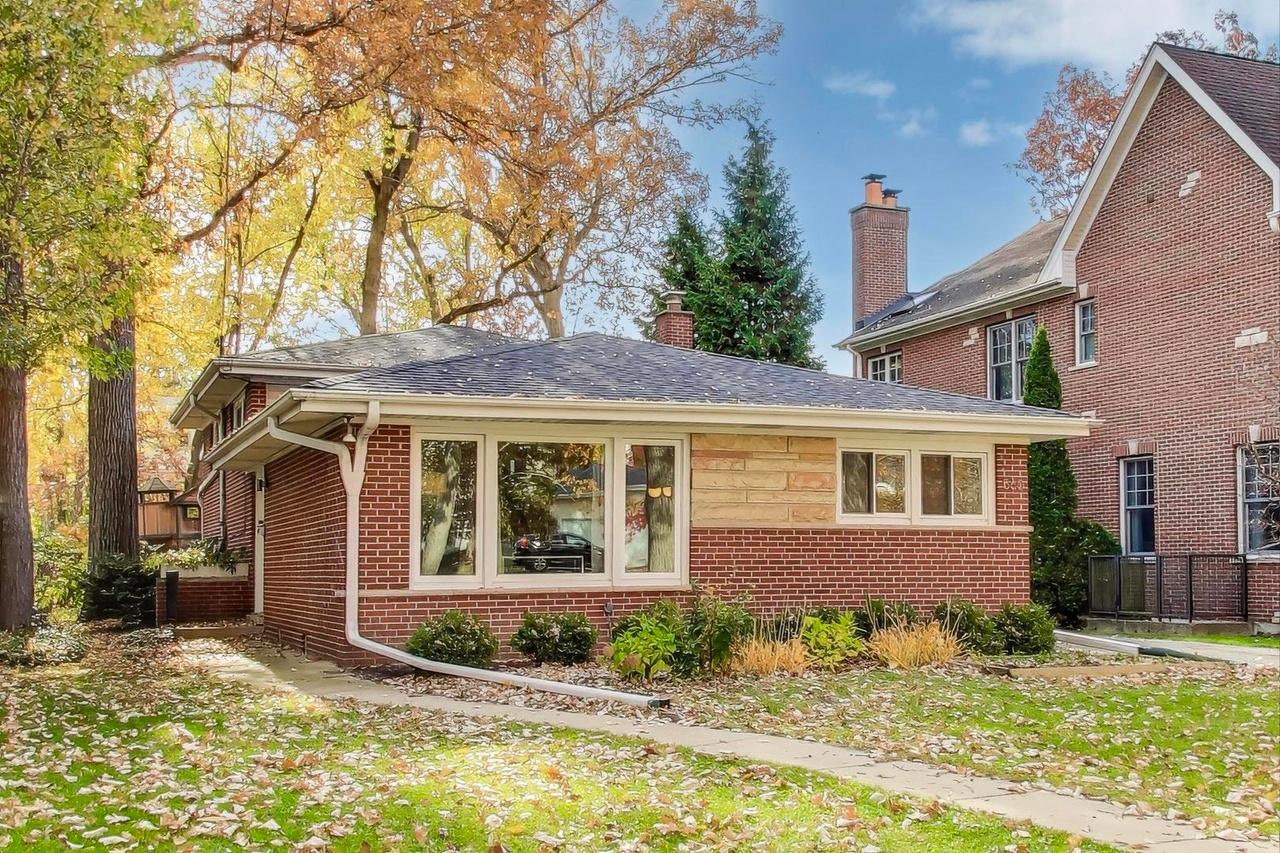
Everything changed with the arrival of modern cloud-based platforms and artificial intelligence. The new generation of tools flipped the script entirely. Instead of asking you to build a digital model from scratch, they start with a simple photo of your actual yard.
This is exactly where tools like Curb Appeal AI come in. It’s no longer a test of your drawing skills or your patience with complicated software. It’s all about bringing your ideas to life, instantly.
Think about how this transforms the process:
- The Vague Idea: A homeowner tries to explain their vision for a new front walkway and garden to their partner with a few squiggles on a napkin. It's confusing and doesn't land.
- The AI Assist: Feeling stuck, they snap a photo of their front yard and upload it to an AI design tool. In under a minute, they’re browsing through a dozen photorealistic concepts.
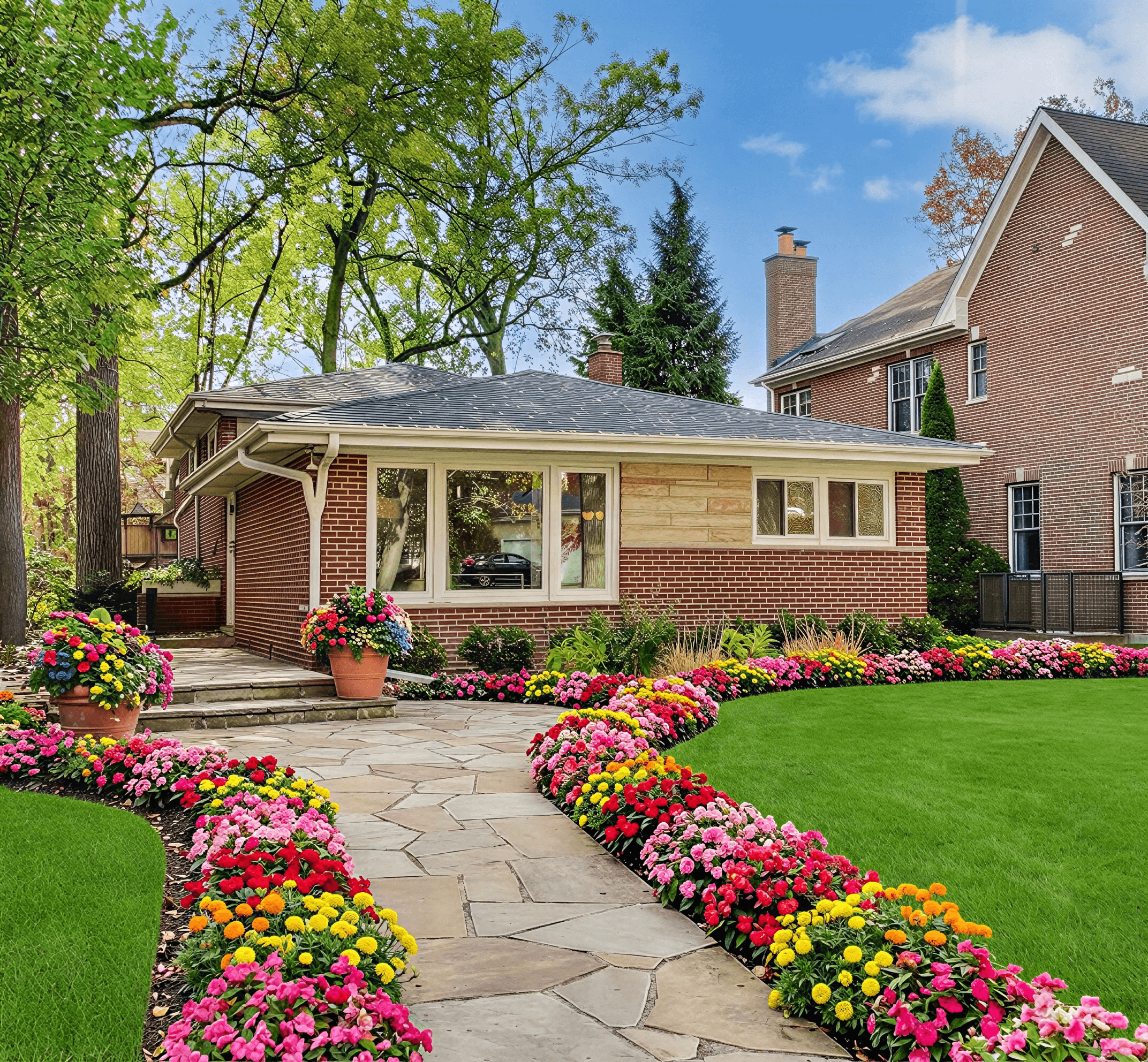
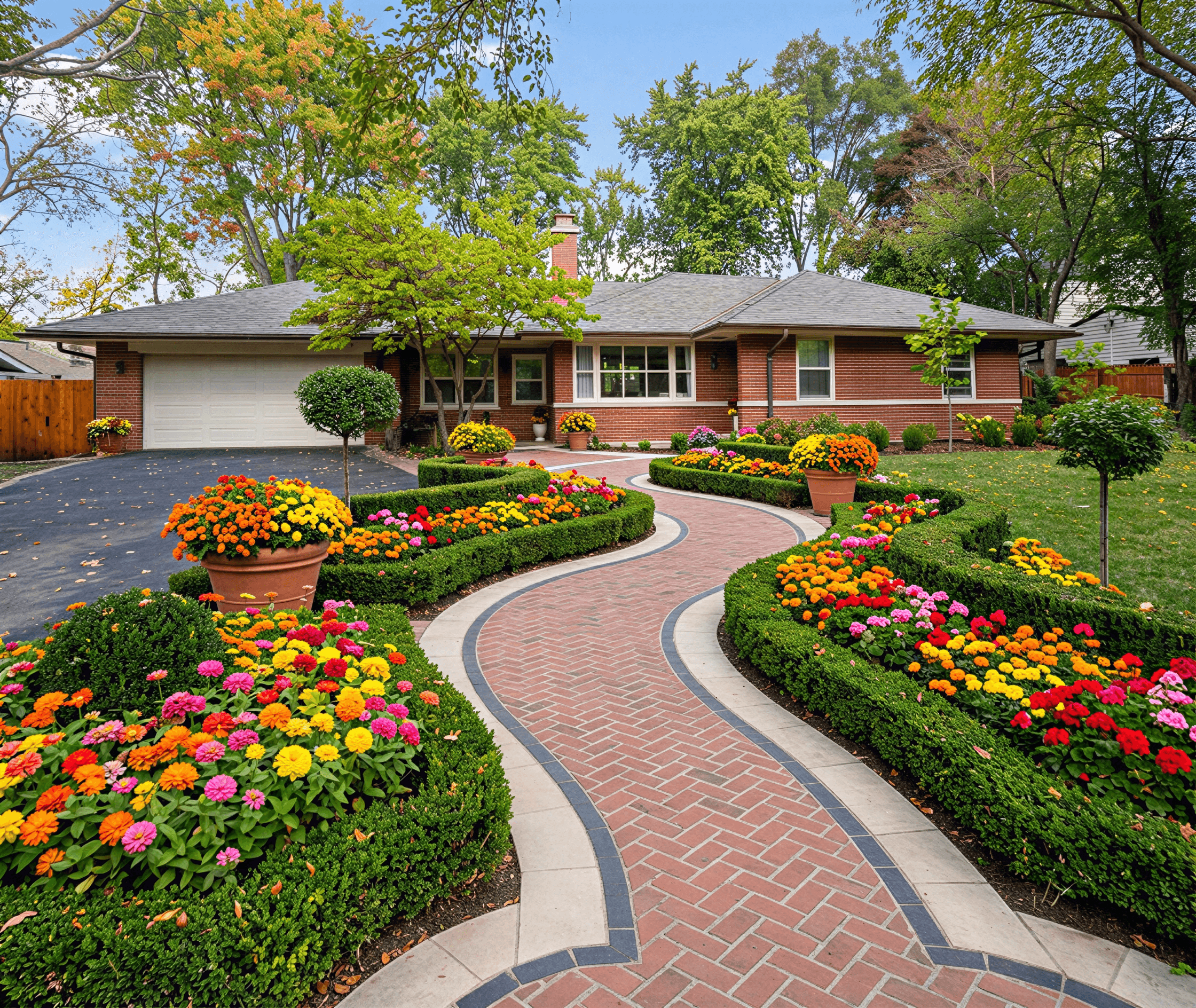
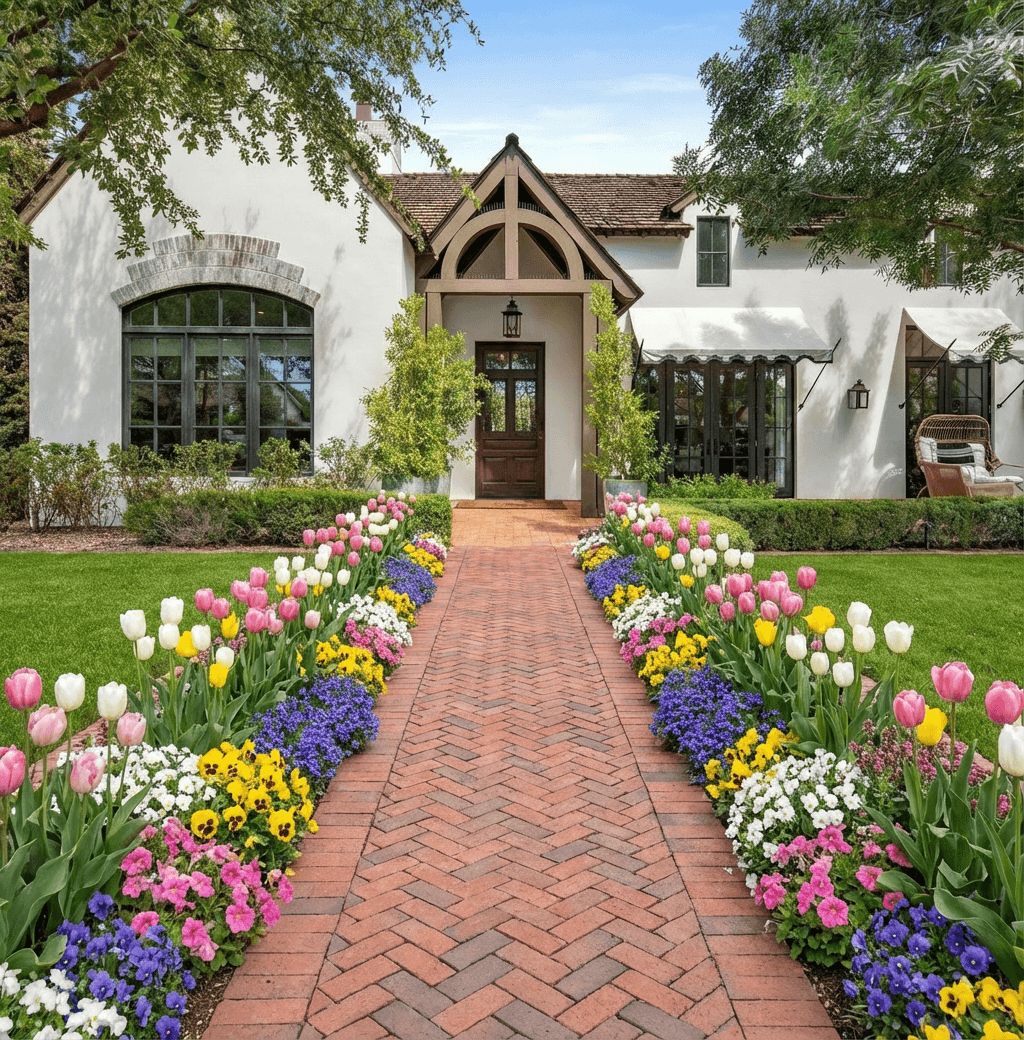
- The “Aha!” Moment: One of the designs—a “Modern Cottage” style—is a perfect match. It shows a beautiful flagstone path, lush layers of hydrangeas and boxwoods, and elegant landscape lighting, all rendered right onto the photo of their home.
This isn’t just about better-looking pictures; it’s a fundamental shift in speed, ease of use, and realism. AI-powered software finally closes that imagination gap, turning a fuzzy concept into a crystal-clear, shareable plan. It’s the final step in the journey from the abstract world of graph paper to the undeniable clarity of seeing your dream yard before you even break ground.
Must-Have Features in Your Design Software
When you start looking at landscape design software, it's easy to get lost. The sheer number of options, tools, and flashy features can feel overwhelming. But here's the thing: most of them are built for professional landscape architects, not homeowners. Your goal isn't to find the most complex program; it's to find the one that helps you get from a rough idea to a beautiful, workable plan without needing a degree in computer-aided design.
Think of it like this: you just need a great drill, not an entire machine shop. For a homeowner, a few key features make all the difference. They’re what separates a frustrating weekend project from a fun, creative experience that actually gets you the yard you've been dreaming of.
1. Ease of Use Above All Else
Let's be blunt: if a program takes 40 hours to learn, it’s the wrong tool for the job. The most critical feature by far is how simple it is to get started. The best modern software is designed to be intuitive from the moment you open it, respecting your time and getting you to the fun part—designing—as quickly as possible.
The real game-changer here is the ability to start with a photo of your own home. Forget spending hours with a tape measure trying to build a clunky 3D model from scratch. Tools that let you upload a picture immediately ground your design in reality. To see this in action, you can explore how a landscape design app with photo upload can simplify the entire process. You’re not working with a generic template; you're working on your house from the get-go.
2. Photorealistic Renders: The End of Guesswork
Have you ever tried to imagine what a new patio would look like based on a simple, top-down blueprint? It's nearly impossible. In fact, an estimated 80% of homeowners find it difficult to translate a flat 2D drawing into a 3D mental picture. This "imagination gap" is where costly mistakes happen.
Photorealistic rendering solves this problem completely. We're not talking about a cartoonish sketch of your yard. We're talking about a crisp, lifelike image that shows you exactly how your finished project will look, day or night.
A photorealistic render is the bridge between a dream and a confident decision. It lets you see how the morning sun will light up your new flower beds or how shadows will fall across the lawn in the afternoon. It removes the uncertainty and lets you invest with confidence.
When you can see a high-quality design on a photo of your actual home, you’re no longer just hoping it will look good—you know it will.
3. A Deep Library of Plants and Materials
A design tool is only as useful as its toolbox. A program with a handful of generic green blobs for "shrubs" and a few pixelated paver textures isn't going to help you create a realistic plan. You need a rich library of elements to choose from.
Look for software that offers a wide and well-organized selection, including:
- Diverse Plants: A good library should have hundreds of options, from perennials and annuals to shrubs and mature trees, allowing you to create a textured, layered look.
- Realistic Hardscapes: You need access to a variety of materials—flagstone, brick, gravel, wood decking—so you can perfectly match your home's existing style.
- Growth Over Time: The best tools even let you visualize what your garden will look like in one, five, or even ten years as plants mature.
This isn't just about making a pretty picture. It's about creating a design that is truly buildable, ensuring your visual plan can be turned into an accurate shopping list for the nursery and hardware store.
4. Built-In Climate Zone Intelligence
This might be the most practical and money-saving feature of all. Climate zone intelligence is the secret weapon that separates a thriving garden from a yard full of dead plants and disappointment.
Instead of leaving you to cross-reference plant tags with confusing maps, great software does the work for you. By using your home’s location, it automatically filters its plant library based on your local USDA Hardiness Zone.
This means you’re only shown plants that can actually survive your local climate. It stops you from falling in love with a beautiful design that's destined to fail, saving you from wasting time, money, and a lot of heartache. It’s like having a master gardener whispering in your ear, ensuring your plan is not only beautiful but sustainable for years to come.
Your Step-by-Step Homeowner Design Workflow
So you want to redesign your yard, but staring at it just leaves you feeling stuck. Where do you even begin? Thankfully, modern landscape design software for homeowners cuts through the confusion. It gives you a clear, manageable process that takes you from a frustrating problem to a picture-perfect plan.
Let's walk through what a typical project actually looks like from start to finish. This will show you exactly how to get from a simple idea to a concrete design you can hand off to a contractor with total confidence.
Step 1: Start with a Problem (and a Photo)
Every great landscape project starts with an itch you need to scratch. It might be a bland, forgettable front yard that adds zero curb appeal. Or maybe you're tired of that patchy, thirsty lawn and dream of a beautiful, low-water garden.
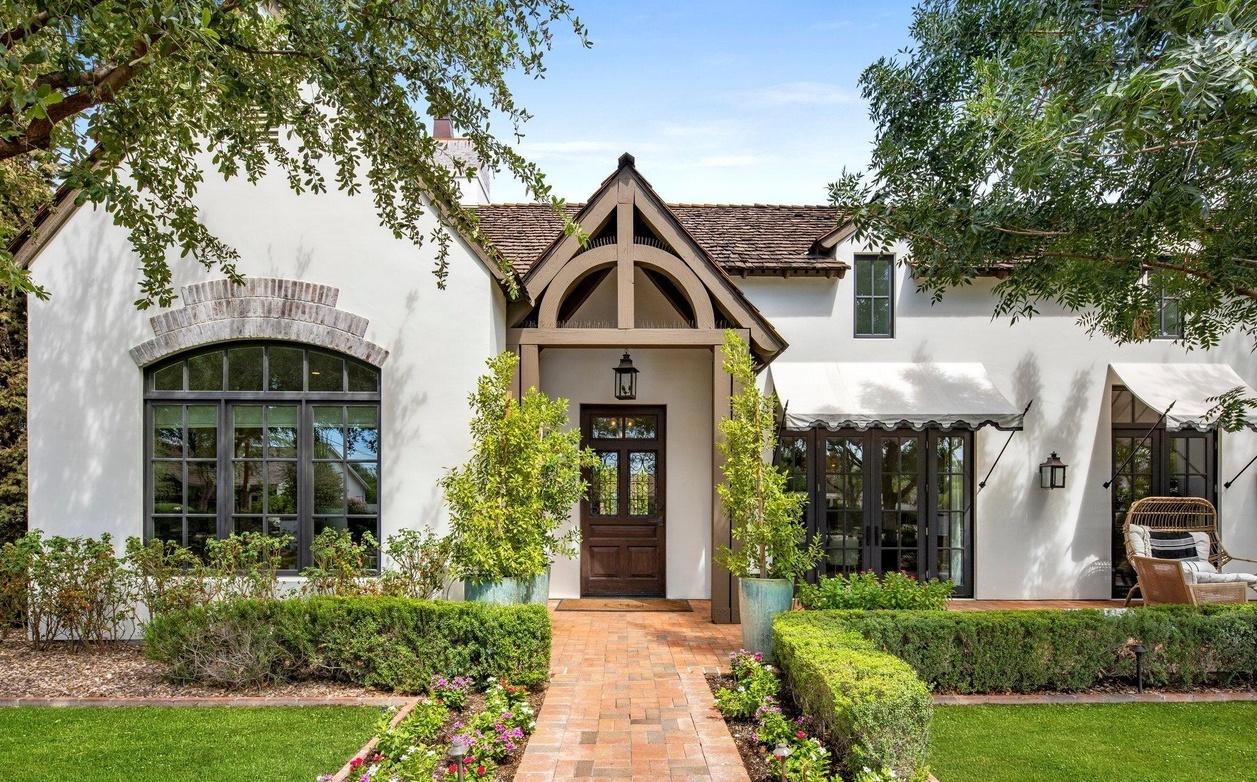
Whatever your particular headache, the first step is always the same: capture it. Just grab your phone and take a clear, well-lit photo of the area. Forget about complex measurements or amateur sketches for now. This one picture becomes your canvas, grounding every idea in the reality of your home’s unique architecture and existing layout.
Step 2: Spark Ideas and Explore What’s Possible
This is where the fun begins. Once you upload that photo into an AI-powered design tool, it gets to work as your creative partner. Instead of you facing a blank screen, you can simply pick from popular styles—like Modern, Cottage, Tropical, or Xeriscape—and let the software generate a whole range of concepts in minutes.
This quick-fire brainstorming is what makes the process so different. It completely removes the pressure to come up with the "perfect" idea all on your own. You get to see instantly how different styles would look on your actual property, opening your eyes to possibilities you might never have thought of.
Think about it: in less than five minutes, you can go from a single photo to a gallery of 20+ distinct design options. Trying to get that much variety from a traditional process could take days, if not weeks.
As you can see, the whole process is designed to be straightforward, moving you quickly from a simple photo to a wealth of inspiration.

The workflow is simple by design: an easy photo upload kicks things off, leading to photorealistic concepts and smart plant suggestions that make creativity feel effortless.
Step 3: Refine Your Vision and Mix and Match
Once you have a collection of AI-generated designs, you get to play editor. It’s rare to fall in love with a single design in its entirety. The real magic happens when you start picking and choosing your favorite elements from several different options.
- Maybe you love the clean, modern pavers and patio from one design.
- But you’re drawn to the lush, layered flower beds from a different, cottage-style concept.
- And you spotted the perfect subtle walkway lighting in yet another render.
By having these high-quality visuals side-by-side, you can easily pull together your dream vision. You can get even more specific by researching things like outdoor stone ideas for Bay Area and coastal homes to nail down the hardscaping details. This is all about personalizing the concepts until the final result feels like your home. If you want to learn more about this creative stage, check out our guide on how to design my own landscape.
Step 4: Create the Final Handoff
After mixing and matching your favorite ideas, you'll land on a clear, unified vision for your project. The last step is to export a single, high-resolution, photorealistic image that captures your final plan perfectly. This image is your project's North Star.
This final render is more than just a pretty picture; it's a powerful tool. You can share it with your family to get everyone excited and on the same page. More importantly, you can give it to a landscape contractor. When you hand them a crystal-clear visual of the final product, there’s no room for misinterpretation. This means you’ll get more accurate quotes and a much smoother project from day one.
Common Landscaping Pitfalls You Can Now Avoid
Starting a new landscaping project is genuinely exciting. But that excitement can quickly sour when you run into the common traps that turn a dream yard into a source of frustration and unexpected bills. Too many homeowners jump in headfirst, only to end up with a blown budget, dying plants, and a final look that’s nothing like what they pictured.
The good news is that modern landscape design software for homeowners is your best defense against these classic DIY disasters. By seeing a realistic version of the final result before you start, you can catch mistakes early and make smarter choices from day one. Let’s walk through the most common pitfalls and see how the right software helps you steer clear of them.
Pitfall 1: Getting Bogged Down by Complicated Software
One of the first mistakes homeowners make is choosing a tool that’s built for seasoned professionals, not for a weekend project. These pro-grade programs are incredibly powerful, but they often come with a massive learning curve—one study found it can take 40 hours just to get comfortable with advanced 3D modeling tools. This is what we call "feature fatigue," where you spend more time wrestling with the software than actually designing.
For a homeowner, a tool that lets you upload a photo of your yard and start generating ideas instantly is infinitely more useful than one that asks you to build a 3D model from the ground up.
Key Takeaway: Look, your goal isn't to become a professional CAD operator. You just want a beautiful, workable plan. The best software for you is one that does the heavy lifting, turning your vision into a clear visual in minutes, not days.
Pitfall 2: The "Wrong Plant, Wrong Place" Problem
Have you ever planted a gorgeous row of flowers, only to watch them wilt and wither away in a few months? It’s a heartbreaking—and expensive—mistake, usually caused by picking plants that simply can’t survive in your local climate. Choosing the wrong plants or grass for your yard’s specific conditions is a classic pitfall. This is where modern software can help you visualize different options and make better choices, like selecting the best lawn grasses for your region.
The best design tools solve this problem with built-in smarts. By simply knowing your location, the software can:
- Reference USDA Hardiness Zone Data: It automatically understands the temperature extremes in your area and knows which plants can handle them.
- Curate the Plant Library: Instead of showing you every plant under the sun, it filters the options to only include varieties that will actually thrive where you live.
- Recommend Sustainable Options: Many tools will even point you toward native or drought-tolerant plants, which means less watering and less work for you later on.
This single feature transforms your plan from a hopeful guess into a smart, sustainable roadmap for a garden that lasts.
Pitfall 3: When Your Dreams Outrun Your Wallet
It’s dangerously easy to dream up a landscape that looks like a million bucks—and then get a quote to discover it actually costs that much. Without a clear visual plan, it's nearly impossible to grasp the real cost of materials and labor. A rough sketch on a napkin often leads to "scope creep," where one small addition after another slowly sinks your budget.
A photorealistic render is your most powerful budgeting tool. It takes your idea out of your head and puts it onto the screen as a concrete asset. When you show that render to a contractor, they see exactly what you want—the specific plants, the type of pavers, the size of the patio. This clarity eliminates guesswork and allows them to give you a precise, reliable quote.
Seeing the full plan upfront lets you make critical financial decisions before a single shovel hits the dirt. You can decide to tackle the project in phases or swap out a costly feature for a more affordable one, all while keeping your vision intact.
Why AI Is a Game-Changer for Homeowners in 2026
We've talked about essential features like ease-of-use, photorealistic visuals, and smart plant libraries. But something truly special happens when you bring artificial intelligence into the mix. It doesn't just improve the old tools; it creates an entirely new way of thinking about design, finally putting professional-grade results directly into homeowners' hands.
For as long as I can remember, there's been a frustrating gap between the beautiful yard a homeowner imagines and what the contractor actually builds. That space is usually filled with misunderstandings, confusing sketches, and expensive do-overs. AI-powered platforms like Curb Appeal AI are closing that gap for good, tackling the biggest frustrations people have with landscaping and making the process genuinely fun and effective.
The Power of Unmatched Speed
Let's be honest: traditional design is slow. Whether you’re sketching on paper or trying to master clunky software, getting just one solid idea down can take hours, if not days. If you hire a pro, you could be waiting weeks just to see the first round of concepts.
AI flips that timeline on its head. You can upload a photo of your yard and get dozens of unique, beautifully rendered designs back in less than a minute. This isn't just about being a little faster; it's a completely different experience. You can instantly jump between styles—from a sleek Modern look to a charming Cottage garden or even a water-wise Xeriscape—helping you figure out what you love without a massive time commitment.
Photorealism That Builds Confidence
Have you ever tried to picture how a finished project will look, only to feel let down by the final result? You're not alone. An estimated 80% of homeowners find it difficult to translate a flat, 2D drawing into a real-world space. This is a problem that AI-powered landscape design software for homeowners has finally cracked.
Instead of looking at generic 3D models, AI tools render designs right onto the picture of your home. You’ll see precisely how a new stone walkway pairs with your front door or how a mature Japanese Maple will cast its shade on your specific roofline.
This level of realism takes away all the guesswork. When you see a lifelike preview, you can make decisions confidently, knowing the final product will match what you see on the screen.
Having that kind of visual proof is invaluable, whether you're trying to get your spouse on board or handing a clear, undeniable blueprint to your landscape contractor.
Climate Intelligence for a Thriving Garden
A stunning design is completely pointless if the plants are doomed from the start. This is where the built-in intelligence of modern AI tools really shines. These platforms link your home's location to vast climate databases, like the USDA Hardiness Zones, to make sure every single plant suggestion is a smart one.
This means the software automatically steers you toward plants, trees, and flowers that are proven to flourish in your specific microclimate. It's like having a master gardener and a top-tier designer working together just for you. For a deeper dive into how this all connects, you can read more about the role of AI for landscape design in our detailed article.
Ultimately, this intelligence saves you money, prevents the disappointment of watching your new garden wither, and sets you up for a beautiful, sustainable yard. It's simply a smarter way to plan, ensuring your investment pays off for years.
Common Questions We Hear About Landscape Software
It's natural to have a few questions before you dive into landscape design software for homeowners. We get it. Let's walk through some of the most common ones we hear, so you can feel confident and ready to start designing.
Do I Need Any Design Experience to Use This Software?
Not at all. In fact, these tools are built specifically for homeowners who don't have a design background. The whole point is to make professional-level design accessible to everyone.
If you can upload a photo from your phone, you have all the technical skill you need. The best software, especially AI-powered platforms, does the creative heavy lifting for you. You just provide a picture of your yard, and the technology generates the concepts, completely removing the need for prior design knowledge.
How Accurate Are the AI Plant Recommendations?
They are surprisingly accurate for your specific climate. The smartest programs use your location to tap into USDA Plant Hardiness Zone data, which is the official standard for figuring out which plants will actually survive in your local weather conditions.
This means the software will only suggest plants, trees, and shrubs that are already proven to grow well right where you live. This feature alone is a powerful tool for avoiding those costly and heartbreaking planting mistakes we've all made.
Think of it as having a built-in horticulturalist, ensuring the beautiful design you create is also a sustainable and practical one for your yard.
Can I Actually Show These AI Designs to a Professional Landscaper?
Yes, and you absolutely should! Providing a high-quality, photorealistic render is the single best way to show a contractor what you're thinking. It closes the gap between the idea in your head and the plan they need to execute.
When a professional can see exactly what you want, they can give you a much more accurate quote because they understand the materials and labor involved. It gets everyone on the same page right from the start, preventing expensive misunderstandings down the road.
Ready to stop guessing and start visualizing? Curb Appeal AI gives you the power to see your home's potential in stunning, photorealistic detail. Upload a photo and get dozens of climate-smart design ideas in seconds. Try it for free and start your transformation today!