The Ultimate Guide to Online Landscape Design Tools
Think of an online landscape design tool as a virtual blueprint for your yard. It’s software that lets you take a photo of your property and experiment with different styles, plants, and materials, giving you a crystal-clear, realistic preview of what your home could look like. It effectively takes the guesswork out of curb appeal.
How Online Landscape Design Tools Work

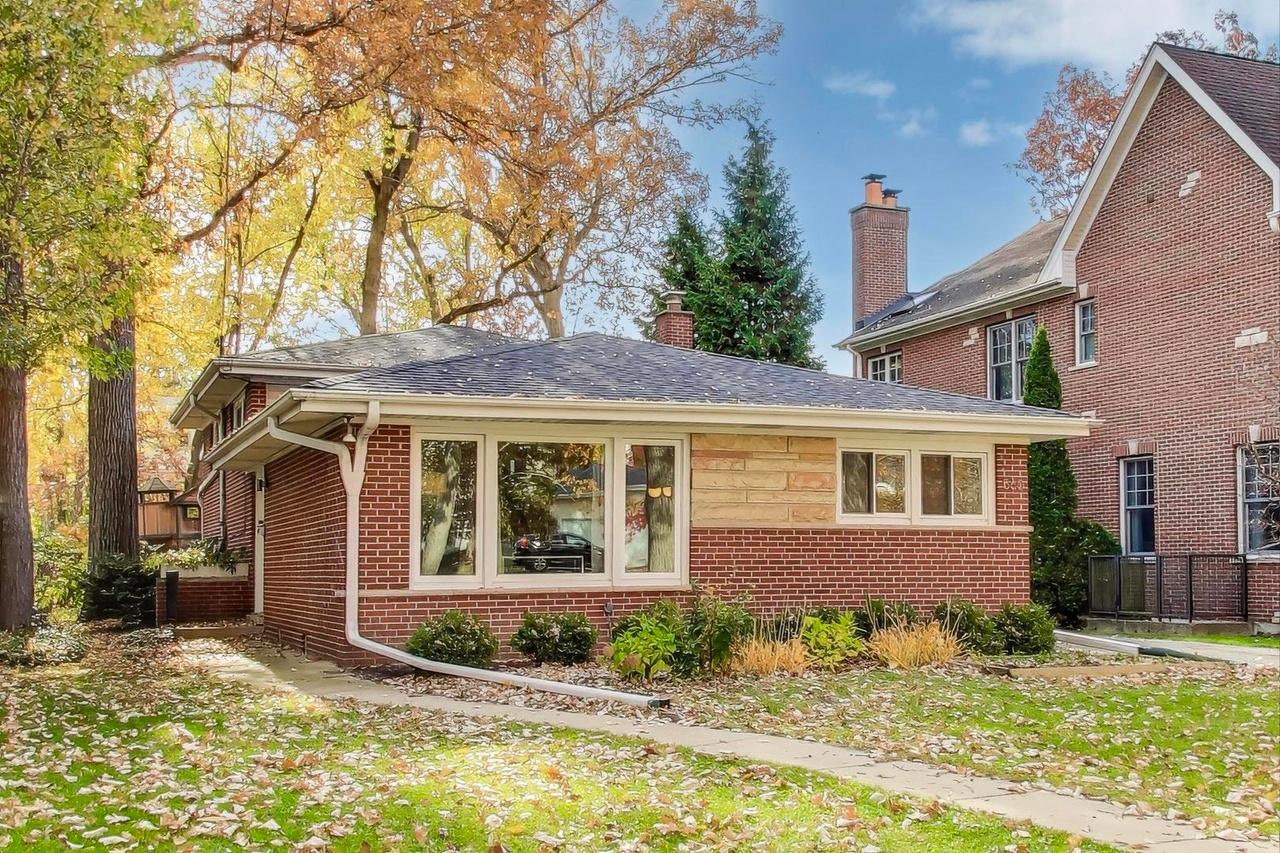
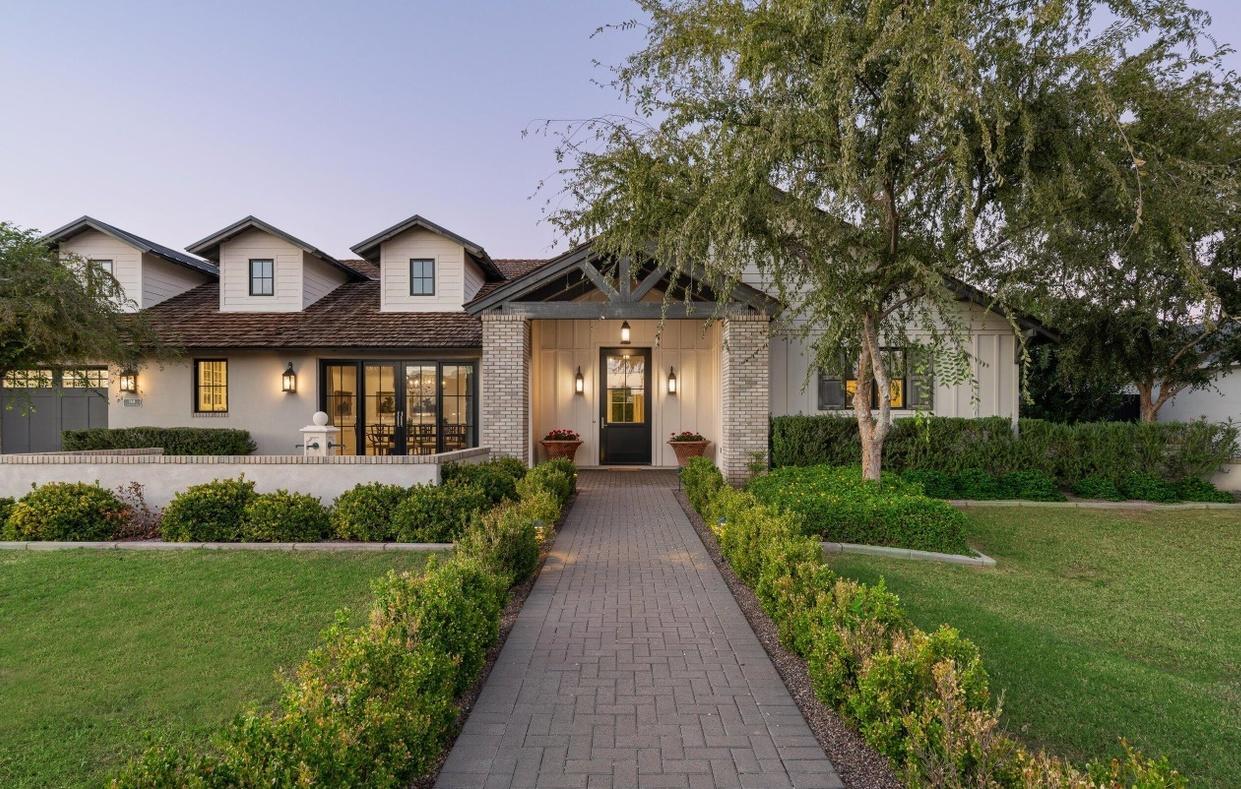
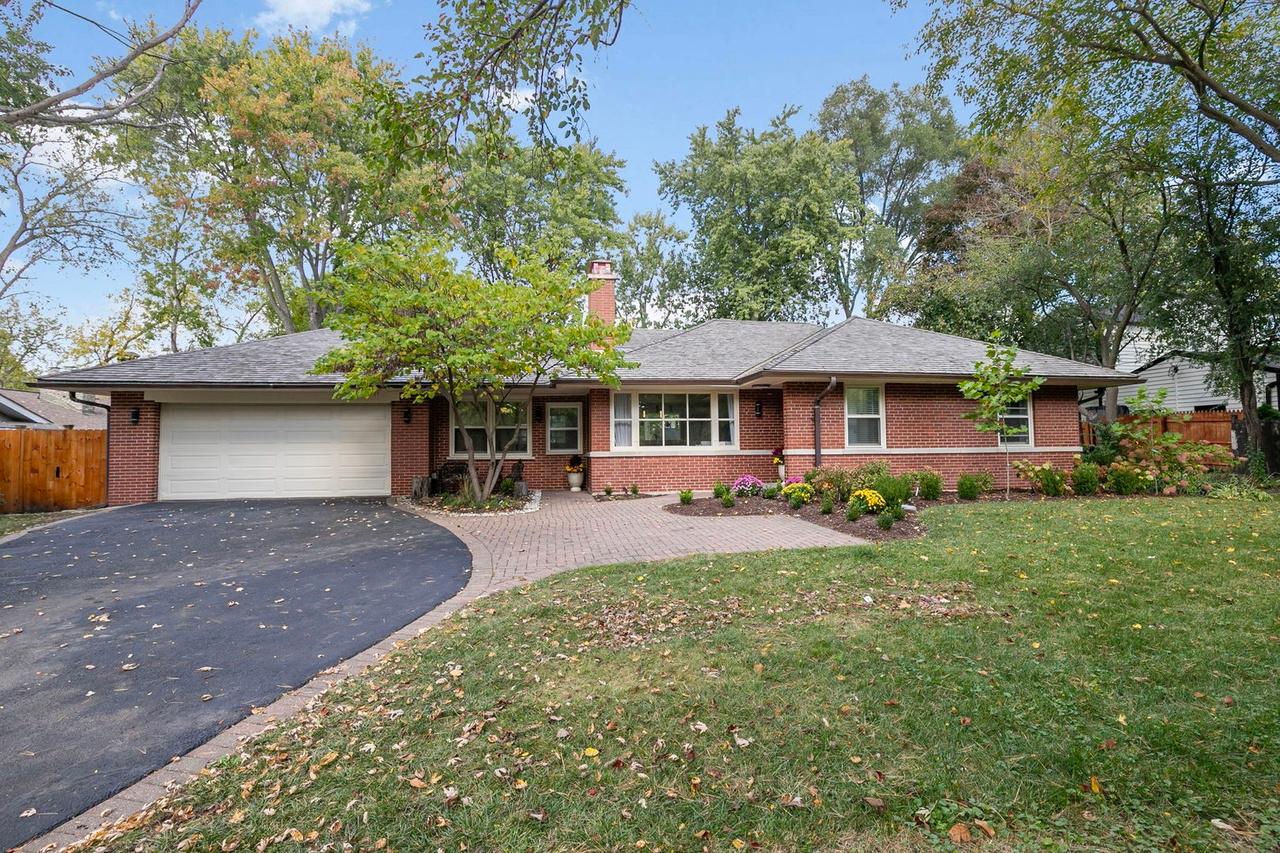
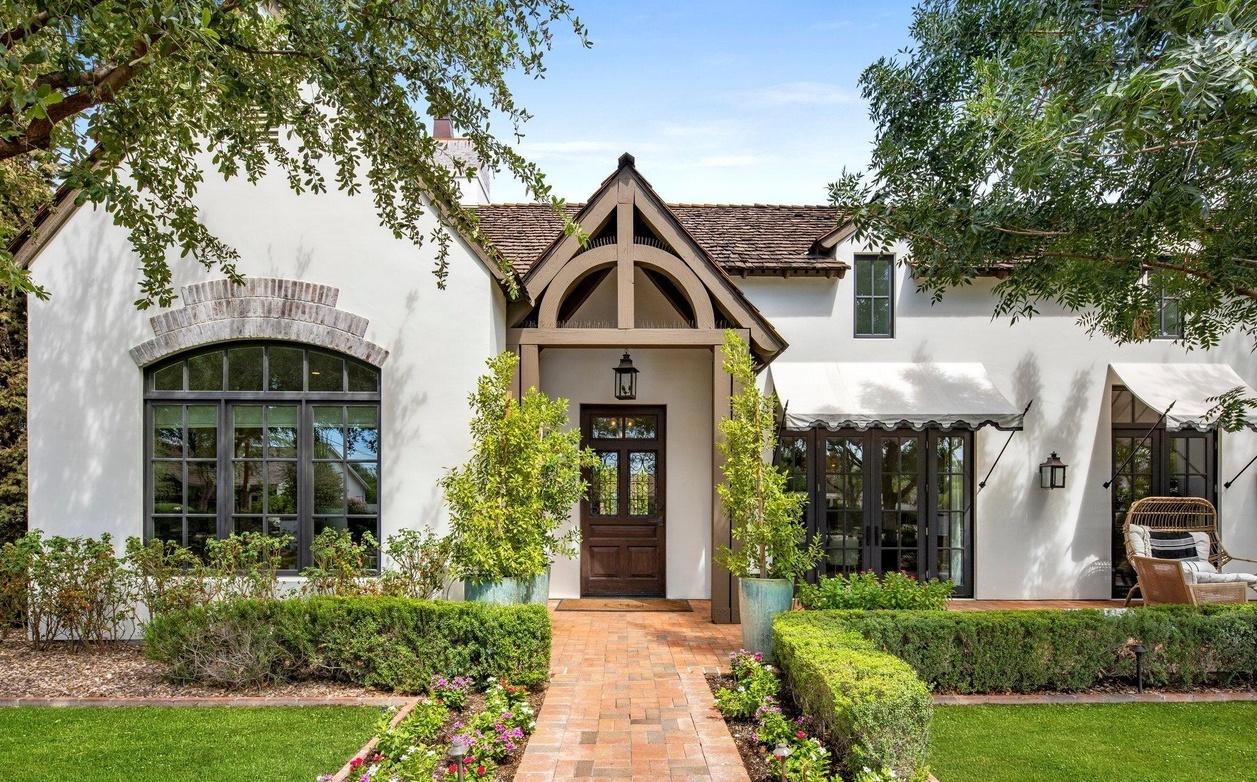
The basic idea is simple but powerful. Instead of trying to imagine how new plantings or a stone walkway might look, you start with a real-world photo of your own home. This is the key that makes these tools so intuitive for anyone to use.
You just snap a clear, straight-on picture of your property and upload it. From there, the real work begins. Modern tools, especially those built with artificial intelligence, don't just see a flat picture—they actually analyze it. The software starts by identifying the important parts of your home, like the roofline, windows, front door, and any existing paths.
The Power of AI in Design Visualization
This AI acts like a design partner that already understands your home’s layout. Because it recognizes the existing structure, it can generate new landscape ideas that look like they truly belong there, not just plopped on top.
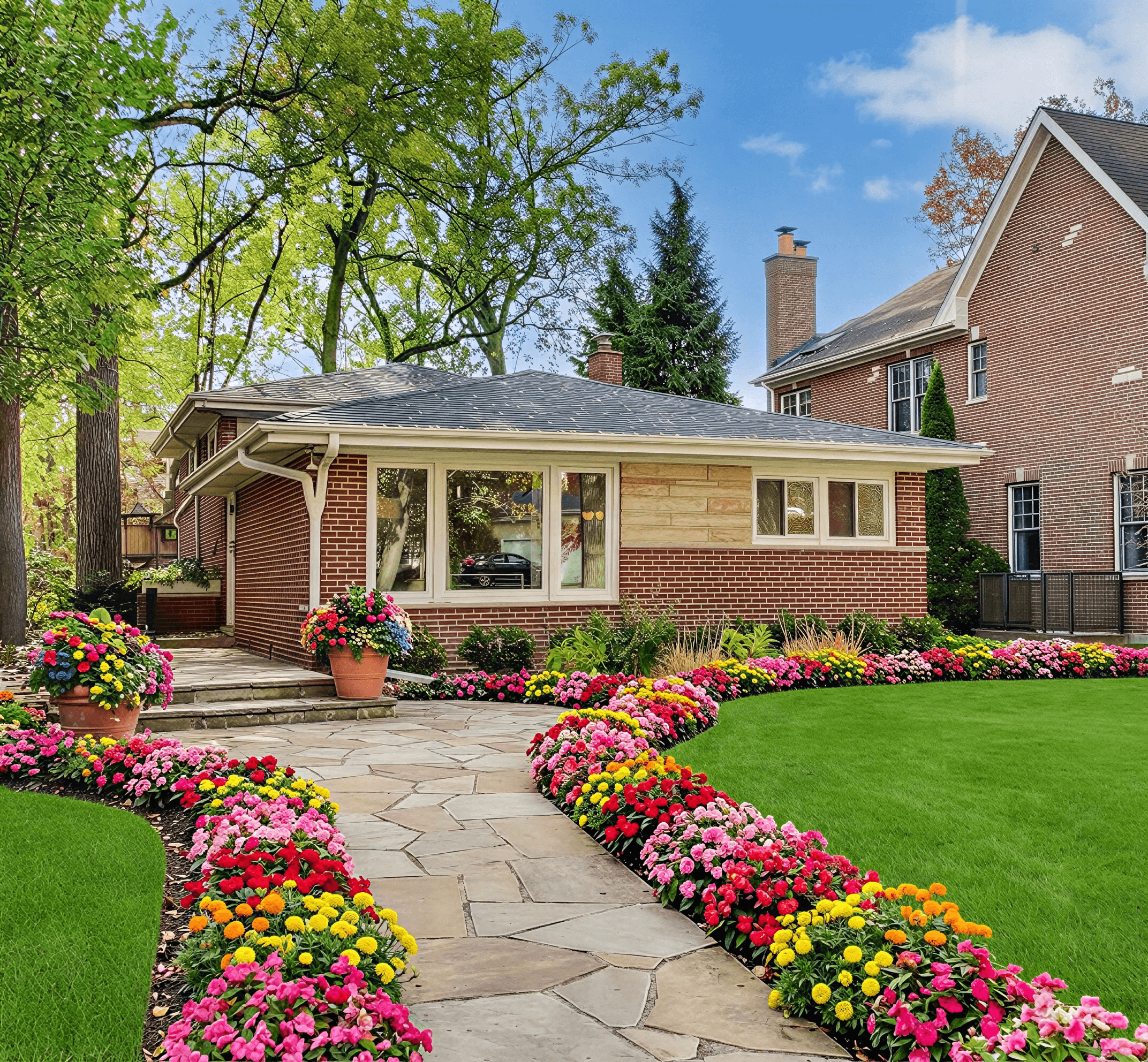
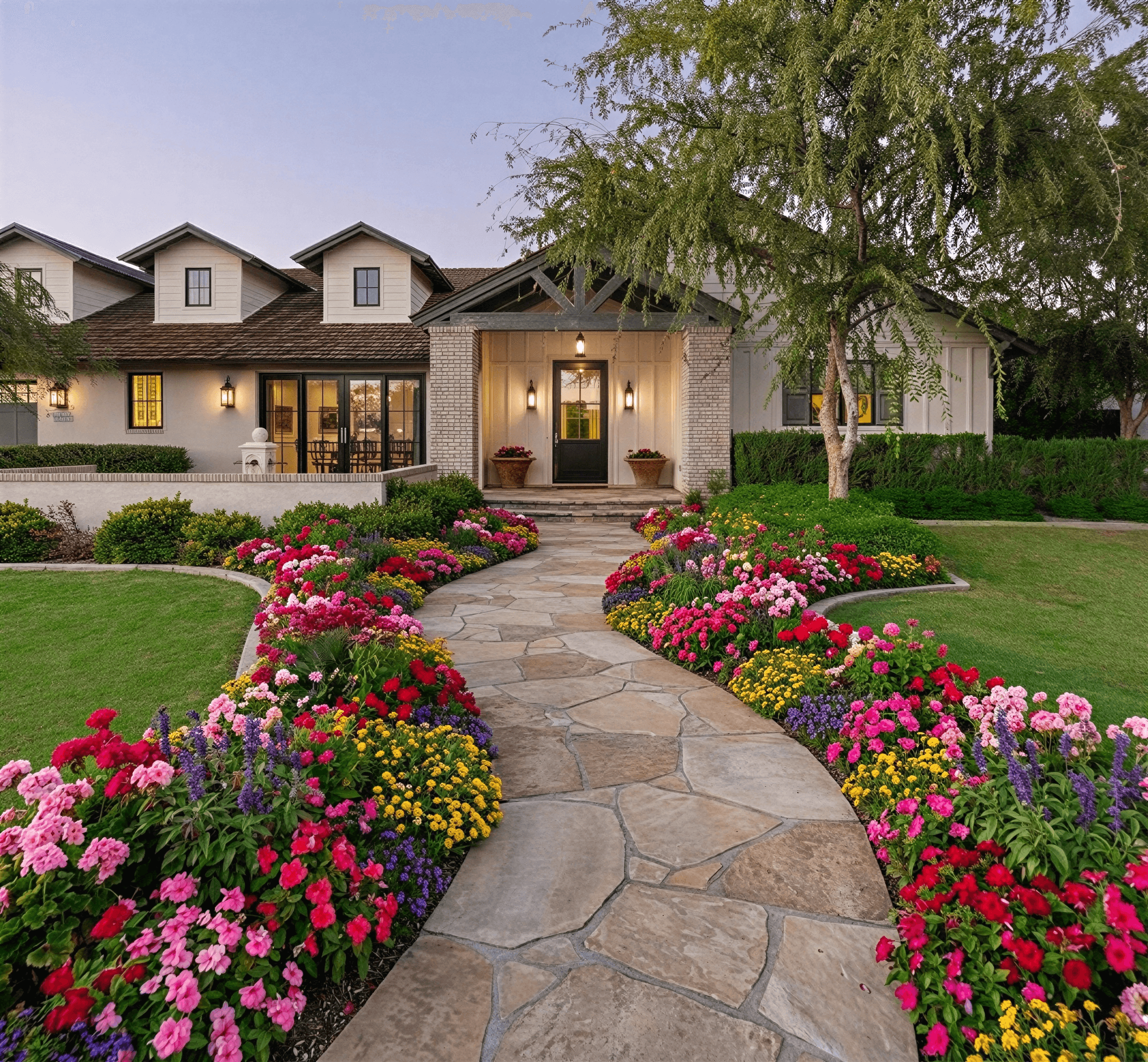
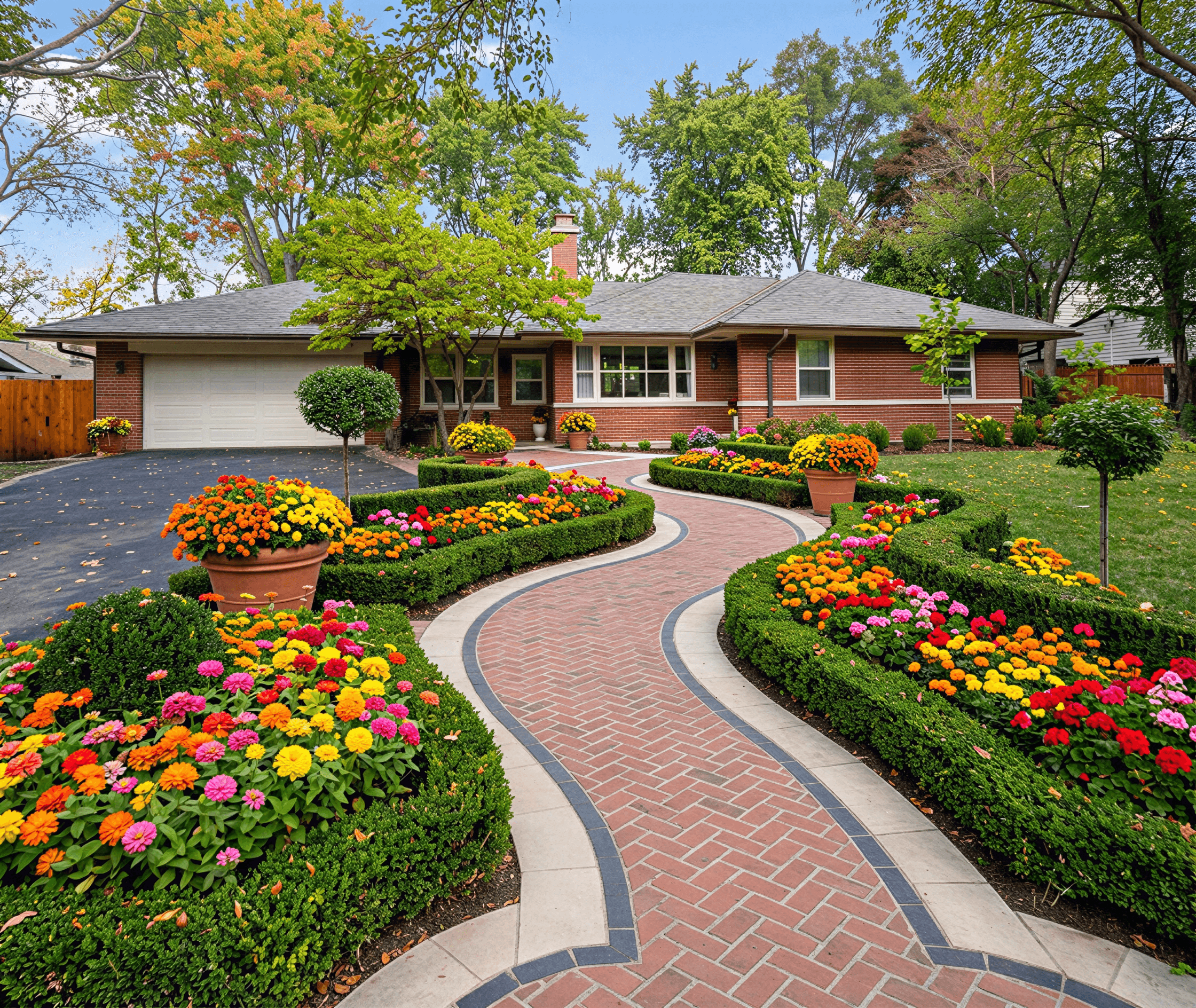
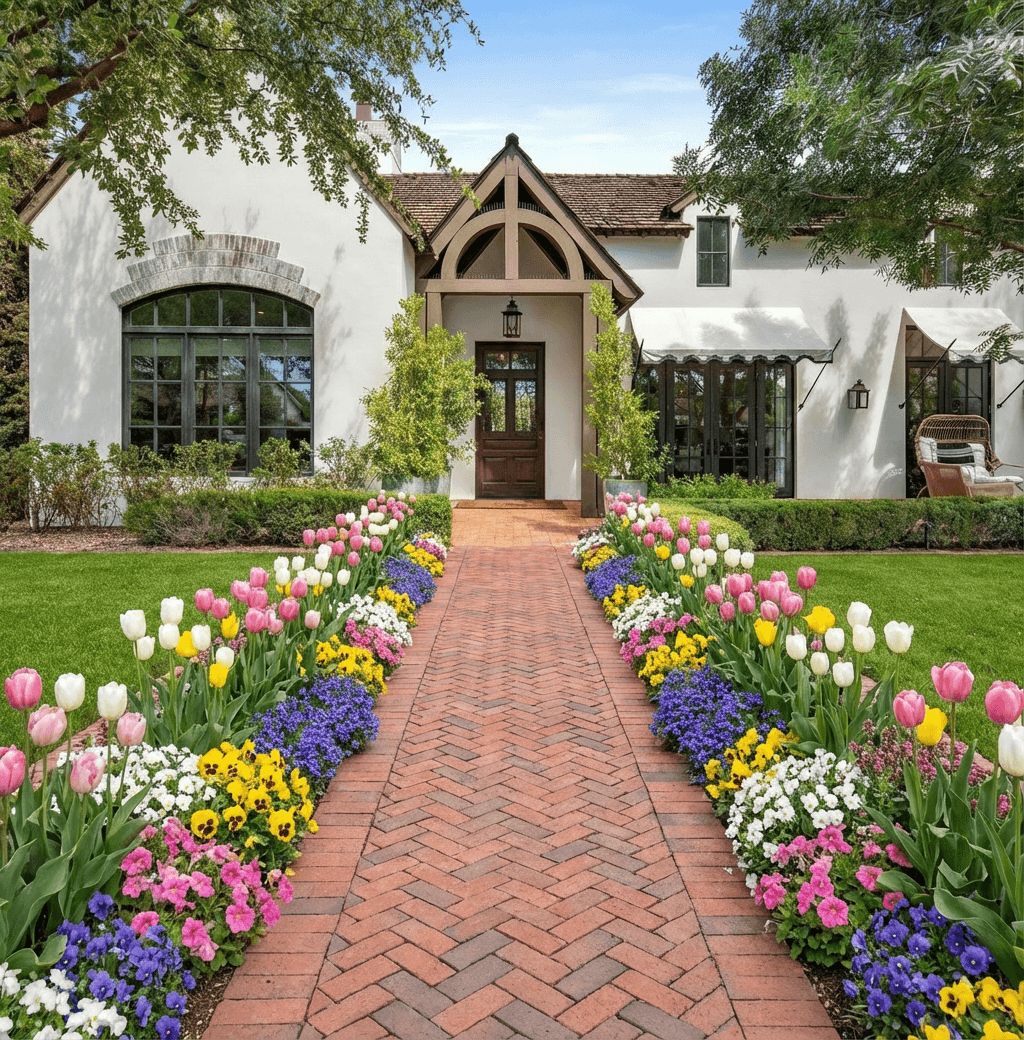
For instance, it can "paint" new features right onto your photo, letting you instantly see things like:
- Lush plant beds and colorful flowers where there was only bare lawn.
- Inviting stone or paver pathways leading to your entryway.
- New hardscaping elements like patios, retaining walls, or decorative gravel.
- Entire design themes, transforming your yard's look to Modern, Cottage, or even Xeriscape with a single click.
This is what really sets modern AI tools apart from older, clunky software. Instead of you having to meticulously draw every bush and stone, the AI does the heavy lifting, producing complete, realistic concepts in a matter of seconds. You can cycle through dozens of possibilities without needing any design background. For a closer look at the tech behind this, check out our guide on AI for landscape design.
From Simple Mockups to Smart Planning
The best tools move beyond just looking pretty; they integrate practical information to make sure your designs are actually achievable. Platforms like Curb Appeal AI, for example, use your location to factor in local climate data. This means when you’re looking at different plants, the system already knows if they will survive in your specific hardiness zone—a small feature that prevents big, costly mistakes down the line.
This is a huge leap from the days of manual sketching. It’s part of a much larger trend, which helps explain the market’s explosive growth.
The global landscape design software market was valued at USD 2.1 billion in 2024 and is projected to reach approximately USD 5.74 billion by 2033. This surge shows a real shift in how both homeowners and professionals are tackling outdoor projects.
That rapid expansion is driven by a simple fact: people want beautiful outdoor spaces, and these tools finally make creating them accessible to everyone. You can learn more about the industry's direction in the full landscape design software market report.
The table below gives a quick snapshot of how these modern tools stack up against the old-school methods.
Online Landscape Design Tools vs Traditional Methods
| Attribute | Online Landscape Design Tool (e.g., Curb Appeal AI) | Traditional Landscape Design |
|---|---|---|
| Cost | Low cost or subscription-based; often free to start | High cost; full project fees can be thousands of dollars |
| Speed | Instant results; generate multiple designs in minutes | Slow process; can take weeks or months for initial concepts |
| Revisions | Unlimited and immediate; tweak designs on the fly | Limited and time-consuming; revisions often cost extra |
| Accessibility | Anyone can use it; no design skills needed | Requires hiring a professional; less hands-on for the client |
| Collaboration | Easy to share visual concepts with contractors or DIY | In-person meetings and complex blueprints can be harder to share |
Ultimately, an online landscape design tool closes the gap between your ideas and what’s possible. It gives you the freedom to experiment without risk, refine your vision with confidence, and produce a solid visual plan. That plan becomes your most valuable asset, whether you’re doing the work yourself or hiring a pro to bring it to life.
Key Features That Will Transform Your Yard

The real power of an online landscape design tool isn’t just about creating pretty pictures. It's about giving you the tools to make smart, confident decisions before you ever break ground. To really get it, you need to understand the core features—not as a technical list, but as solutions to the real-world headaches that come with any landscaping project.
Let's be honest, the biggest fear when you're about to spend thousands on new plants and a patio is that it won't look as good in real life as it does in your head. This is where the most valuable feature of any modern design tool comes in.
See Your Future Yard with Photorealistic Renders
Hands down, the most powerful feature is the ability to generate photorealistic renders. This isn't some cartoonish sketch. We're talking about a high-quality image that shows you almost exactly what your finished project will look like, laid over a real photo of your actual home.
Think of it like test-driving a car. You’d never buy one without getting behind the wheel, so why would you commit to a major landscape overhaul without seeing it first? A render lets you "see" the final result before a single shovel hits the dirt, preventing expensive mistakes and giving you total confidence in your plan.
For example, a good render helps you visualize things you’d otherwise have to guess at:
- How the morning and afternoon light will filter through that new pergola.
- Whether the texture of a new paver path clashes with your home's brick exterior.
- If the scale of a mature Japanese Maple will overwhelm your front yard.
This visual confirmation is the bridge between a vague idea and a concrete plan you can execute. It turns a stressful guessing game into an exciting, creative process.
Your Personal Design Consultant
Staring at a blank yard can feel paralyzing. Where do you even begin? This is where the better tools step in with AI-powered style suggestions, acting like a design consultant who is on call 24/7. Instead of dumping an overwhelming catalog of plants and materials on you, they offer curated design themes to get you started.
You can instantly "try on" different aesthetics to see what clicks with your home and your personal style. This often includes popular looks like:
- Modern: Defined by clean lines, minimalist plantings, and sleek, geometric hardscaping.
- Cottage: Known for its lush, informal flower beds, charmingly curved paths, and romantic vibe.
- Xeriscape: A beautiful, water-wise approach that uses drought-tolerant plants, gravel, and stone for sustainable style.
- Tropical: Uses bold, leafy plants and vibrant colors to make your yard feel like a resort-like escape.
Flipping through these styles helps you quickly discover what fits your home's architecture, which in turn helps you narrow your focus and often sparks ideas you'd never have considered on your own.
This isn't just about looks; it's about making decisions efficiently. Instead of sinking hours into searching for inspiration, you can generate dozens of unique, style-aligned concepts in seconds, right on top of a photo of your own home.
The Right Plants in the Right Place
One of the most common and gut-wrenching mistakes in landscaping is choosing plants that simply can't survive where you live. That gorgeous garden you saw in a magazine might be completely impossible to grow in your backyard. This is where intelligent tools provide enormous value with climate-aware plant recommendations.
A top-tier online landscape tool uses your location to identify your specific USDA Plant Hardiness Zone. This system maps out the country by its average minimum winter temperatures—a critical factor for a plant's long-term survival.
What this means for you is that the tool won't ever suggest a tropical hibiscus if you live in Minnesota. It will automatically filter its suggestions to show you a palette of trees, shrubs, and flowers that are proven to thrive in your specific climate. This simple feature saves you from wasted money, dead plants, and the disappointment of a garden that fails to flourish. It ensures your beautiful design is also a sustainable and successful one, season after season.
Who Really Uses These Design Tools?
You might think online landscape design tools are just for professional designers or die-hard gardeners. The truth is, their appeal is much broader than that. These tools are being used by all sorts of people to solve very real problems, from homeowners looking to boost their property value to contractors trying to win more jobs.
The market numbers back this up. While homeowners make up the biggest slice of the pie, commercial use by architects and contractors is growing fast as they adapt to new ways of working. The whole market is on track to hit a staggering USD 16.19 billion by 2035, and that kind of growth only happens when a tool is genuinely useful. You can see more projections about the future of the landscape software market on marketresearchfuture.com.
So, let's break down who benefits the most from this technology.
Homeowners Trying to Get the Most Bang for Their Buck
If you're a homeowner, these tools essentially give you the power to see the future. Instead of paying for a consultation just to explore an idea, you can visualize dozens of possibilities without spending a single dollar on plants or labor.
This isn't just about making things look pretty; it's a smart financial decision. A great landscape can seriously increase your property value, but a bad one can quickly turn into a money pit. A design tool helps you:
- Avoid Expensive Mistakes: See how different plants and patios will actually look against your home before you start digging.
- Get a Clear Plan: Walk away with a solid visual you can show contractors to get accurate quotes. No more confusion or "misunderstandings."
- Boost Curb Appeal: Figure out exactly which changes will give you the biggest visual impact and make your home stand out.
A photorealistic render acts as your project's North Star. It provides unwavering clarity and confidence, ensuring the vision you approve is the one that gets built.
Real Estate Agents Needing to Close Deals Faster
In a crowded housing market, the first impression is the only impression that matters. Real estate agents are always looking for an edge, and virtual landscape design has become a powerful tool for marketing a property.
Let's face it, many listings have zero curb appeal—a patchy lawn or sad-looking shrubs can turn off buyers instantly. Instead of showing the drab reality, agents can now show the potential. By virtually staging the yard, they can transform a boring exterior into a lush, inviting landscape in the listing photos. This little bit of magic helps homes sell quicker and often for a better price.
Landscape Contractors Looking to Win More Bids
For landscape contractors, these tools are all about closing the gap between your idea and what the client can picture in their head. Traditional 2D blueprints and plant lists are often confusing for homeowners, leading to hesitation and, ultimately, lost bids.
Imagine showing up to a sales meeting and presenting a gorgeous, photorealistic mockup of your client's future yard. Suddenly, the project feels real and exciting. That visual connection builds trust and helps the client feel confident about their investment. It’s a simple way to shorten the sales cycle and turn more proposals into paying jobs.
DIY Renovators Who Want to Plan Like a Pro
If you're the type who likes to get your hands dirty, an online design tool is the perfect partner for your project. It acts as a visual roadmap, helping you avoid common pitfalls by planning every detail before you start. You can map out layouts, test different materials, and make sure everything flows together perfectly.
Best of all, features like climate-aware plant suggestions help ensure your hard work doesn't go to waste. The tool can guide you toward plants that will actually survive and thrive in your specific area, saving you the heartbreak and expense of a failed garden. It's like having a seasoned expert by your side, helping you create a beautiful landscape that lasts.
Your Step-By-Step Guide From Photo to Plan
Turning your yard into something special with an online landscape design tool might seem like a complex, technical process. In reality, it’s anything but. The entire journey is designed to be intuitive, walking you from a simple photo of your house to a fully-realized design plan, no prior experience needed.
Forget wrestling with complicated software. Think of it more like a creative brainstorming session with an incredibly fast design partner. You bring the canvas—your home—and the tool handles the heavy lifting of visualizing your ideas. Let's walk through the whole process, so you can see just how simple it is to get a stunning new landscape.
Step 1: Capture the Perfect Starting Photo
It all starts with a single picture of your property. This photo is the foundation for every design the AI will generate, so getting this first step right is key. For the best outcome, you'll want a clear, straight-on shot of the area you plan to redesign.
Pro Tip: Try taking your photo on a slightly overcast day. The soft, even light prevents harsh shadows and bright, blown-out spots. This helps the AI "see" your home’s features more accurately, leading to much cleaner and more believable designs. Also, make sure there are no cars, trash cans, or other clutter blocking the view.
Step 2: Choose Your Inspiration
With your photo uploaded, the fun really begins. This is where you get to set the mood and tell the tool what kind of aesthetic you're going for. Instead of overwhelming you with a massive catalog of plants, a good tool will offer a curated menu of design styles.
This is your chance to play around with different looks you might have seen in magazines or around the neighborhood. These styles often include:
- Modern: Clean lines, simple color palettes, and structured, minimalist plantings.
- Tropical: Lush, large-leafed plants and vibrant, exotic flowers that create a resort-like feel.
- Cottage: Overflowing flower beds, romantic blooms, and charming, natural textures.
- Xeriscape: A smart, water-wise approach using drought-tolerant plants, gravel, and stone for a beautiful, low-maintenance yard.
Just pick the style that speaks to you. You're not locked in; this is just a starting point to get the creative juices flowing.
Step 3: Generate and Explore AI Concepts
Once you've uploaded your photo and selected a style, it's time to let the AI do its thing. With just a click, the platform analyzes your home’s architecture and generates a complete landscape concept that fits your chosen style, adding plants, hardscaping, and other elements right onto your picture.
This is where you'll really feel the power of these tools. You can generate multiple different takes on a style in seconds, letting you see a whole range of possibilities without any manual work. One version might add a winding stone path, while another might feature a totally different mix of flowering shrubs.
As you can see below, this simple flow from idea to image works for everyone, whether you're a homeowner dreaming up a new yard, an agent staging a listing, or a contractor communicating a plan.

No matter who you are, the core process of visualizing, refining, and finalizing a design is straightforward and highly effective.
Step 4: Refine and Personalize Your Favorite Design
After exploring a few concepts, you’ll probably find one or two that you really connect with. Now, it's time to zoom in and start fine-tuning the details. The best tools don't just spit out a final image; they let you edit the designs to get the look just right.
This is the point where you shift from being an observer to a co-creator. The AI gives you a fantastic starting point, but you provide the personal touches that make the design truly feel like home.
You can typically swap out individual plants, change a walkway's material from pavers to flagstone, or adjust the shape of a garden bed. It’s an interactive give-and-take that combines the speed of AI with your personal taste. You can learn more about how this works by exploring how to use AI to create landscape designs from a photo in more depth.
Step 5: Save and Export Your Final Plan
Once you’re completely happy with your design, the last step is to save and export it. A high-quality tool will provide a high-resolution image of your new yard—not just a blurry screenshot, but a crisp, photorealistic render that works as a powerful visual blueprint.
This final image is your roadmap to a beautiful yard. You can use it to:
- Share with a contractor to get clear, accurate quotes.
- Bring to your local nursery to find the specific plants in the plan.
- Follow as your own guide for a DIY weekend project.
Having a professional-looking plan eliminates guesswork and ensures everyone—from you to your landscaper—is working toward the exact same goal.
Navigating the world of online landscape design tools can feel a bit like wading through a jungle. With new options popping up all the time, it’s easy to get lost. The key is realizing that not all of these tools are built the same, and what’s perfect for a professional landscaper is probably overkill for a homeowner who just wants to rethink their front yard.
I always tell people it’s like buying a camera. A pro photographer needs all the manual controls and RAW file outputs they can get. But if you’re just taking photos on vacation, you want a simple, high-quality camera that does the heavy lifting for you. Your ideal design tool works the same way—it should match your goals, your budget, and how comfortable you are with technology.
Core Criteria for Any Good Design Tool
Regardless of how big or small your project is, there are a few non-negotiable qualities every solid design tool needs. These are the fundamentals that separate a genuinely helpful platform from a frustrating one. Before you commit to any tool, free or paid, make sure it delivers on these key points.
Here’s what you should always look for:
- Ease of Use: Is the interface actually intuitive? You shouldn’t need a degree in graphic design to get started. The best tools have a gentle learning curve, guiding you from uploading your photo to seeing that first design concept without any major headaches.
- Quality of Renders: Let’s be honest, this is what it’s all about. How realistic are the final images? You need to see a believable preview of your future yard, not a cartoonish or blurry mockup. Look for tools that produce crisp, photorealistic visuals.
- Intelligent Suggestions: Does the tool do more than just place objects? Top-tier platforms offer smart recommendations. For example, Curb Appeal AI considers your climate and provides plant suggestions based on your USDA hardiness zone, so you know the greenery you choose will actually survive and thrive.
- Style Variety: Can you really explore different looks? A great tool should let you experiment with a wide range of aesthetics—from sleek Modern designs to lush Cottage gardens or water-wise Xeriscaping—so you can find the perfect fit for your home’s character.
If a platform is a pain to use or gives you muddy-looking images, none of its other bells and whistles will matter. Get these basics right first.
Understanding Pricing Tiers and What They Get You
The price tags on these tools can be all over the map, so it’s crucial to understand what you’re actually paying for. Most operate on a tiered model, offering different levels of features and access. If you're curious about what to expect from no-cost options, we have a whole guide dedicated to finding a truly useful free landscape design app.
The biggest mistake people make is assuming "free" comes with no strings attached. Free trials are fantastic for testing the waters, but they often come with limitations like watermarked images or access to only a handful of design styles.
Let’s break down what’s typically included at each level. This will help you decide which tier makes the most sense for your project.
Feature Comparison Across Typical Pricing Tiers
This table gives you a general idea of what to expect as you move up from a free plan to a paid one.
| Feature | Free/Trial Tier | Homeowner/Paid Tier | Professional/Commercial Tier |
|---|---|---|---|
| Image Exports | Low-resolution, often with a watermark | High-definition (HD) exports without watermarks | 4K ultra-HD exports for print and marketing |
| Style Access | Limited to 2-3 basic styles | Full access to all available design styles | Full access, sometimes with exclusive pro styles |
| Number of Designs | Capped at a few generations per photo | Typically offers more credits or unlimited designs | Unlimited generations and project storage |
| Commercial Rights | Strictly for personal use; not for business | Personal use only | Includes a license for commercial use (e.g., real estate listings, client proposals) |
| Support | Basic FAQ or community forum support | Standard email or chat support | Priority support with dedicated account help |
As you can see, for most homeowners, a paid tier hits the sweet spot. It provides the high-quality, watermark-free images you need to show a contractor or guide your own DIY efforts. For real estate agents, designers, and landscapers, the professional tier is a must-have. That commercial license is non-negotiable for using designs in your business.
Ultimately, picking the right online landscape design tool is about finding the one that gives you the clarity, quality, and creative freedom you need to bring your vision to life.
Frequently Asked Questions About Landscape AI
Jumping into a new technology like an online landscape design tool is exciting, but it's totally normal to have a few questions. You’re probably wondering about how accurate it is, what it costs, and whether you can really get professional-looking results without being a pro.
We get it. So, we’ve put together answers to the most common questions we hear. The goal here is to clear up any doubts so you can start designing with confidence.
Do I Need Design Experience to Get Good Results?
Not at all. In fact, these tools are built for the exact opposite—homeowners, agents, and DIYers who don't have a background in landscape architecture.
Think of the AI as your design-savvy assistant. It already knows the core principles of good design, like balance, scale, and how to pair colors. Your only job is to upload a photo of your house and pick a style you love. The AI does the heavy lifting, generating complete concepts for you. All you need is an opinion on what looks good to you.
How Accurate Are the AI Plant Recommendations?
This is a fantastic question, because a gorgeous design with plants that can't survive in your area is a recipe for disaster. The accuracy really comes down to the quality of the tool you choose. Simpler tools might just give you a generic library of pretty plants, but the smarter platforms, like Curb Appeal AI, are much more sophisticated.
Our tool looks at your property's location to pinpoint your specific USDA Plant Hardiness Zone. This tells the AI which trees, shrubs, and flowers are proven to thrive in your climate. It then automatically suggests plants that will actually grow and last. This one feature helps you avoid wasting money and ensures your new landscape is built for long-term success.
By focusing on climate-appropriate species, a smart online landscape design tool moves beyond just aesthetics. It provides a practical, science-backed planting plan that gives your garden the best possible chance of success.
Can I Use These Designs for Contractor Quotes?
Yes, and you absolutely should. A high-quality photorealistic render is the single best tool for communicating your vision to a landscaping professional. Instead of trying to explain what you want with vague words ("I'm picturing a modern-but-rustic walkway..."), you can just show them a picture of the finished project.
This visual blueprint makes life easier for everyone:
- Understand the Scope: Contractors can see exactly what you want, from the size of a new patio to the number of shrubs needed.
- Provide Accurate Bids: With a clear picture, there’s no guesswork. This leads to much more reliable and precise quotes.
- Avoid Misunderstandings: The render acts as your single source of truth, making sure you and your contractor are on the same page from the start.
What Is the Typical Cost for an Online Tool?
Pricing can be all over the map, but most tools fall into a few common models. You'll often find a free trial, which is great for kicking the tires. Just be aware they usually come with limitations, like watermarked images or a small selection of design styles.
Paid plans for homeowners usually unlock the good stuff—high-resolution images and access to every design style. For professionals like real estate agents or contractors who need to use the designs commercially, a business-tier plan is the way to go. Costs can range from a one-time fee for a few designs to a monthly subscription for ongoing access.
It’s also important to remember that not all AI is created equal. When you're comparing tools, it's helpful in understanding the distinction between specialized AI and general-purpose AI, as this directly affects what a tool is designed to do and how well it does it.
Ready to see how an online landscape design tool can completely change how you see your property? With Curb Appeal AI, you can go from a simple photo to a stunning, realistic landscape plan in just minutes. Stop guessing and start visualizing. Try it for free today!