Design a Dream Yard With a Design Landscape App
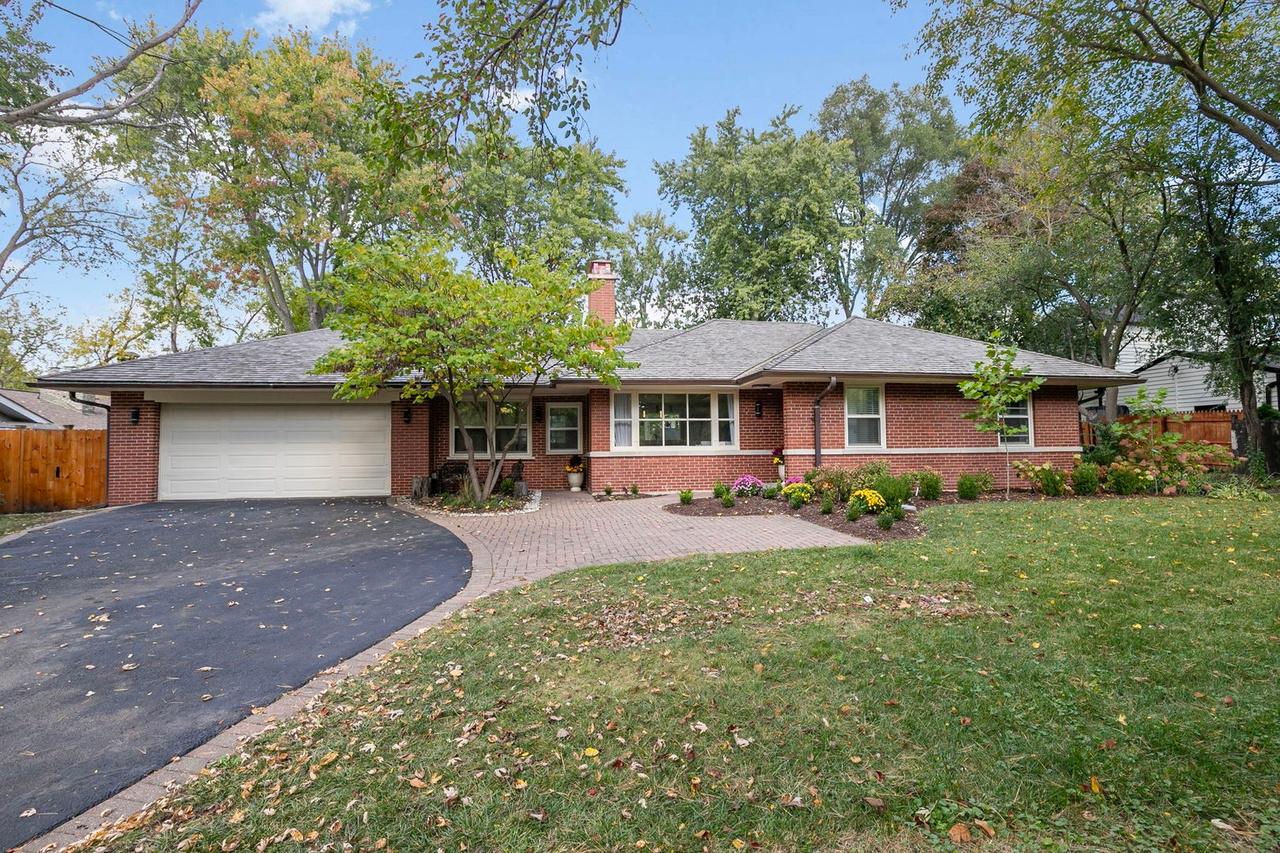
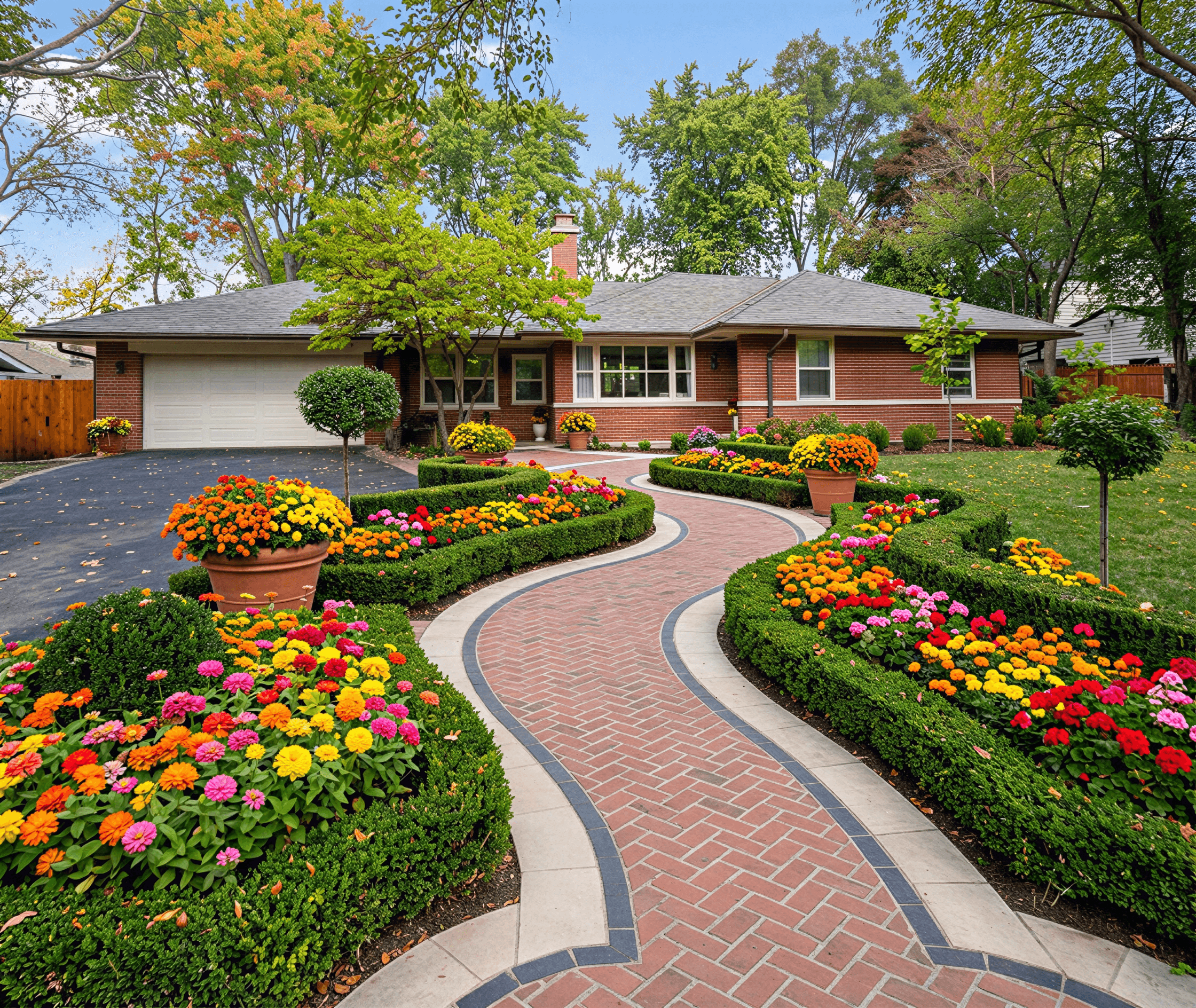
Forget about shelling out for expensive consultations or trying to decipher confusing hand-drawn sketches. With a modern design landscape app, you can take a simple photo of your yard and have a photorealistic concept ready in minutes.
Visualize Your Future Yard in Minutes
Reimagining your outdoor space doesn't have to start with guesswork and a big check. Today’s AI-powered tools can look at a photo of your property, factor in your location, and understand your style preferences to produce stunning, practical designs. This guide will walk you through exactly how to use a landscape design app to create a plan you can either hand off to a contractor or tackle yourself.
It's no surprise these apps have taken off. Just look at a tool like iScape, which has seen nearly 4 million downloads. This isn't just a homeowner trend, either—it reflects a huge shift in the industry. A recent survey showed that 76% of landscape architects now use smartphone apps for things like site analysis.
From Photo to Plan
Before you even launch the app, it pays to do a little daydreaming. Spend some time gathering inspiration—maybe browse through some Outdoor Man Cave Ideas to inspire your dream backyard escape or just think about how your family wants to use the space. Getting clear on your goals upfront makes the whole design process smoother and more focused.
Once you have a vision, the app's workflow is incredibly simple. It boils down to a few key phases.

As you can see, you start with a photo, let the AI generate designs, and end up with a solid plan ready for a pro. This straightforward journey is what makes these tools so powerful.
The real magic of an app is how it bridges the gap between imagination and reality. It creates a visual language that everyone—from the homeowner to the real estate agent to the contractor—can immediately understand, which helps eliminate expensive miscommunications down the line.
This approach works wonders for a whole range of people:
- DIY Homeowners: Quickly test out different looks for a flower bed or patio layout, giving you the confidence to start that weekend project.
- Real Estate Agents: Virtually stage a home's lackluster exterior to show buyers its true potential and help the property sell faster.
- Landscape Professionals: Ditch the 2D drawings and create photorealistic proposals that get clients excited and signed on.
By using an online landscape design tool, you also get a built-in expert. The AI can help you sidestep common gardening mistakes by recommending plants and materials that will actually thrive in your specific climate zone.
How to Prepare Your Yard for a Digital Makeover
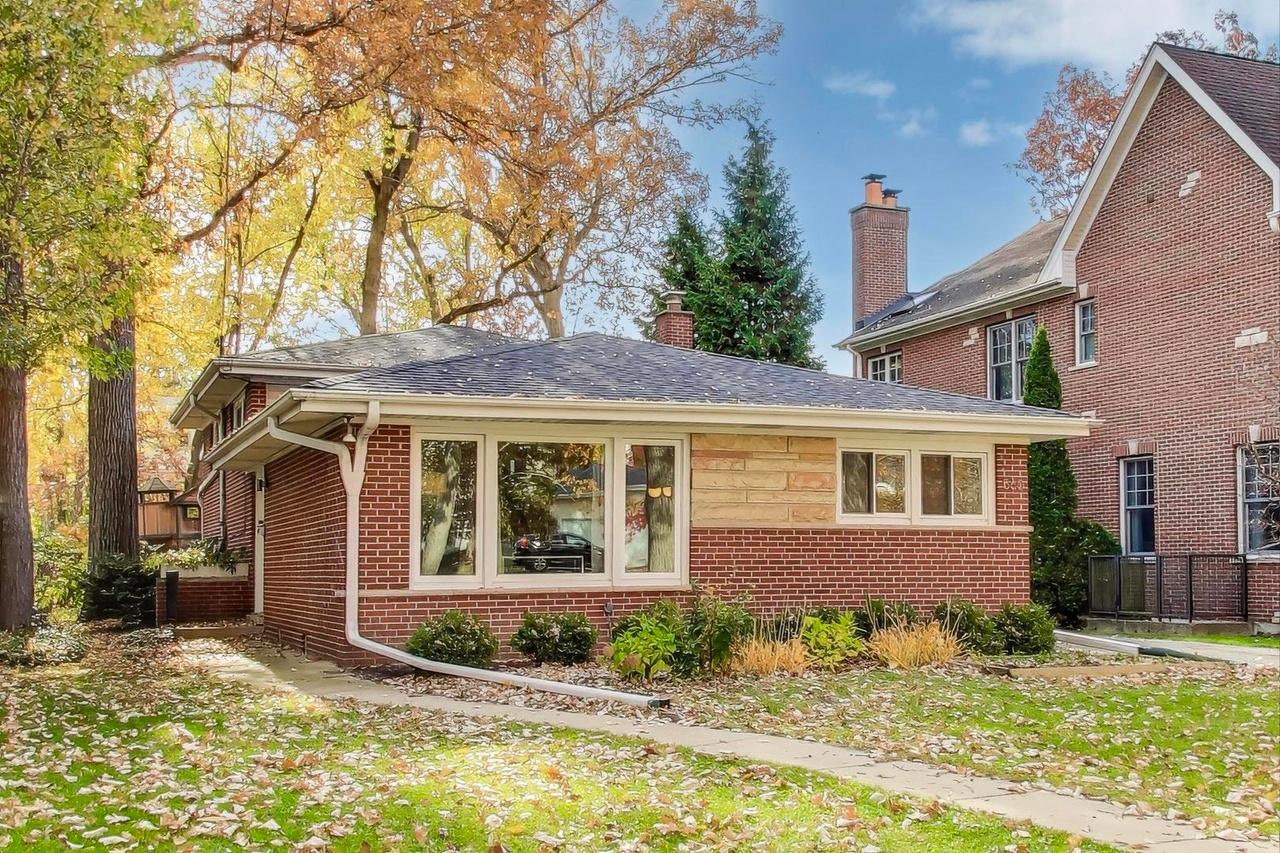
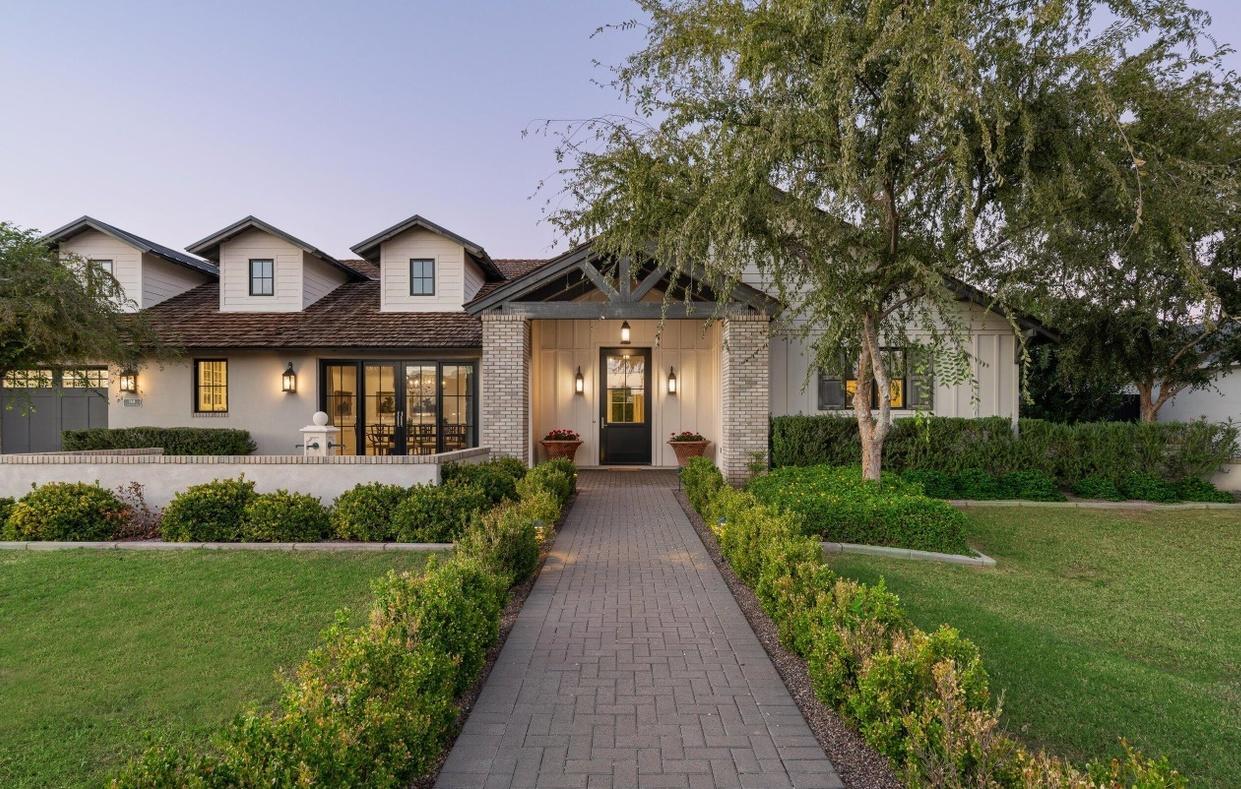
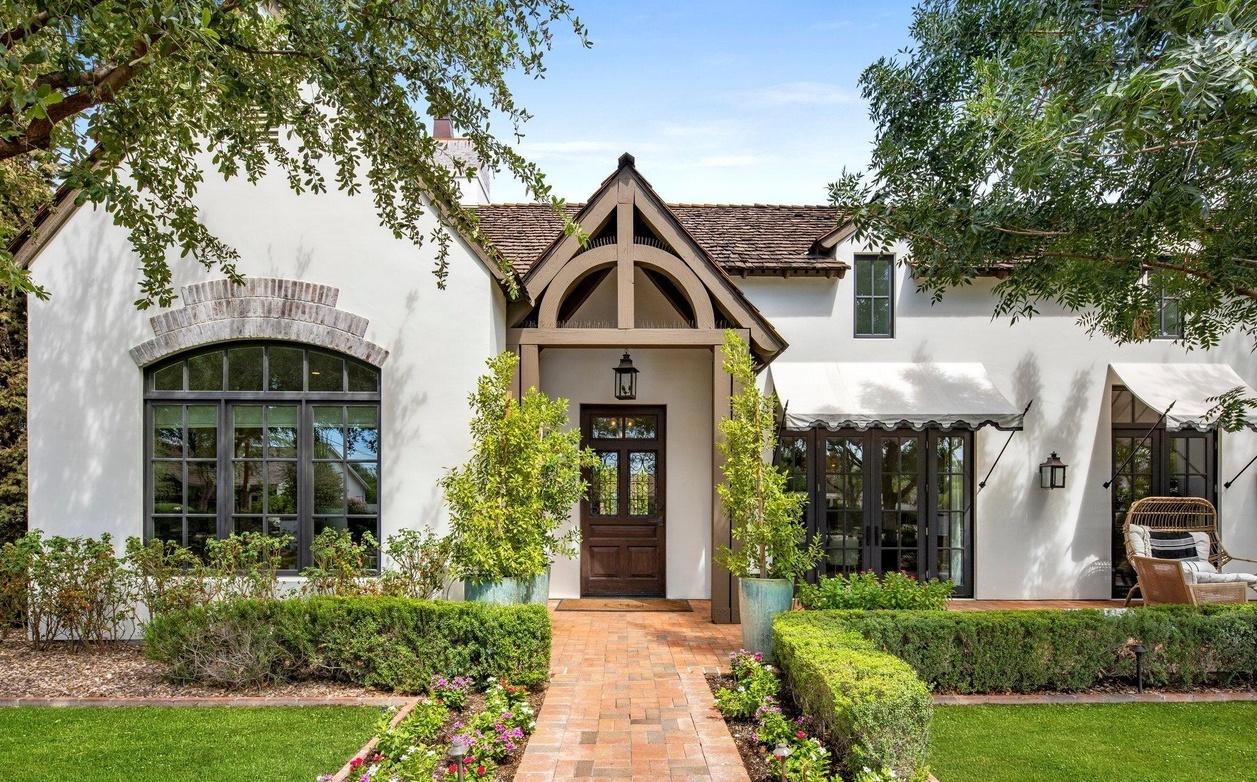
The truth is, any landscape design app is only as good as the information you give it. The single most critical element? Your "before" photo. This isn't just a quick snapshot; it's the canvas the entire design will be built upon. A great photo means the final renders will look like they truly belong to your home.
Think like a real estate photographer for a moment. You'll want to avoid the harsh, direct light of high noon, which creates deep shadows and washes out key details. Instead, try shooting during the "golden hours"—that soft, beautiful light you get in the early morning or late afternoon. It'll wrap your home and yard in an even glow without any distracting glare.

Capturing the Perfect Shot and Site Info
When you're ready to shoot, step back far enough to get your entire property in one frame. A straight-on, wide shot works best. Before you tap the shutter, do a quick scan for any clutter—move the cars out of the driveway, tuck away the trash cans, and hide the kids' toys. A clean slate helps the app understand the space without any obstructions.
Once you have your photo, a few other details will take your design from good to great. Most modern apps, including Curb Appeal AI, use your property address to pinpoint your climate zone. This is the secret sauce for getting plant recommendations that will actually thrive where you live, not just look pretty on screen.
Taking just 15 minutes to get a solid photo and gather these key details is the best investment you can make in the process. It ensures the AI generates designs that are not only beautiful but practical for your specific home and climate.
It also really helps to have a rough idea of your yard's dimensions. You don't need to hire a surveyor, but knowing the basic size helps you understand the scale of what the app is suggesting. Before diving in, it’s a good idea to measure your lawn's square footage. This simple step will help you visualize how a new patio or garden bed will fit into your actual space.
From Photo to Vision: Bringing Your Design Ideas to Life
Alright, you've done the prep work with your photos and site notes. Now for the exciting part—seeing what your property is truly capable of.
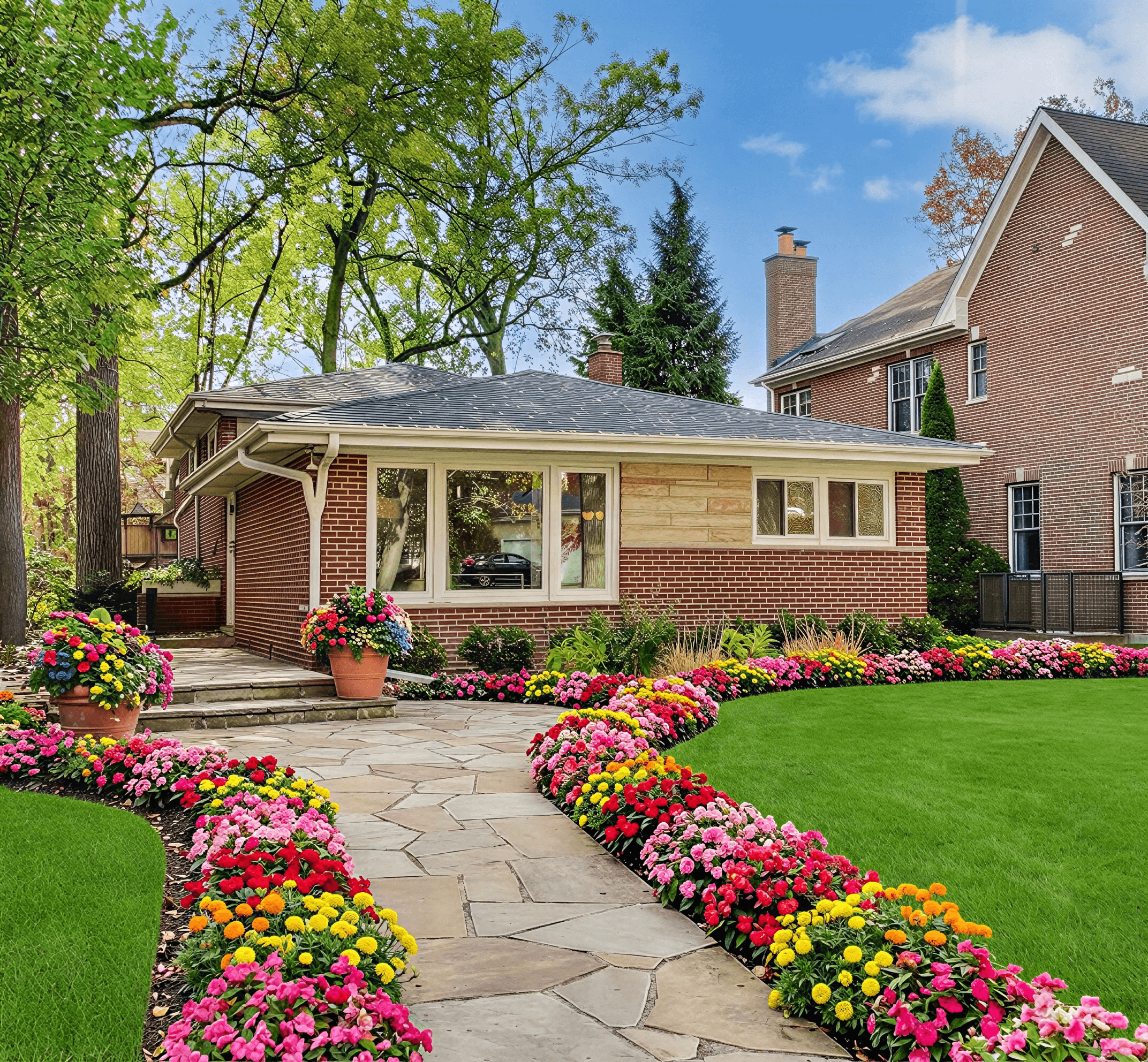
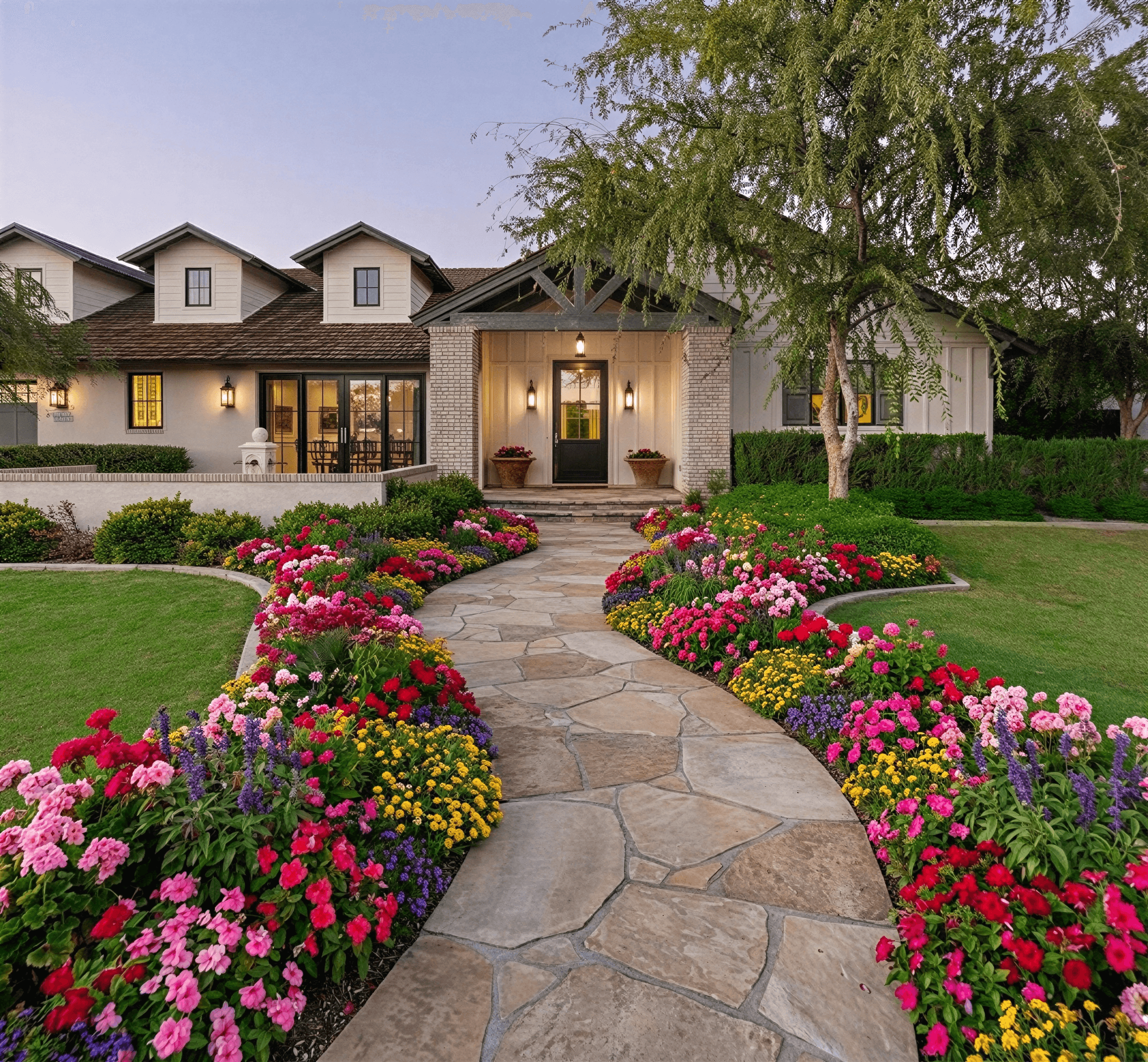
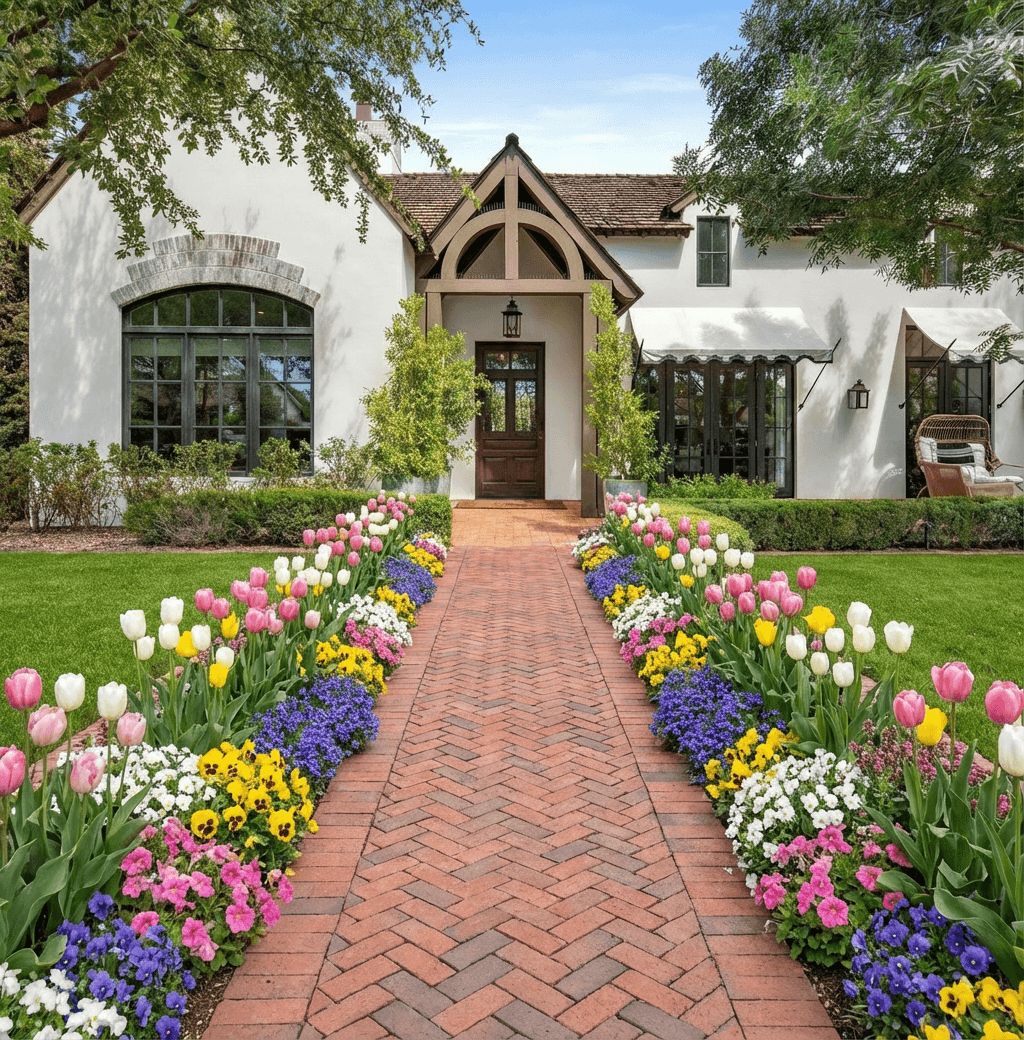
This is where you hand things over to the AI. You'll upload your best, well-lit photo of your home's exterior into an app like Curb Appeal AI. In less time than it takes to make a cup of coffee, the platform will generate a whole set of photorealistic design options. You're no longer just staring at your current yard; you're looking at several possible futures.
You can instantly explore a huge range of styles. Ever wondered what your home would look like with the clean, structured lines of a Modern landscape? Or maybe the lush, informal charm of a Farmhouse garden? If you're dealing with a dry climate, you can even apply a Desert Xeriscaping style and see just how beautiful a low-water yard can be.

Analyze, Refine, and Perfect Your Look
Here's a pro tip: the first designs the AI gives you are a starting point, not a finish line. The real magic happens when you start to refine the concepts. Look through the initial batch and take note of what catches your eye and what doesn't quite fit.
- Does that paver walkway in the Modern design feel too rigid?
- Do you love the flowering shrubs from the Cottage style but want a simpler layout?
- Is the scale of that new tree in the Farmhouse render a bit overwhelming for your space?
This is your chance to play creative director. Unlike a traditional design process, which can involve days of waiting for revisions, you can iterate right in the app. Mix and match the elements you love—maybe the planters from one concept and the garden bed shape from another—to guide the AI toward your perfect vision.
Think of yourself as a co-creator with the AI. The goal isn't just to pick a preset; it's to combine ideas from different concepts to build a design that is uniquely yours. You don’t need any design training to do this—just your own taste.
This cycle of generating, analyzing, and refining is what makes these tools so powerful. You're not locked into a single idea. For more on this, our guide on AI for landscape design offers some great inspiration. With each click, you're fine-tuning the results and getting closer to a final design that you'll be thrilled to bring to life.
A gorgeous landscape that can’t survive the local weather is more than just a disappointment—it’s a waste of time and money. I’ve seen it happen countless times. This is where a good landscape design app becomes your most valuable tool, acting as a built-in horticultural expert to make sure your dream yard is also a sustainable one.
This isn't about guesswork. The best apps use real-world data to guide your choices.
When you input your address, the software instantly checks it against climate databases like the USDA Hardiness Zone map. This simple step tells the AI exactly what your plants will have to endure—from the coldest winter nights to the peak of summer heat.
What this really does is take the guesswork out of the equation. Forget wandering the aisles of a nursery, crossing your fingers that the plants you pick will actually make it. Instead, you get a curated palette of trees, shrubs, and flowers that are proven to thrive right where you live. The result? Healthier plants, a lower water bill, and a lot less work for you.
Matching Styles to Your Climate
The app’s AI is also smart enough to connect your favorite design styles with what's practical for your environment. You might love the look of a lush English garden, but it’s a non-starter in an arid climate like Arizona without an astronomical amount of water and effort. On the flip side, a full-blown desert xeriscape can look out of place in a rainy, temperate region like the Pacific Northwest.
The goal is to find that perfect sweet spot between the style you want and what your local ecosystem can realistically support.
The real magic of using a design app is its ability to find plants that fit your aesthetic and your environment. This ensures your yard looks great on day one and stays healthy and cost-effective for years to come.
Thinking about what styles work where? Here’s a quick guide to matching popular landscape aesthetics with the right climate zones.
Landscape Styles by Climate Zone
This table offers a simplified look at which styles are a natural fit for different USDA Hardiness Zones, helping you create a beautiful yard that’s built to last.
| USDA Hardiness Zone | Ideal Landscape Styles | Example Plants |
|---|---|---|
| Zones 9-11 | Tropical, Mediterranean | Bird of Paradise, Bougainvillea, Olive Trees |
| Zones 7-8 | Mediterranean, Cottage, Modern | Lavender, Rosemary, Crape Myrtle, Boxwood |
| Zones 5-6 | Cottage, Farmhouse, Prairie | Coneflower, Black-Eyed Susan, Hydrangea |
| Zones 3-4 | Prairie, Rustic, Woodland | Switchgrass, Aspen Trees, Peonies |
Matching your design to your climate is the foundation of a successful project. By using the app's climate intelligence, you can select plants and materials with confidence, knowing you're creating a landscape that is not only beautiful but also resilient and ecologically sound.
From Digital Dream to Backyard Reality
Alright, so you've done the creative work. You've played with styles, tweaked the details, and landed on a design you love. Now, how do you take that perfect image on your screen and make it happen in your yard? This is where the rubber meets the road—turning your digital vision into an actionable plan for a contractor.
The key is to hand over a complete project package, not just a single screenshot. You can export everything you need directly from the app. Think of it as creating a visual brief; it’s the single best way to prevent costly miscommunications and ensure everyone is working toward the same goal.

Assembling a Pro-Level Hand-Off Package
Walking into a meeting with a landscape contractor armed with a few random screenshots just won't cut it. You need to give them a clear, unambiguous guide that eliminates guesswork. A well-organized package is your secret weapon for getting accurate bids and a flawless installation.
Make sure your export includes these essentials:
- The "Before" Shot: This is non-negotiable. It provides crucial context and shows the true scale of the transformation.
- High-Resolution "After" Renders: Don't just pick one. Export your top 2-3 favorite designs to show the final vision in photorealistic detail.
- Plant and Materials List: The app’s AI-generated list of plants, trees, and hardscape materials is your shopping list. This is what contractors use for sourcing and budgeting.
A detailed visual package essentially becomes part of your contract. It defines the project's scope and aesthetic, protecting both you and your contractor from mismatched expectations. It's the best guarantee that the final result will look just like the design you fell in love with.
This level of detail makes all the difference. Instead of struggling to describe a "rustic-looking stone paver" or a "modern, low-profile planter," you can just point to the image. It’s a visual-first approach that removes ambiguity.
For instance, showing a contractor a render with specific bluestone pavers and Corten steel edging is worlds more effective than trying to describe it with words. The image instantly communicates the texture, color, and scale you're after. By using the app's output as your guide, you can confidently manage the project and bridge that final gap between a digital idea and a beautiful, real-world landscape.
Common Questions About Using a Design Landscape App
It's totally normal to have a few questions when you first start exploring AI for your yard. I get it. The technology is new, and you want to know if it really works. Let's tackle some of the most common questions I hear from homeowners.
How Accurate Are the Plant Recommendations?
I've been blown away by how accurate they are. A modern design landscape app isn't just guessing; it's using real data. When you input your address, it pulls your specific USDA Hardiness Zone, analyzes sun exposure, and even factors in regional soil characteristics.
This means the AI recommends plants that are scientifically proven to thrive right where you live. You're moving past guesswork and into smart, data-backed horticulture. This alone drastically cuts down on failed plantings and future maintenance headaches.
Can I Use an App for Small Projects?
Absolutely. In fact, that's one of their best uses. You don't need a massive yard overhaul to get value from these tools. I often see people upload a single photo of a tired-looking front entryway or a small, unused corner of their patio.
The app is fantastic for zeroing in on these smaller spaces. You can get perfectly scaled ideas for things like:
- A cluster of modern, textured planters by the front door.
- A sleek vertical herb garden for a narrow side yard.
- Swapping out old, cracked pavers for a fresh new look.
It’s just as powerful for a weekend refresh as it is for a total property redesign.
An AI design app and a landscape architect are two different tools in the toolbox. The app is your go-to for visual brainstorming, while the architect is your expert for complex construction and permitting.
Is an AI Design Better Than a Landscape Architect?
That’s the wrong way to think about it. They’re partners in the process, not competitors. The best approach I've seen is to use an app for the initial, fun part: exploring dozens of styles and figuring out what you truly love without spending a fortune.
Once you have a solid visual direction, that’s the perfect time to bring in a pro. If your project involves serious grading, complex irrigation, retaining walls, or anything that needs a building permit, a licensed landscape architect is essential.
Handing them a set of AI-generated visuals gives them a massive head start. It clarifies your vision and can save you a significant amount of time and money on those initial (and expensive) design consultations.
Ready to stop guessing and start seeing what’s possible? Curb Appeal AI can help you generate stunning, climate-appropriate landscape designs for your home in minutes. Try it for free today!