Your Guide to Effortless App Design Garden Makeovers

Forget paying for pricey landscape consultations or wrestling with confusing design software just to get a basic idea. What if you could just snap a picture of your house and see dozens of beautiful, realistic garden designs in minutes? With an app design garden tool like Curb Appeal AI, that's exactly what you can do.
The New Era of DIY Landscape Design

For a long time, if you wanted a professional-looking yard, you had two choices: hire an expensive landscape architect or spend weekends battling clunky, unintuitive software. That's all changing. A new wave of AI-powered apps is giving homeowners, real estate agents, and even contractors the power to create stunning designs on the fly.
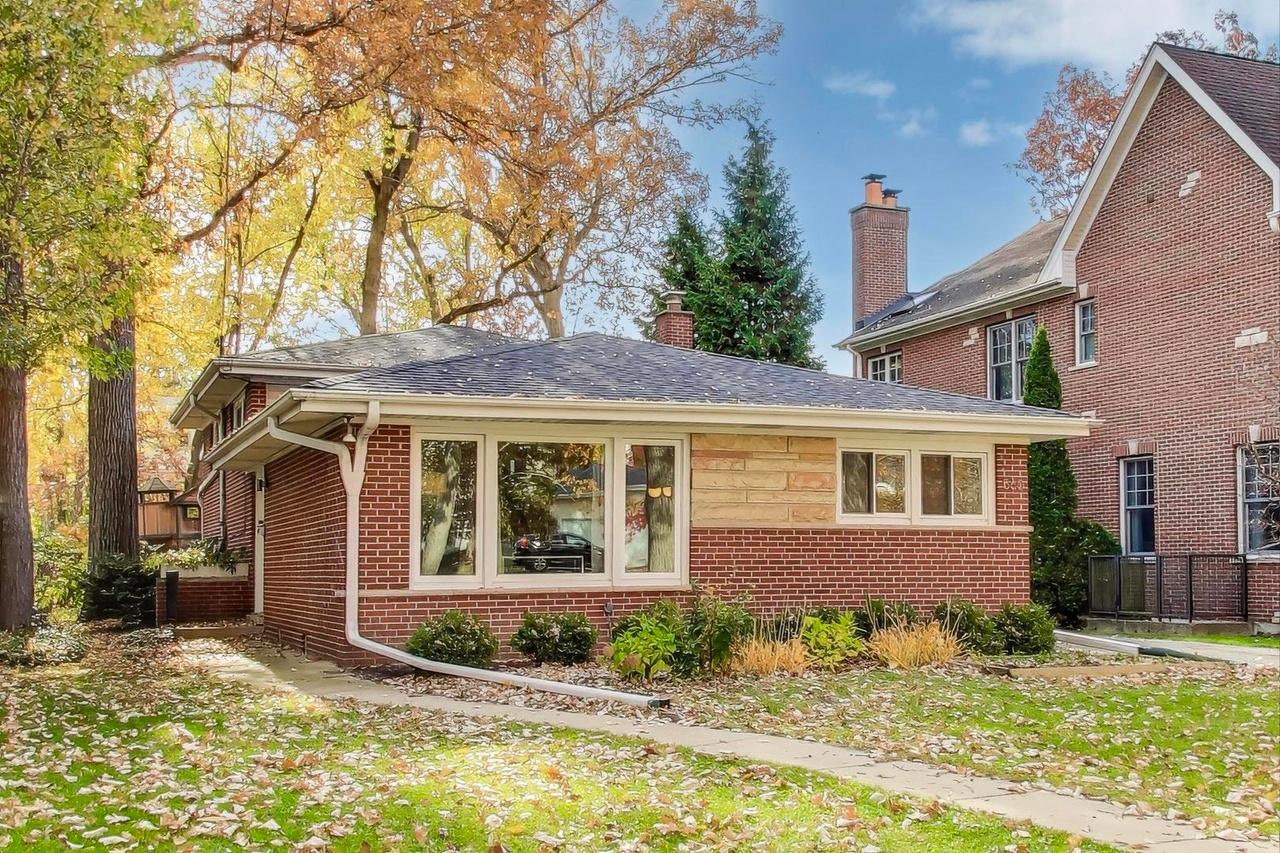
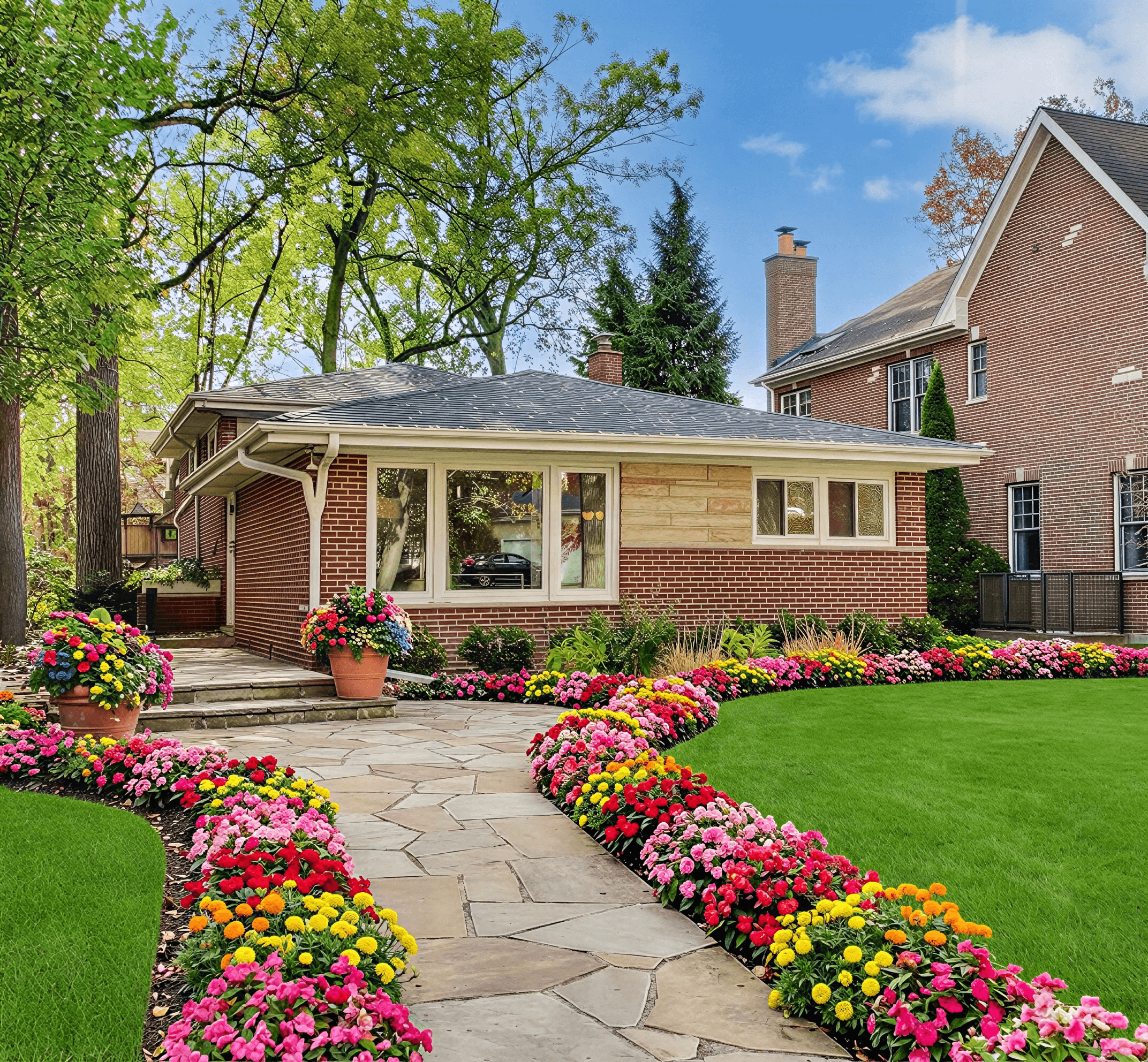
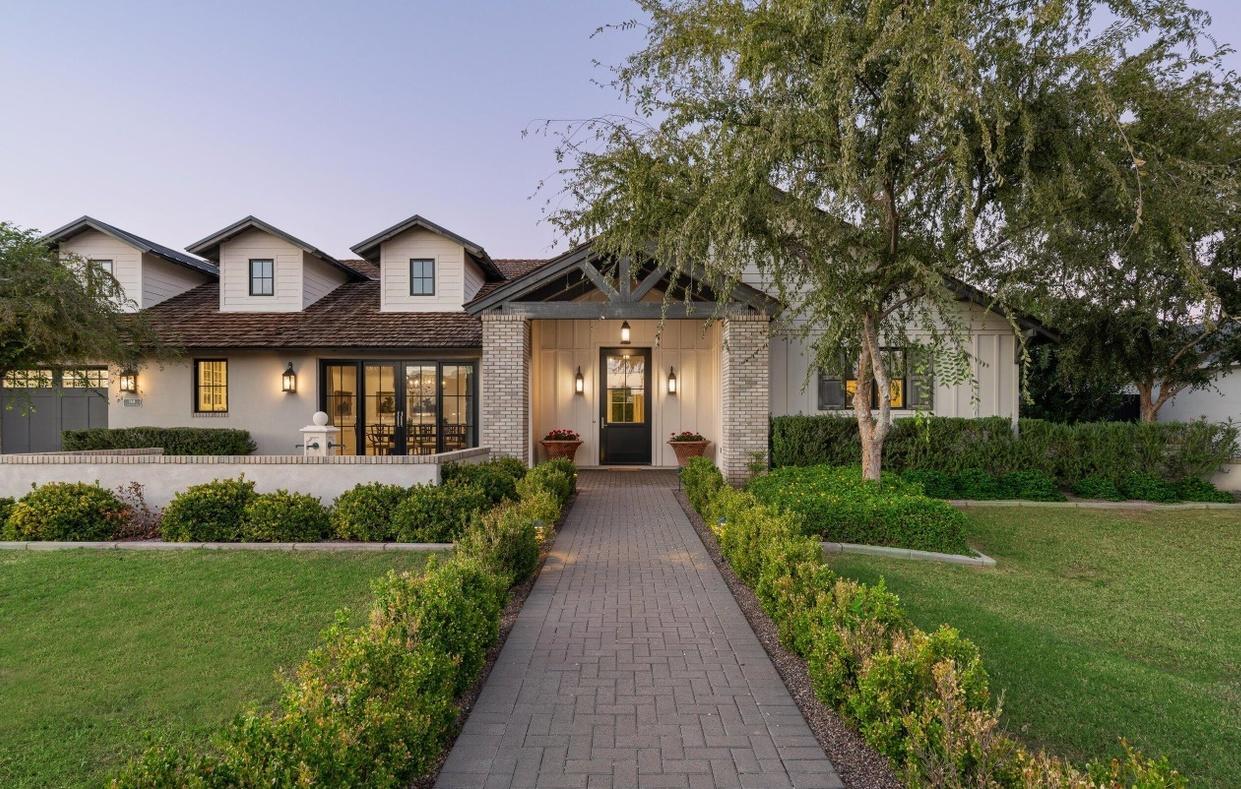
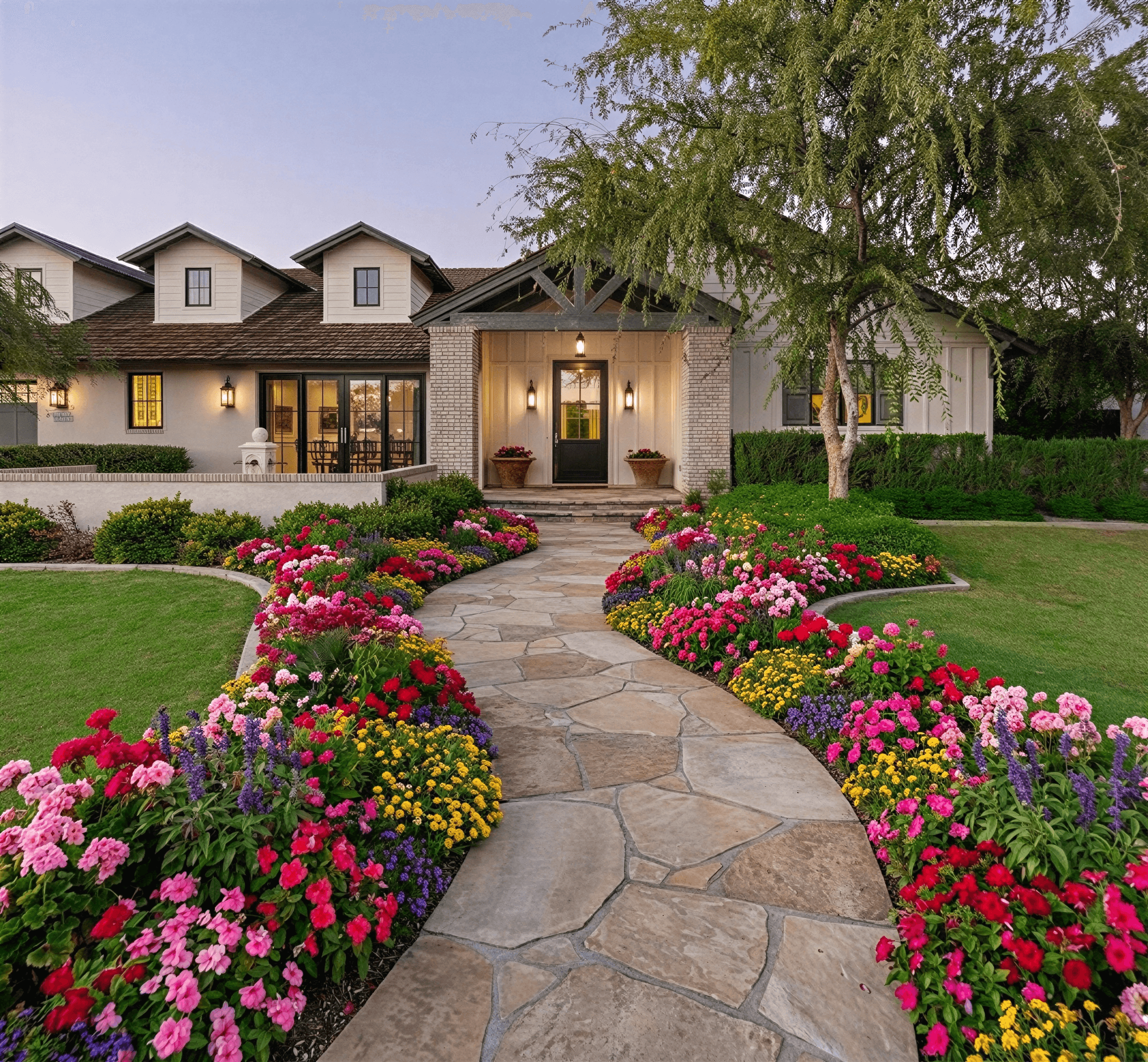
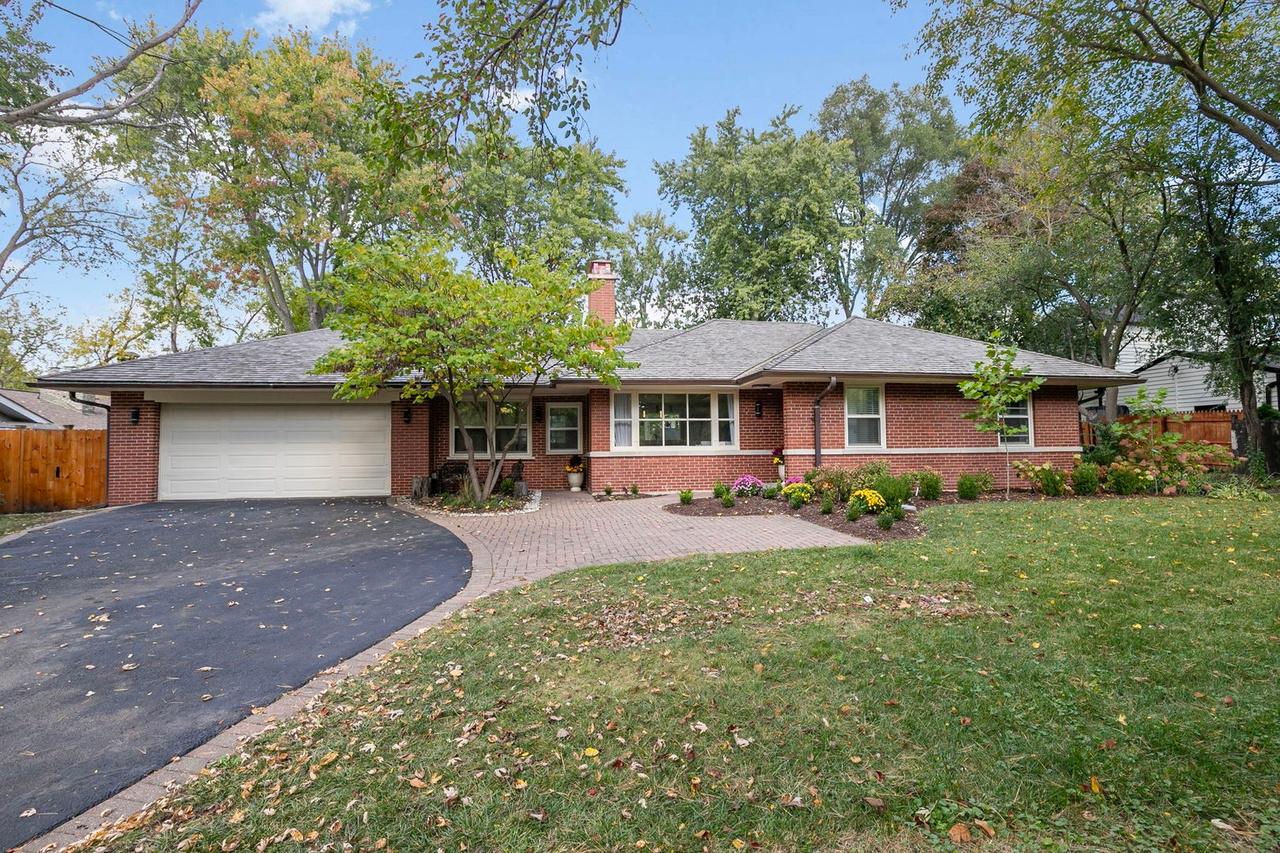
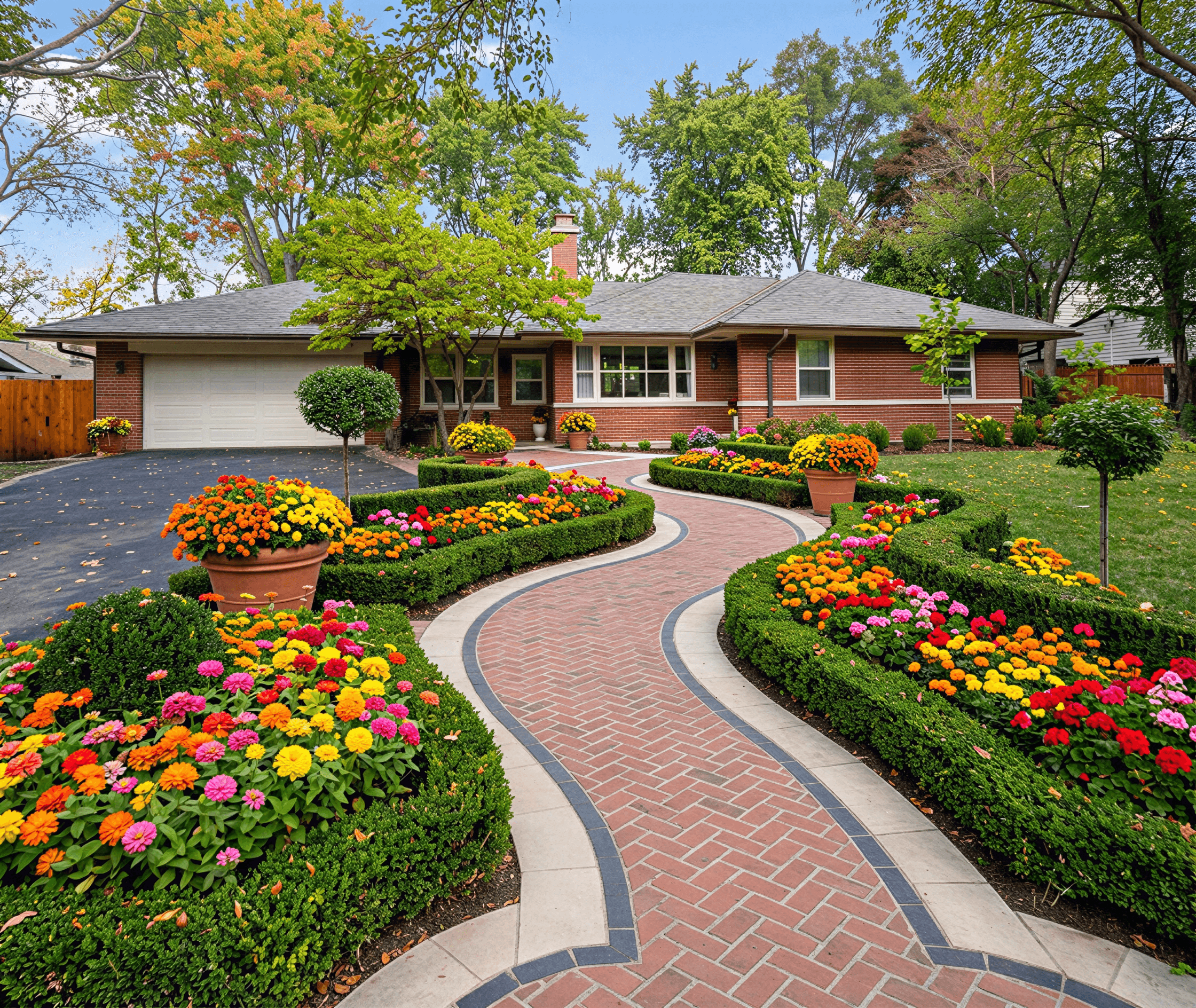
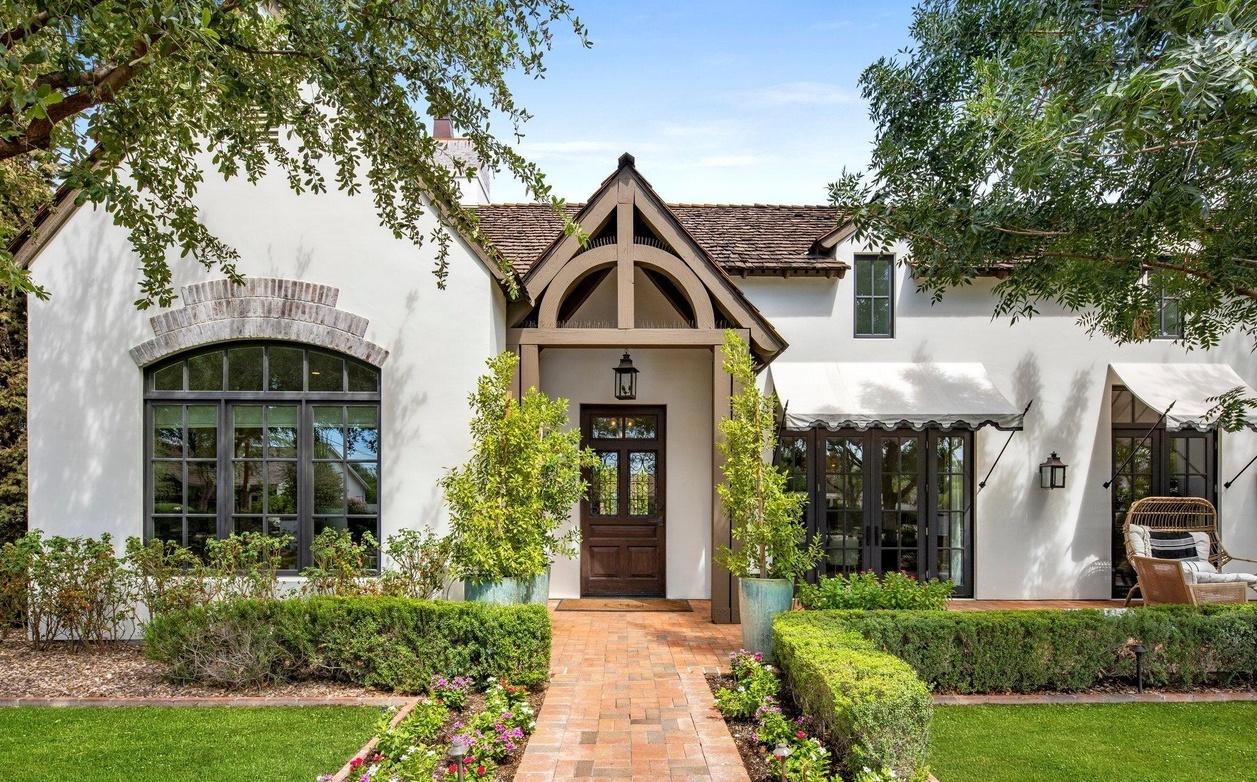
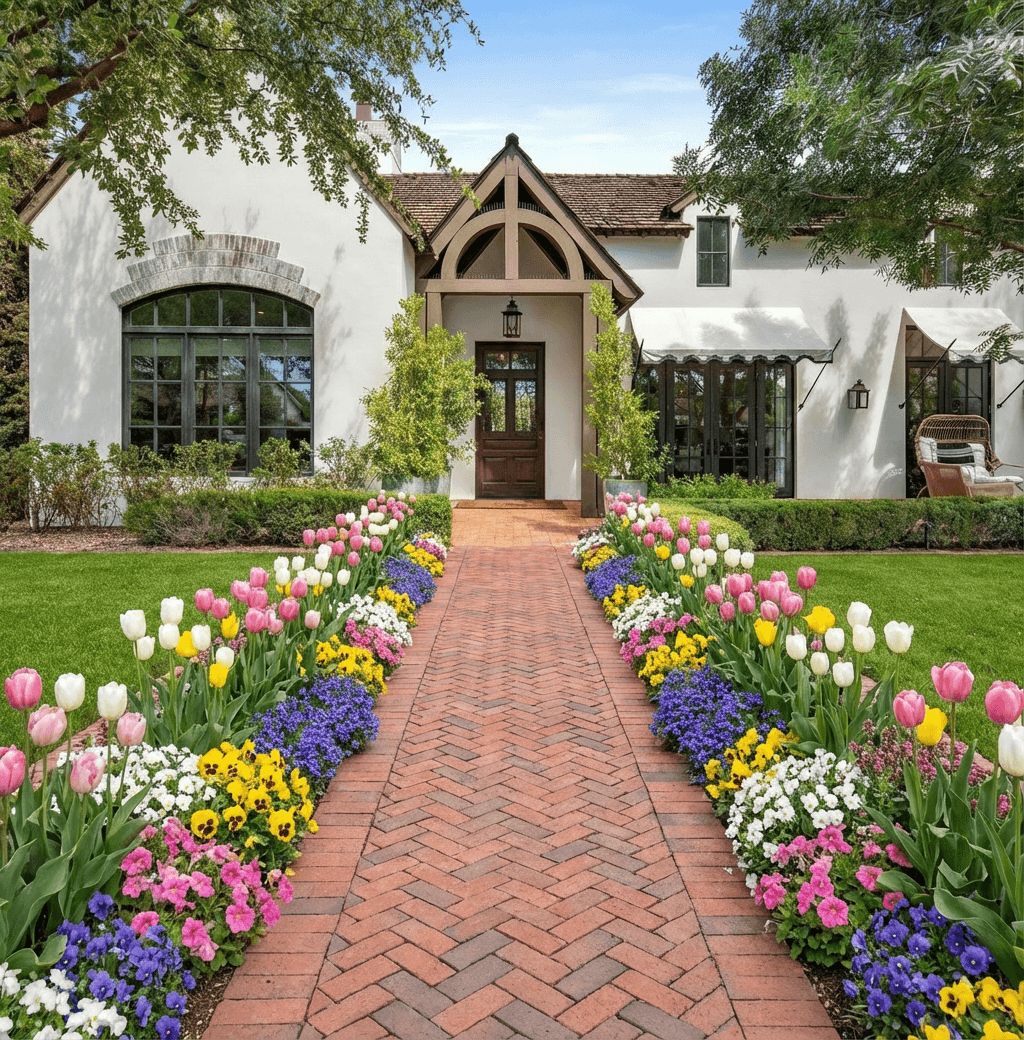
The whole process is incredibly straightforward. You take a photo of your property, upload it, and let the AI generate different looks. In the time it takes to make a cup of coffee, you can cycle through a gallery of options for your own home—from a clean, modern xeriscape to a rambling English cottage garden.
Why Visualizing First Matters
Being able to see the final result before you even buy a single plant is a massive advantage. It helps you avoid those all-too-common (and costly) mistakes, like picking plants that can't handle your climate or installing a paver path that clashes with your home's brick. Instead, you get a creative sandbox where you can experiment risk-free.
This visual-first approach empowers you to make smarter decisions that directly impact your home’s value and curb appeal. It's no surprise the landscape design software market is on track to hit $1.5 billion by 2026. Homeowners want to see their dream garden before they dig, and with shrinking yard sizes, making the most of every square foot is more important than ever. This is especially true for sustainable options like xeriscaping, which can reduce water usage by over 30%.
The biggest win here is the removal of guesswork. When you can see a photorealistic render of your own home, you can be sure that your vision, your budget, and the final outcome are all aligned from day one.
The table below breaks down just how different this modern workflow is compared to the traditional route.
App-Based Design vs Traditional Landscaping Workflow
| Stage | AI App Design (Curb Appeal AI) | Traditional Landscape Design |
|---|---|---|
| Initial Concept | Generate 20+ ideas in 5-10 minutes using a photo | Schedule initial consultation (can take 1-2 weeks to book) |
| Cost for Ideas | Low-cost, often a one-time fee or subscription | $500 - $2,000+ for initial design concepts and plans |
| Revisions | Instantaneous. Regenerate or refine styles with a click. | Slow process involving back-and-forth emails and meetings (days or weeks) |
| Deliverable | Photorealistic images, plant lists, and material suggestions | Technical drawings (blueprints), mood boards, and plant lists |
| Best For | Quickly visualizing ideas, DIY projects, real estate staging, initial client pitches | Complex, large-scale projects requiring custom construction and engineering |
As you can see, for getting initial, high-quality ideas fast, the app-based approach is a clear winner in terms of speed and cost-efficiency.
Who Benefits from AI Garden Design
This technology isn't just for one type of user; its speed and simplicity make it incredibly useful for anyone involved with a property's exterior.
- Homeowners: You can finally figure out what that new flower bed or stone walkway will actually look like. It ensures your weekend warrior project turns out just the way you imagined.
- Real Estate Agents: Stop telling buyers to "imagine the potential." Show them. Instantly stage a lackluster yard with gorgeous landscaping to make your listings pop and draw in serious offers.
- Contractors: Instead of spending hours on mockups, you can present clients with multiple high-quality designs in minutes. This leads to faster approvals and keeps projects moving.
Using an app for your garden design gives you more than just a pretty picture—it gives you a clear, visual blueprint to work from. To explore this topic further, take a look at our complete guide on modern landscape design.
How to Capture the Perfect Photo for Your AI Design
The single most important step in getting a landscape design you’ll love from an AI app is, without a doubt, the photo you start with. I've seen it countless times: a great photo leads to a fantastic, realistic design, while a rushed, poorly shot one just creates more work. Think of it as giving the AI a clean canvas—the clearer your starting point, the better the final picture.
Your best bet for lighting is an overcast day. It might sound dreary, but the soft, diffused light is perfect because it eliminates the harsh shadows you get in direct sun. Those dark shadows can swallow up important details around your foundation, porch, or walkways, which can throw the AI for a loop.

Nail the Framing and Perspective
Once you have good light, the angle is everything. To get it right, you'll need to capture a straight-on, street-view perspective of your property. If it’s safe, I always recommend standing directly across the street.
This wide shot gives the app the full context of your home. It can see the roofline, the placement of the front door and windows, and the entire yard you’re hoping to transform. Taking photos from a sharp angle or getting too close to the house will only distort the view and hide key areas, leading to a skewed and unhelpful design. The more information you provide visually, the more cohesive the AI’s suggestions will be. Learning how to properly frame your shot is a core part of getting a great AI landscape design from photo.
The single most impactful thing you can do for a better AI design is to provide a clean, comprehensive photo. A clear shot from the street on an overcast day is the gold standard.
Tidy Up for a Clean Slate
Before you even pull out your phone, take about ten minutes to quickly declutter the area. It’s a small bit of prep that makes a massive difference in the quality of your results.
- Move any cars out of the driveway. You want the design to include the driveway surface, not the back of your SUV.
- Clear away temporary clutter. This means tucking away trash bins, rolling up garden hoses, and gathering any kids' toys or lawn tools.
- Let the permanent features shine. The AI needs an unobstructed view of your house, yard, walkways, and any other structures that are staying put.
By clearing out these temporary items, you’re handing the AI a clean slate to build upon. If you’re curious about the principles behind good outdoor shots, this guide for photography in garden settings has some excellent general tips on using light and composition to your advantage.
Turning Your Photo into a Landscape Plan
Alright, you’ve got your site photo ready to go. Now for the fun part. This is where we take that simple picture of your yard and start turning it into a gallery of realistic, inspiring designs. With an app like Curb Appeal AI, this whole process is surprisingly straightforward.
The real magic here is the freedom to experiment without any commitment. I talk to homeowners all the time who are stuck. They might love the idea of a 'Modern Xeriscape' but are also drawn to the soft, classic look of a 'Lush Cottage' garden. Before, you’d have to spend hours on Pinterest and try to mentally paste those ideas onto your own home. Now? You can generate both concepts for your exact property in just a few minutes and compare them side-by-side.
This kind of instant feedback is a game-changer. It lets you test out styles you might have previously written off, often leading to a design direction you never would have considered otherwise.
How Different People Use AI for Design
The true value of these tools really clicks when you see how they solve different problems for different people. It’s not a one-size-fits-all thing. Here are a few common scenarios I see play out constantly:
- For the Homeowner: You’re tired of your uninspired front entrance but don't know where to start. You can upload your photo and just start tapping through styles—‘Tropical,’ ‘Mediterranean,’ ‘Desertscape’—and instantly see what clicks with your home’s architecture. It’s like trying on outfits for your house.
- For the Real Estate Agent: You’ve got a listing with a great interior, but the yard is a mess. I've seen agents quickly generate a beautiful, ‘Low-Maintenance’ landscape design to include in the listing photos. It helps potential buyers see past the current overgrown weeds and envision the property's real potential.
- For the Contractor: Your client gives you a vague brief, saying they just want something "nice and updated." Instead of a lengthy back-and-forth, you can generate three distinct, professional-looking options right there on your tablet and ask, "Which of these feels closer to what you have in mind?" It speeds up client decisions like nothing else.
This ability to visualize the end result is completely changing how we approach property improvements.
Why Instant Designs Are So Powerful
Focusing on the front yard has become a massive trend, and the numbers back it up. The online garden design market has jumped from $3.71 billion to an estimated $4.22 billion in 2026, and front yards account for a huge 42% of all digital design projects. Why? Because that first impression is everything—it can boost a home's value by 7-11%.
For professionals, the impact is just as significant. Contractors I've worked with report creating proposals 70% faster and seeing a 22% higher lead conversion rate simply by including these AI-generated visuals.
When you take the guesswork out of the equation, you're not just making a pretty picture. You’re building a confident plan. You know exactly what different plants and materials will look like before you spend a dime or lift a shovel.
Once you’ve settled on a design you love, you’re ready for the exciting work of transforming your outdoor living space. The images you generated are no longer just ideas; they’re your blueprint for turning that digital vision into a beautiful, tangible reality.
Making Smart Choices for a Thriving Garden
A gorgeous virtual design is exciting, but what really matters is creating a garden that actually grows and flourishes. The secret to a successful landscape isn't just picking what looks good; it's about making smart, climate-appropriate choices right from the start. This is where a quality app design garden tool proves its worth, moving beyond pretty pictures into practical horticulture.
An app like Curb Appeal AI is so effective because it analyzes your specific location. It's not just guessing. The tool taps into detailed hardiness zone data, looking at your area's average minimum winter temperatures and frost dates. That built-in intelligence is how the AI can automatically suggest plants that are proven to survive—and thrive—in your specific backyard.
Decoding Your AI Plant Recommendations
When you get your design back, you’re looking at more than just a concept. You're seeing a curated plant list chosen for resilience in your climate. Think of it this way: instead of you trying to decipher confusing zone maps while cross-referencing plant tags at the nursery, the app handles all that horticultural heavy lifting for you.
For example, a 'Modern' design for a home in Phoenix will naturally feature heat-loving succulents and hardy grasses. That same style generated for a property in Seattle will incorporate moisture-loving ferns and rhododendrons. The AI understands that a plant that loves one climate would quickly perish in another, saving you from one of the most common—and expensive—gardening mistakes.
This is exactly why these tools are becoming so popular. Smart gardening apps are now a $2.5 billion industry, and downloads have jumped by 28% in just the last few years. In fact, a significant 47% of users say they rely on these apps for climate-smart selections, which is crucial as drought now affects nearly half of all yards in the US. This tech helps homeowners cut down on trial-and-error waste by an average of 35%, saving them around $1,200 a year on failed plantings. You can read more about the rise of intelligent gardening tools and their market impact.
The smartest garden is one that works with its environment, not against it. By trusting the app's climate-based suggestions, you're setting yourself up for a garden that requires less maintenance, uses less water, and has a much higher success rate.
Beyond Plants: Materials and Sustainability
A truly sustainable garden isn't just about the plants; it’s also about the hardscape materials you choose. Your AI-generated designs will often include recommendations for mulch, gravel, or pavers that make sense for your region.
- For arid climates: You might see suggestions for decomposed granite or river rock as a ground cover. These materials don't need water, look great, and help keep weeds down.
- For wetter regions: A design might feature permeable pavers for a walkway or patio. These are fantastic because they allow rainwater to soak back into the ground, reducing runoff and helping replenish the local water table.
By understanding why these materials are recommended, you can create a landscape that functions as a cohesive, eco-friendly system. A sustainable garden simply uses fewer resources, which is a win for the planet and your bank account. Choosing native plants, for instance, can result in a garden that is 85% more likely to thrive with almost no intervention. Of course, even the right plants need the right amount of water, and you can learn how to create effective watering schedules for new plants in our detailed guide.
From Pixel to Petal: Making Your Design a Reality
So, you’ve got the perfect landscape design glowing on your screen. What now? The real magic happens when you take that digital vision and plant it in your actual soil. The high-quality images you get from a good app design garden tool aren’t just pretty pictures—they’re your roadmap for turning that vision into a living, breathing space.
How you use these visuals really depends on who you are and what you're trying to accomplish. Let's break down the workflow for different goals.
For Homeowners: A Visual Shopping List
If you're tackling this project yourself, your first stop is likely the local nursery. Once you’ve landed on a design you absolutely love, export the high-definition image. This file is now your visual shopping list.
Forget wandering the aisles, phone in hand, trying to Google what a "Foxtail Fern" looks like. Just walk in and show the render to the nursery staff. They can immediately point you to the exact plants from your design or—even better—suggest smart alternatives that thrive locally and match your look. It completely demystifies the plant-buying process.
This whole approach is about making smarter choices from the get-go, leading to a garden that's built to last.

Starting with an intelligent design is the first step toward a garden that doesn’t just survive, but actively thrives while conserving resources.
For Pros: Closing Deals and Wowing Clients
On the professional side, for real estate agents and landscape contractors, these digital assets are all about creating powerful proposals and marketing materials.
-
Real Estate Agents: A sad-looking yard can be a major hurdle. With watermark-free renders from a paid plan, you can digitally stage the home's exterior. Add those images to your Zillow or MLS listing, and suddenly buyers see the property's incredible potential. It helps them look past the patchy lawn and envision a stunning outdoor oasis, which can make all the difference.
-
Landscape Contractors: Clear communication is the key to happy clients. Instead of vague descriptions or hand-drawn sketches, you can build a proposal with multiple 4K design variations. Imagine presenting a client with three distinct, photorealistic options—like a 'Modern Zen,' 'Classic English Cottage,' and 'Drought-Tolerant Native' design. It makes your pitch incredibly professional and helps clients say "yes" with confidence.
The real power of these exported designs is creating a shared, undeniable vision. When the homeowner, the contractor, and the nursery team are all looking at the same photorealistic image, there’s no room for confusion.
This visual alignment is what turns an app design garden idea into a successful project. It cuts down on misunderstandings, prevents expensive mistakes, and ensures the finished landscape is exactly what everyone signed up for from the very beginning.
Common Questions About AI Garden Design
As you get your hands dirty with a tool like Curb Appeal AI, a few questions are bound to pop up. It's totally normal. Here are the answers to some of the most common things people ask, drawing from real-world experience using the app.
How Accurate Are the Plant Suggestions for My Climate?
This is one of the first things everyone wants to know, and for good reason. The short answer is: they're impressively accurate.
The app isn't just pulling random plants from a list. When you provide your property's location, it cross-references that with detailed, local hardiness zone data. It's looking at your specific area's climate patterns, from first and last frost dates to average low temperatures. This is the key to creating a garden that actually survives and thrives, saving you the headache and cost of choosing plants that are doomed from the start.
Is This App Only for Front Yards?
While "curb appeal" is in the name, you can use this for any outdoor space you can get a good photo of. Don't feel limited to the front of your house.
I've seen people get fantastic results for all sorts of areas:
- Backyard patios and entertainment spaces
- Neglected side yards
- Pool decks and lounge areas
- Small entryway gardens
The AI is smart enough to work with whatever space you give it, whether you're dreaming up a private backyard oasis or a functional, beautiful walkway. The same rules for a good photo apply—shoot it straight-on, in good light, and with as little clutter as possible.
What Do I Get with a Paid Plan Versus the Free Trial?
Think of the free trial as your test drive. It lets you upload a photo and see the magic for yourself, but the designs will have a watermark. It’s perfect for getting a feel for the process.
When you're ready to get serious about a project, upgrading to a paid plan is what turns a cool concept into a workable blueprint.
Here’s what a paid subscription unlocks:
- HD and 4K Image Downloads: You get incredibly sharp images, which are essential for seeing fine details or for using in professional presentations.
- Watermark Removal: Your designs are clean, polished, and ready for client proposals, real estate listings, or sharing with your build team.
- Full Style Library: Get access to all 20+ design styles, so you can explore every aesthetic from Modern to Mediterranean.
- Commercial Rights: This is a must-have for real estate agents, contractors, and designers using the visuals for their business.
How Do I Show My Designs to a Contractor?
This part is dead simple. Once you have a design you love, you just export the high-resolution image.
From there, you can email it, text it, print out a copy, or just pull it up on your tablet during your first meeting. This photorealistic rendering becomes your visual brief. It gets rid of any guesswork about style, materials, or plant placement, making sure you and your contractor are on the exact same page before a single shovel hits the dirt.
Ready to see it for yourself? Start turning your ideas into a clear plan with Curb Appeal AI. Try it for free today!