The 12 Best App for Garden Design Options in 2026 (AI & 3D)

Transforming a patchy lawn or an undefined patio into a stunning garden can feel overwhelming. The gap between your vision and the final result often seems wide, filled with uncertainty about plant choices, layout, and overall cost. This is precisely the problem a modern app for garden design solves. It bridges that gap, turning abstract ideas into tangible, visual plans directly on your phone, tablet, or computer. Whether you're a homeowner aiming to boost curb appeal, a real estate agent staging a property, or a professional contractor creating client proposals, the right tool can save you time, prevent costly mistakes, and ensure your final design is both beautiful and functional.
This guide moves beyond generic marketing claims to provide a detailed, hands-on analysis of the top garden design applications available today. We’ve tested each one to assess its core strengths and weaknesses for specific users. You will find direct comparisons of critical features like AI rendering capabilities, plant library depth, climate-hardiness zone integration, and 2D/3D export options.
For each app, we provide sample outputs, clear pricing breakdowns, and practical guidance on who will benefit most from it. To help inspire your own project, exploring professional outdoor oasis designs can provide a wealth of ideas for layouts and material combinations. Our goal is to equip you with the information needed to confidently select the perfect garden design app for your specific project, budget, and skill level. Let's dig in.
1. Curb Appeal AI
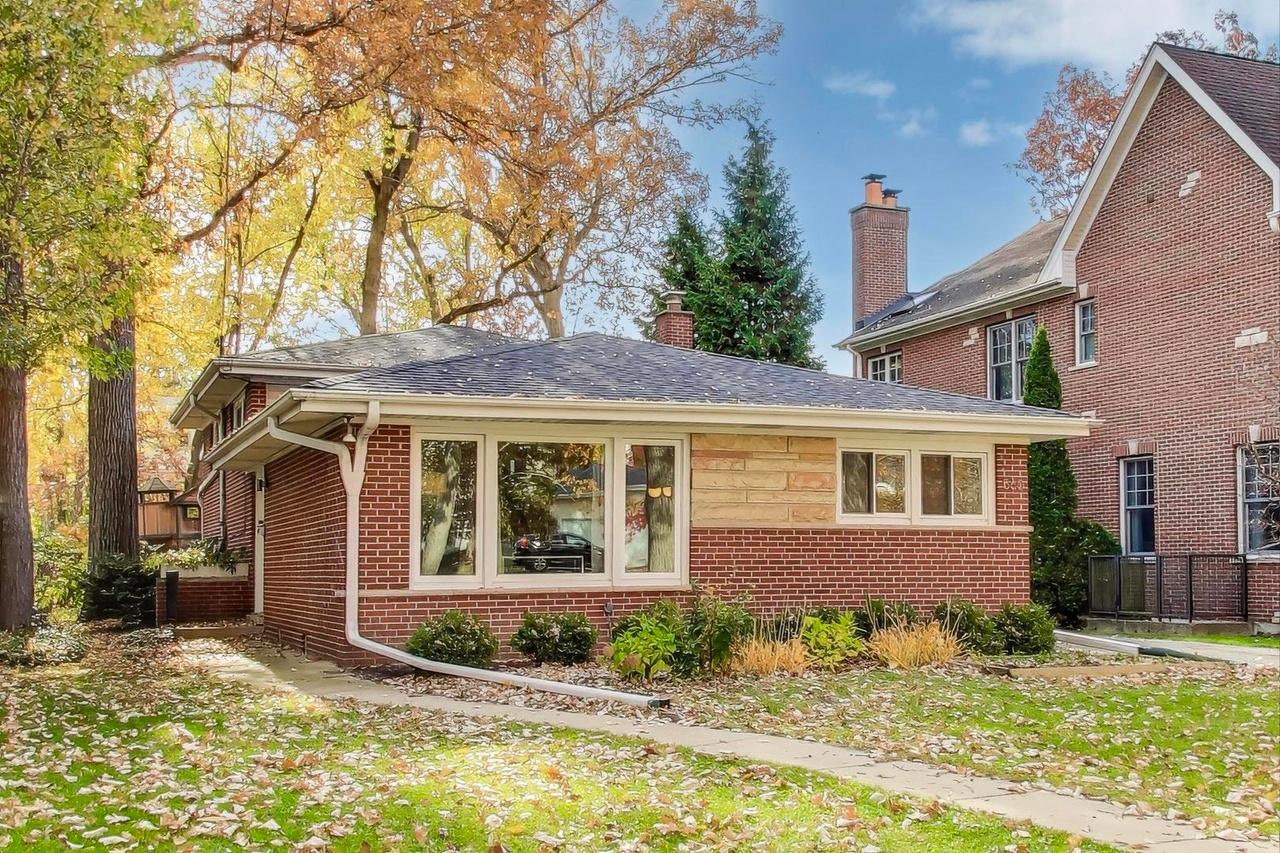
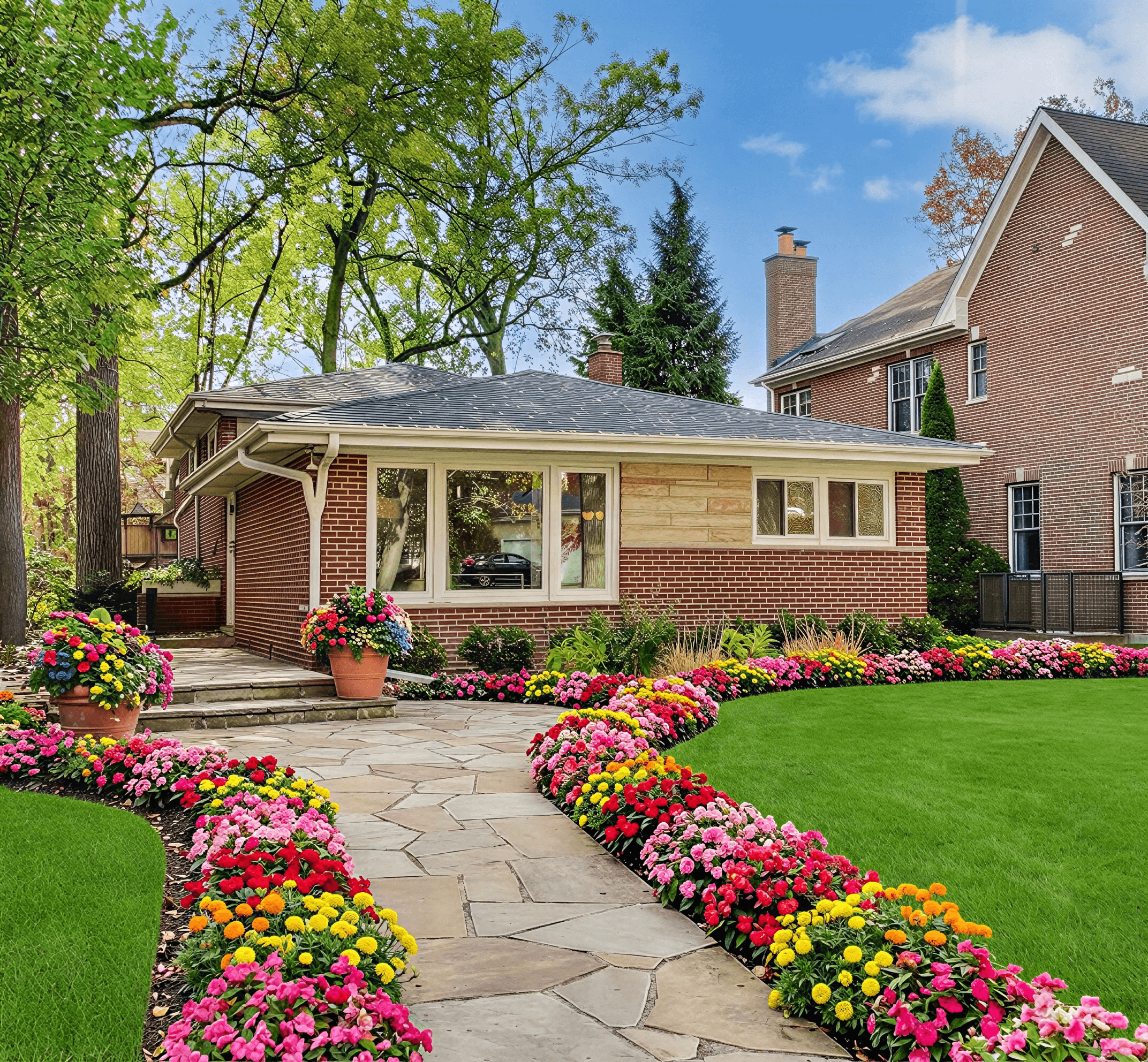
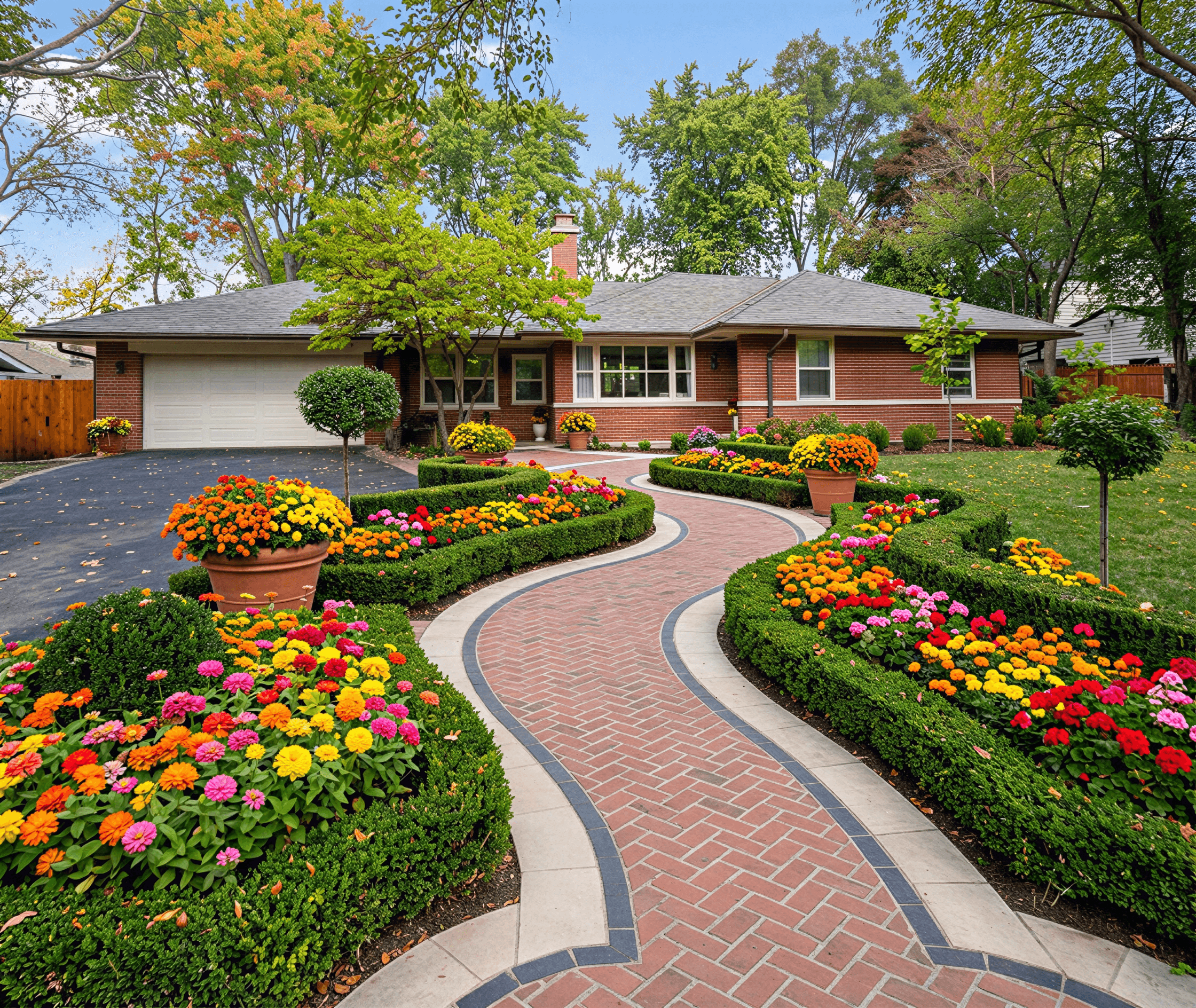
Curb Appeal AI secures the top position as a standout app for garden design by delivering professional, photorealistic results with remarkable speed and intelligence. This platform excels at transforming a single photo of your home's exterior into dozens of distinct, climate-aware landscape concepts. It stands apart by integrating USDA Plant Hardiness Zone data directly into its AI engine, ensuring that every design-from Mediterranean to Modern Cottage-features plants and materials that will actually flourish in your specific location.

This tool is engineered for action. Beyond just visual inspiration, Curb Appeal AI generates practical deliverables like itemized cost estimates, detailed build plans, and step-by-step installation guides. This makes it an invaluable asset for homeowners seeking a clear path from concept to completion, as well as for professionals like real estate agents and contractors who need to present tangible, executable plans to clients. Its ability to produce over 100 styles ensures a fit for virtually any architectural aesthetic.
Key Strengths & Use Cases
- For Homeowners: Quickly visualize a front yard makeover that complements your home’s style and local climate. Test different themes like xeriscaping or a lush English garden before committing time or money.
- For Real Estate Professionals: Create compelling virtual staging for listings, showing a property’s full potential. Agents report that these visuals can help properties sell up to 15% faster.
- For Contractors: Generate high-quality, photorealistic proposals that help clients make confident decisions, leading to higher close rates and clearer project scopes.
Pricing & Access
Curb Appeal AI operates on a straightforward, credit-based model with one-time packages, not a recurring subscription. You can test the platform with a free trial that provides four watermarked designs.
- DIY Homeowner: $25 for 40 credits and access to basic styles.
- Builder: $55 for 100 credits, HD downloads, and access to all 100+ styles.
- Professional: $110 for 250 credits, 4K exports, and commercial usage rights.
Practical Considerations
The platform is entirely web-based, accessible on any device, and syncs your designs across sessions for seamless editing. While there are no refunds, the free trial offers an excellent opportunity to evaluate its capabilities. Note that commercial use, such as for client proposals or marketing listings, requires the Professional plan. For those comparing different options, the site offers a helpful roundup of free landscaping apps to see how it stacks up.
Website: Curb Appeal AI
2. iScape
iScape is a powerful mobile app for garden design that specializes in augmented reality (AR) and photo-based visualization. Instead of starting from a blank slate, you begin with a photo of your actual yard. The app then allows you to overlay plants, mulch beds, pavers, and other outdoor features directly onto the image, offering a fast and intuitive way to see potential changes.

It’s an excellent tool for homeowners who need a quick “what-if” mockup without the complexity of traditional CAD software. For contractors, the platform includes a Pro version with a standout feature: the ability to generate a project proposal, complete with material lists and pricing, directly from your design. This makes it a great on-site tool for client consultations and quick bidding. While iScape excels at conceptual visualization, it's important to remember its limitations; the AR compositing is not dimensionally precise for construction purposes.
Key Details & Pricing
- Best For: Homeowners needing quick visual mockups; contractors creating on-the-spot client proposals.
- Standout Feature: AR overlay on real-world photos and a built-in proposal generator for professionals.
- Pricing: A free version offers basic features. The Pro subscription, required for business tools and the full object library, is available monthly or annually.
- Platform: iOS and Android.
For those evaluating different software options, learning about the full spectrum of available tools is critical. You can explore a broader comparison of garden design apps to see how iScape fits into the market.
Website: https://www.iscapeit.com
3. Home Outside 3D
Home Outside 3D is a mobile-first app for garden design that prioritizes simplicity and an intuitive 3D workflow. Developed by landscape professionals, it guides users through sketching layouts, placing elements, and visualizing their ideas directly in a 3D environment. Its strength lies in being purpose-built for outdoor spaces, avoiding the complexities of interior design tools that have been repurposed for gardens. This makes it a great entry point for homeowners who want to design without a steep learning curve.

The app's workflow is straightforward, allowing you to quickly tap to add trees, shrubs, patios, and other features. A standout capability is its augmented reality (AR) guidance for capturing outdoor scenes, helping you position your design elements on-site. While the tool is accessible, users with older mobile devices may experience performance issues or crashes when working on complex designs with high object counts. As a younger platform, its object library and community support are still growing compared to more established competitors.
Key Details & Pricing
- Best For: Homeowners and DIY renovators seeking a simple, mobile-native 3D design tool.
- Standout Feature: A user-friendly, tap-to-place 3D interface combined with AR for on-site visualization.
- Pricing: A free version is available with limited features. The full version with access to all design tools and object libraries is a one-time purchase.
- Platform: iOS and Android.
Website: https://homeoutside.com
4. Home Design 3D Outdoor & Garden
Home Design 3D Outdoor & Garden is a consumer-focused app for garden design that simplifies the process of creating and visualizing exterior spaces. It operates on a straightforward 2D-to-3D workflow: you draw your plot, patio, or pool in a top-down 2D view, and the app instantly generates a corresponding 3D model that you can walk through. This immediate feedback loop makes it an accessible tool for homeowners looking to sketch out ideas without a steep learning curve.
The app is particularly strong for mobile and tablet-based concepting, allowing you to experiment with layouts for patios, pools, fencing, and furniture on the go. Its object library contains over 100 outdoor-specific items, which is adequate for basic planning but may feel limited for more detailed planting schemes. While its simplicity is a major benefit for quick yard sketches, users should be aware that it lacks the dimensional precision and advanced features found in professional CAD software, making it better suited for conceptual design rather than construction-ready blueprints.
Key Details & Pricing
- Best For: Homeowners and DIY enthusiasts needing a simple, mobile-friendly tool for conceptual yard and patio layouts.
- Standout Feature: Instant 2D-to-3D rendering that provides immediate visual feedback on design choices.
- Pricing: A free version is available with limited features. The full version with the complete object library and save/export functions is a one-time purchase, with different pricing tiers depending on the platform (iOS, Android, Mac, PC).
- Platform: iOS, Android, macOS, and Windows.
Website: https://www.homedesign3d.net
5. GARDENA myGarden
GARDENA myGarden is a free, web-based planner that excels in simplicity and function, particularly for those planning an irrigation system. Unlike a complex downloadable app for garden design, this tool runs entirely in your browser. Users sketch out their property's dimensions and then use a simple drag-and-drop interface to place garden beds, paths, and other elements. It offers a quick, no-cost way to visualize a basic layout without any software installation.

The platform’s standout capability is its integrated sprinkler system planner. Once you've designed your garden, the tool can automatically place sprinklers and connecting pipes from the GARDENA product line, providing a ready-made shopping list and installation guide. This makes it an incredibly practical tool for DIYers who plan to use GARDENA's popular irrigation components. However, its value is tied directly to this ecosystem; the visual designs are more schematic than photorealistic, and the outputs are not intended as construction-grade blueprints for contractors.
Key Details & Pricing
- Best For: DIY homeowners planning a garden and irrigation system simultaneously, especially those committed to using GARDENA products.
- Standout Feature: Automatic sprinkler and piping layout tool that generates a shopping list for the brand's specific components.
- Pricing: Completely free to use.
- Platform: Web browser (no installation required).
For a quick and functional layout focused on watering needs, this tool offers exceptional value. It strips away the complexity of other platforms to focus on a very specific, practical task.
Website: https://www.gardena.com/int/c/discover/mygarden-planning-tools/garden-planner
6. Garden Planner (Artifact Interactive / Small Blue Printer)
Garden Planner is a long-standing desktop app for garden design that prioritizes simplicity and function over complex 3D rendering. Its core strength lies in its approachable, 2D drag-and-drop interface, making it easy for beginners to quickly lay out planting beds, paths, structures, and walls. The software operates on a what-you-see-is-what-you-get principle, focusing on creating clear, printable plans rather than photorealistic visuals.

It is particularly useful for those planning vegetable gardens, as it includes dedicated tools for designing square-foot gardens and row planting. While it offers a basic 3D view to help visualize the layout, the primary output is a top-down plan complete with a plant list and notes. This makes it an excellent choice for DIYers who need a functional blueprint for their project without the steep learning curve of professional CAD software. The one-time purchase model is also a significant draw for users who dislike recurring subscriptions.
Key Details & Pricing
- Best For: Home gardeners, especially vegetable growers, who need a simple tool for creating functional, printable 2D layouts.
- Standout Feature: Very low learning curve and specific tools for vegetable patch planning, plus a one-time payment license.
- Pricing: A single one-time purchase provides a lifetime license. A 15-day free trial is available to test all features.
- Platform: Windows and macOS.
Website: https://smallblueprinter.com
7. Planner 5D
Planner 5D is a versatile, cross-platform design tool that extends beyond interior decorating into comprehensive exterior and garden planning. While not exclusively a garden app, its powerful 2D-to-3D engine and extensive object catalog make it a strong contender for laying out patios, pools, walkways, and planting areas. Users start with a 2D floor plan and can instantly switch to a 3D view to visualize their space.

What sets it apart is its accessibility and broad device support; you can start a project on your laptop and continue editing on your tablet or phone. For users with a subscription, Planner 5D offers AI-powered features like the Design Generator, which can automatically furnish a space based on selected styles, and an AI plan recognition tool that converts a blueprint image into an editable project. While it’s an excellent app for garden design at a conceptual level, it lacks the horticultural specificity and construction precision of professional-grade CAD software.
Key Details & Pricing
- Best For: DIY homeowners designing integrated indoor-outdoor living spaces; users who want to design on multiple devices.
- Standout Feature: AI-powered design assistance and seamless synchronization across web, desktop, and mobile platforms.
- Pricing: A free version offers basic design tools with a limited catalog. Premium features and full object access require a subscription, available in different tiers.
- Platform: Web, iOS, Android, Windows, and macOS.
Website: https://planner5d.com
8. Live Home 3D
Live Home 3D is a robust design application that excels at creating detailed 2D floor plans and simultaneous, real-time 3D renderings for both interiors and exteriors. While not exclusively an app for garden design, its powerful architectural visualization tools make it ideal for planning entire properties, including patios, decks, and garden layouts. You can precisely draw property boundaries, add buildings, and then populate the landscape with items from its object library.

The platform’s strength lies in its high-quality visuals and cross-platform availability, with versions for Windows, macOS, iOS, and even Apple Vision Pro. This allows users to start a design on a desktop and make adjustments on a tablet while on-site. For Apple users, the app supports LiDAR scanning to quickly capture room dimensions. Although it offers dedicated outdoor object packs, many are in-app purchases. It’s best suited for those needing high-fidelity mockups of a whole property rather than detailed, horticulture-specific planting plans.
Key Details & Pricing
- Best For: Homeowners and pros needing to visualize the entire property, including the house and its surrounding landscape.
- Standout Feature: Real-time 2D-to-3D rendering and exceptional cross-platform support, including a version for Vision Pro.
- Pricing: A free version with limited features is available. The Pro version, with advanced tools and export options, is a one-time purchase. Additional object libraries are sold separately.
- Platform: Windows, macOS, iOS/iPadOS, and VisionOS.
Website: https://www.livehome3d.com
9. SketchUp
SketchUp is a powerful and widely adopted 3D modeling platform used by professionals in architecture, interior design, and landscape design. While not a dedicated garden design app, its flexibility makes it a top choice for creating detailed, custom outdoor spaces from the ground up. Users can model everything from complex topography and hardscapes like patios and retaining walls to custom structures like pergolas and outdoor kitchens with a high degree of precision.

The platform's true strength lies in its massive ecosystem. The 3D Warehouse provides access to millions of free models, including specific plant species, outdoor furniture, and textures, which dramatically speeds up the design process. Furthermore, a vast library of extensions (plugins) allows for advanced rendering, construction documentation, and other specialized tasks. This makes it an excellent app for garden design professionals who need more than pre-made assets, but it does require a significant learning investment to master.
Key Details & Pricing
- Best For: Landscape architects, designers, and serious DIYers who need complete control and precision for custom projects.
- Standout Feature: Unmatched modeling flexibility and a massive ecosystem of extensions and 3D models via the 3D Warehouse.
- Pricing: A free, web-only version is available for personal use. Paid plans (Go, Pro, Studio) offer more robust features, desktop and iPad access, and advanced documentation tools, with pricing available via subscription.
- Platform: Web, Windows, macOS, and iPad.
For those just starting, understanding the fundamentals of a good layout is key before diving into complex software. You can learn more about how to design a landscape to build a solid foundation for your project.
Website: https://www.sketchup.com
10. Realtime Landscaping (Idea Spectrum)
Realtime Landscaping by Idea Spectrum is a desktop software suite for Windows users who need high-quality, photorealistic 3D landscape designs. Unlike many mobile-first apps, this is a robust design tool focused on creating detailed, immersive visualizations. Its strength lies in bringing designs to life with realistic water, shadows, and even wind effects, allowing users to create stunning walkthrough videos of their proposed garden.

This program is an excellent choice for complex projects involving pools, spas, and extensive hardscaping, as the Architect edition comes with specialized tools for these features. While it offers impressive visual output, it's not a CAD-level engineering tool, so its dimensional precision is geared more toward visualization than construction blueprints. The one-time purchase model is a significant advantage for those wishing to avoid recurring subscription fees, making it a valuable app for garden design professionals and serious DIYers.
Key Details & Pricing
- Best For: Homeowners and designers creating detailed, photorealistic 3D visuals and video walkthroughs, especially for projects involving pools and hardscapes.
- Standout Feature: Real-time 3D rendering with dynamic effects like wind and water, plus a one-time license fee instead of a subscription.
- Pricing: A one-time purchase with different tiers (Plus, Pro, Architect) offering increasing levels of features and library assets.
- Platform: Windows only.
Website: https://ideaspectrum.com
11. PRO Landscape+
PRO Landscape+ is a professional-grade design system built to manage the entire workflow from initial concept to a finished client proposal. It combines photo imaging, 2D CAD, and 3D modeling into a single, cohesive package. This all-in-one approach is its main strength, allowing contractors and serious designers to take a client's property photo, create a detailed design overlay, switch to a CAD plan for precision, and then generate a 3D walkthrough or a complete project bid without switching software.

The platform is particularly valuable for its business-centric tools. The proposal generation feature can create detailed, itemized quotes directly from the design, saving significant administrative time. Its massive library of over 19,000 high-quality images of plants, pavers, and even night lighting effects ensures designs look realistic. However, its professional focus means it is a Windows-centric program, so Mac users will need virtualization software like Parallels. The inclusion of free training and support makes this powerful app for garden design more accessible to new users.
Key Details & Pricing
- Best For: Landscape contractors, design-build firms, and serious designers who need an end-to-end business solution.
- Standout Feature: A fully integrated workflow that includes photo imaging, 2D/3D CAD, and a powerful proposal generator.
- Pricing: The software is available via a subscription model. Pricing details are available upon inquiry with the company.
- Platform: Primarily Windows; companion tablet apps are available for on-site use.
Website: https://prolandscape.com
12. VizTerra (Structure Studios)
VizTerra is a professional-grade 3D outdoor living design platform developed by Structure Studios. It is aimed squarely at landscape firms and contractors who need to create immersive, build-ready plans for clients. The software excels at integrating hardscapes like decks, pools, and outdoor kitchens with detailed plantings, offering a complete backyard design solution rather than just a garden planner. Its workflow allows designers to move from a 2D site plan to a fully-rendered 3D presentation with remarkable speed.

This tool is a powerful sales and presentation asset for businesses. The polished visuals and ability to produce construction-ready measurements help clients commit to large projects with confidence. While it is a very capable app for garden design, its true strength lies in designing the entire outdoor environment. The subscription cost and Windows-only limitation make it less suitable for casual DIY homeowners, but for a U.S.-based professional firm, it is an industry standard. The company also offers an upgrade path to even more specialized tools like Pool Studio.
Key Details & Pricing
- Best For: Professional landscape and pool firms needing to create high-impact 3D client presentations and construction plans.
- Standout Feature: Seamless 2D-to-3D workflow and an extensive library of hardscape and plant materials for creating photorealistic designs.
- Pricing: Subscription-based. A free trial is available, but the full software requires a significant investment geared toward professional use.
- Platform: Windows only.
Website: https://www.structurestudios.com
Top 12 Garden Design Apps — Feature Comparison
| Tool | Key features | UX & Quality | Value & Pricing | Target audience | Unique strengths |
|---|---|---|---|---|---|
| 🏆 Curb Appeal AI | AI photoreal renders from a street photo; climate/hardiness plant picks; build plans & cost estimates; 100+ styles | ★★★★★ 4.9/5 — instant, web & mobile, synced sessions | 💰 Free trial (4 watermarked); DIY $25 / Builder $55 / Pro $110 (credits, HD/4K, commercial) | 👥 Homeowners, agents, contractors, landscapers | ✨ Climate-aware recommendations, export-ready visuals + itemized build guidance; saves on design fees |
| iScape | AR/photo overlays, large plant/object library, one-tap proposal PDFs, mobile | ★★★★ Quick on-site mockups; intuitive mobile UX | 💰 App-based tiers / in-app purchases | 👥 Homeowners & contractors for fast proposals | ✨ AR overlays + built-in proposal workflow |
| Home Outside 3D | Mobile 3D garden design, scene capture guidance, hardiness-aligned plant ideas | ★★★★ Easy learning curve for non-designers | 💰 Low-cost app / in-app purchases | 👥 DIY homeowners seeking simple 3D layouts | ✨ Purpose-built outdoor capture & simple 3D workflows |
| Home Design 3D Outdoor & Garden | 2D planning with instant 3D, 100+ outdoor items (furniture, pools, fences) | ★★★★ Simple, quick mobile concepting | 💰 Affordable consumer pricing / app purchase | 👥 Homeowners and tablet users | ✨ Instant 2D→3D preview for quick experiments |
| GARDENA myGarden | Browser drag-and-drop layout; automatic sprinkler & piping planner (GARDENA parts) | ★★★ Easy, web-based planner | 💰 Free to use | 👥 Gardeners & DIY homeowners | ✨ Built-in irrigation planner tied to GARDENA ecosystem |
| Garden Planner (Small Blue Printer) | 1,700+ plant symbols, vegetable layout tools, printable plans, optional 3D | ★★★★ Approachable 2D-first design; low learning curve | 💰 One-time license (no subscription) | 👥 Vegetable gardeners & hobbyists | ✨ Extensive plant symbol library + printable plans |
| Planner 5D | 2D→3D design, AI plan helpers, cloud sync across platforms | ★★★★ Accessible with frequent updates | 💰 Freemium + subscriptions for premium content | 👥 DIY homeowners & multi-device users | ✨ AI Design Generator + cross-platform cloud projects |
| Live Home 3D | 2D drafting with real-time 3D walkthroughs; LiDAR/RoomPlan support on Apple | ★★★★ Strong visuals; multi-platform | 💰 Free/basic + in-app Pro upgrades | 👥 Prosumers, designers, client presentations | ✨ LiDAR/Vision Pro support and high-quality walkthroughs |
| SketchUp | Flexible 3D modeling, huge 3D Warehouse, extensible plugin ecosystem | ★★★★ Powerful but steeper learning curve | 💰 Plans: Go / Pro / Studio (subscription options) | 👥 Professionals & experienced designers | ✨ Massive model library + extensibility for detailed workflows |
| Realtime Landscaping (Idea Spectrum) | Photo-real 3D, plant/hardscape/pool libraries, video & walkthrough tools | ★★★★ Excellent visuals for Windows users | 💰 One-time license options | 👥 Landscape & pool professionals | ✨ Real-time effects (water/wind) and video creation |
| PRO Landscape+ | Photo imaging + CAD + 3D + lighting tools; proposal generation & mobile apps | ★★★★ All-in-one pro workflow with training | 💰 Subscription (verify tier for fit) | 👥 Professional landscape firms & contractors | ✨ Integrated proposals, large plant/image libraries & training |
| VizTerra (Structure Studios) | Rapid 2D→3D for hardscapes/pools; presentation tools & exports | ★★★★ Polished client-facing visuals | 💰 Subscription (pro tiers for firms) | 👥 Pool & landscape firms | ✨ Immersive client presentations and upgrade path to Pool Studio |
Final Thoughts
Navigating the world of garden design apps can feel like exploring a vast, digital nursery. We've journeyed through a dozen distinct options, each offering a unique set of tools to bring your landscaping visions to life. From the instant, AI-powered transformations of Curb Appeal AI to the complex, professional-grade modeling of VizTerra, the right application is out there waiting to match your specific project, skill level, and budget.
The key takeaway is that there is no single "best" app for garden design; there is only the best app for your garden design needs. Your selection process should be a direct reflection of your goals.
Choosing Your Path Forward
Making the right choice comes down to honestly assessing your requirements. A homeowner looking to quickly visualize new mulch and a few shrubs for a front yard refresh has vastly different needs than a landscape contractor who must create detailed, dimensionally-accurate construction plans for a multi-level patio and outdoor kitchen.
Consider these guiding questions as you make your decision:
- Who are you? Are you a DIY homeowner, a real estate agent, or a professional designer? Your role will heavily influence the features you prioritize.
- What is your goal? Is it quick visualization, detailed planning, plant selection, or creating a professional proposal? Match the tool's core strength to your primary objective.
- What is your technical skill level? Some tools like iScape and Home Outside 3D offer a gentle learning curve, while software like SketchUp and Realtime Landscaping requires a more significant time investment to master.
- What is your budget? Your financial commitment can range from free tools with basic functionality to expensive subscriptions for industry-standard software. Be realistic about your budget and the return on investment you expect.
For those whose primary focus is on quick, photorealistic mockups without a steep learning curve, AI-driven platforms offer a distinct advantage. They remove the manual labor of placing individual objects and instead focus on generating complete, aesthetically pleasing design concepts in seconds. This is especially useful for real estate professionals and homeowners who value speed and visual impact over granular control.
Implementation and Final Considerations
Once you've selected an app for garden design, remember that it is a tool to support your creativity, not replace it. The most successful projects begin with a solid foundation of real-world measurements and a clear understanding of your site's conditions. Before you dive deep into any software, take the time to measure your property, note sun exposure throughout the day, and test your soil.
Pro Tip: Always cross-reference plant recommendations from any app with information from your local cooperative extension office or a trusted nursery. An app might suggest a plant is hardy in your zone, but local microclimates, soil types, and moisture levels are the ultimate arbiters of a plant's success.
Furthermore, if your primary search was for free solutions and you didn't find the perfect match in our list, the software landscape is broad. For those looking for even more tools or free options, you can explore other landscape design software picks to find the perfect fit for your needs. The key is to find a workflow that feels intuitive and helps you move from a vague idea to a concrete plan with confidence.
Ultimately, these applications are about empowerment. They give you the ability to see possibilities, correct mistakes digitally before a single shovel hits the dirt, and communicate your vision with clarity. Whether you're crafting a simple flower bed or orchestrating a complete backyard transformation, the right digital tool will make the process more efficient, more creative, and ultimately, more successful.
Ready to skip the learning curve and get instant, photorealistic garden designs? Curb Appeal AI uses the power of artificial intelligence to transform a simple photo of your property into dozens of professional-grade landscape concepts in seconds. See exactly how new plants, pathways, and materials will look before you commit, making it the perfect starting point for any garden design project. Try Curb Appeal AI today and bring your vision to life instantly.